How to Add a Post-Purchase Survey to Your Shopify Store (No Code)
- What Is a Post-Purchase Survey on Shopify?
- Why Should Shopify Stores Use Post-Purchase Surveys?
- What Should You Ask in a Shopify Post-Purchase Survey?
- How to Add a Post-Purchase Survey to Shopify Without Coding
- Best Shopify Apps for Post-Purchase Surveys
- How to Create an Effective Shopify Post-Purchase Survey
- Post-Purchase Survey vs. Post-Delivery Survey: What's the Difference?
- How to Analyze Post-Purchase Survey Performance
- FAQs About Shopify Post-Purchase Surveys
- Final Thoughts
What happens after a customer completes a purchase? A simple post-purchase survey can reveal what shoppers liked, what caused friction, and where the buying experience needs improvement. A post purchase survey Shopify setup makes it possible to collect this feedback without adding complicated code or technical work. With the right approach, valuable customer insights can become part of the store’s everyday workflow. Let’s explore how to add one quickly and effectively.
What Is a Post-Purchase Survey on Shopify?
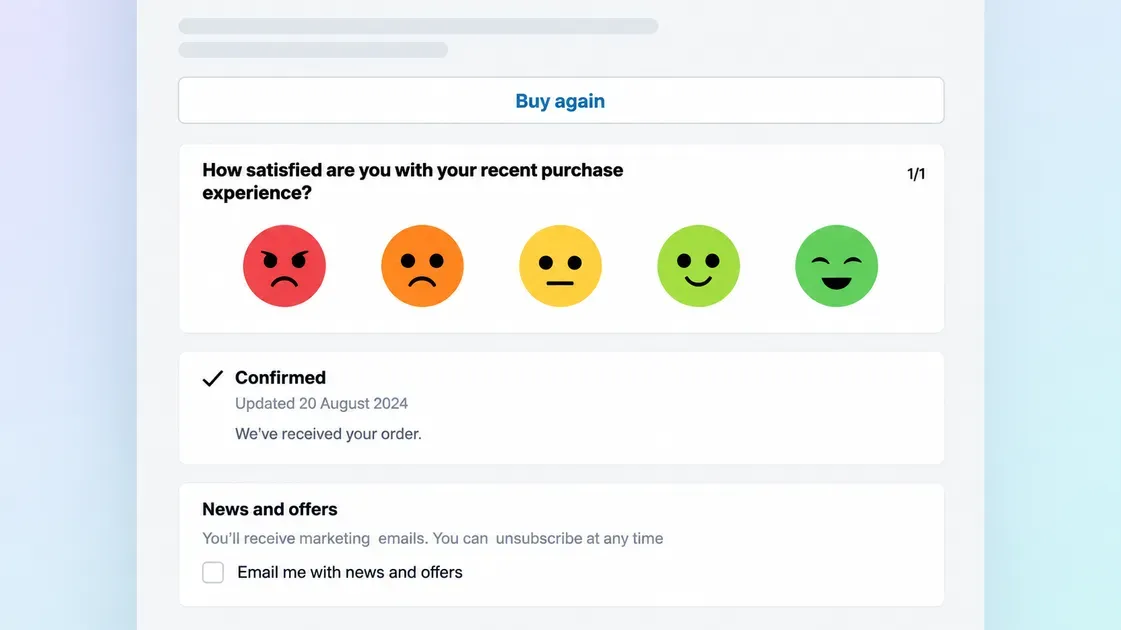
A post-purchase survey on Shopify collects customer feedback after an order is complete. It can appear on the Thank you page, Order status page, or another post-purchase touchpoint. Shopify supports checkout UI extensions that can add compact surveys without changing the core checkout flow.
How Does a Shopify Post-Purchase Survey Work?
After checkout, the survey appears on a Thank you or Order status page. The shopper answers one or more questions, such as a rating, multiple-choice question, or written response. The survey tool then stores the responses for analysis.
A typical workflow looks like this:
Display: Show a short survey after purchase.
Collect: Capture ratings, answers, or comments.
Analyze: Review responses to spot trends and customer needs.
What Can You Learn From Post-Purchase Surveys?
A well-designed survey can reveal useful insights about the buying experience, including:
Customer satisfaction: Track ratings and NPS to identify positive or negative experiences, then follow up happy respondents with a review request email.
Purchase motivation: Learn why customers chose a product or store.
Marketing attribution: Find out how shoppers discovered the store.
Product feedback: Identify strengths, problems, and areas for improvement.
Why Should Shopify Stores Use Post-Purchase Surveys?
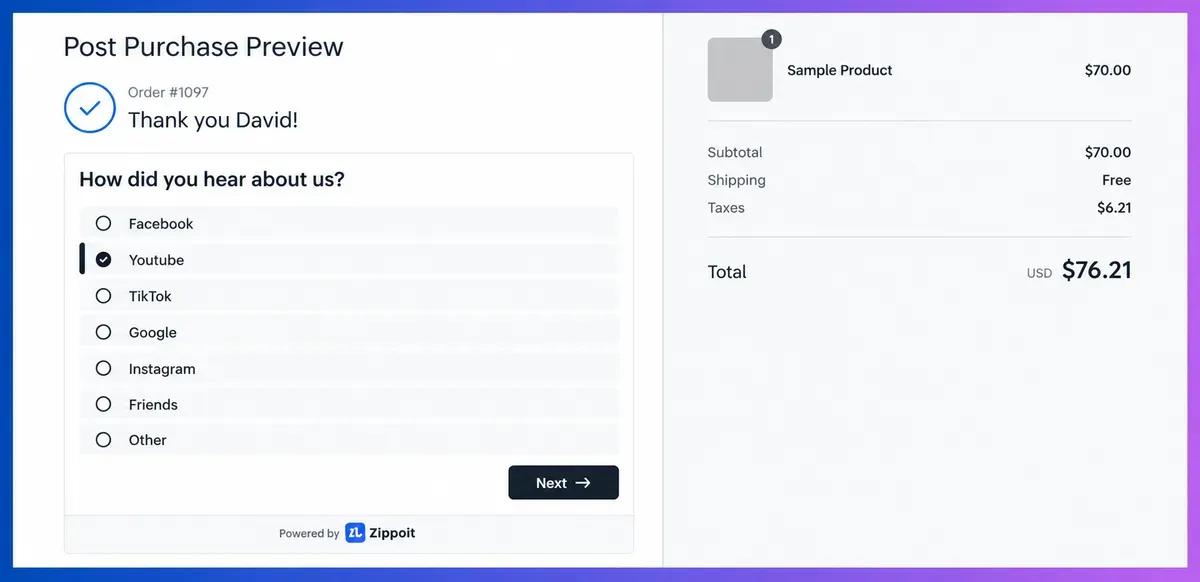
A completed order marks the start of a valuable feedback opportunity. A well-timed survey can reveal insights that sales and analytics alone may miss. Below are the reasons to add post-purchase surveys:
Understand Why Customers Buy
Post-purchase questions can reveal the factors that influence purchase decisions. Ask shoppers what attracted them to a product, which feature mattered most, or what problem they wanted to solve. These answers can guide product positioning, landing page copy, and merchandising decisions. Merchants can also combine survey responses with purchase history from Shopify to better understand buying behavior.
Find Out Which Marketing Channels Drive Sales
A survey can ask customers how they first discovered the store. Answers may highlight channels that standard attribution reports do not fully capture. Common choices include Google, social media, email, referrals, and paid ads. Store owners can combine survey responses with customer journey data from Shopify to get a broader view of marketing attribution within the available 30-day window.
Identify Problems in the Customer Journey
Short questions can uncover friction after checkout or during the buying process. Customers can point out unclear product details, confusing navigation, checkout concerns, or other issues. These insights help stores prioritize practical improvements instead of relying only on assumptions.
Collect First-Party Customer Feedback
Survey responses give stores direct information from customers. Stores can use survey responses as a first-party data source to better understand customer preferences and behavior.
This feedback can support better segmentation, personalization, product decisions, and customer experiences. Shopify also supports post-purchase surveys through checkout extensions on the Thank you page.
What Should You Ask in a Shopify Post-Purchase Survey?
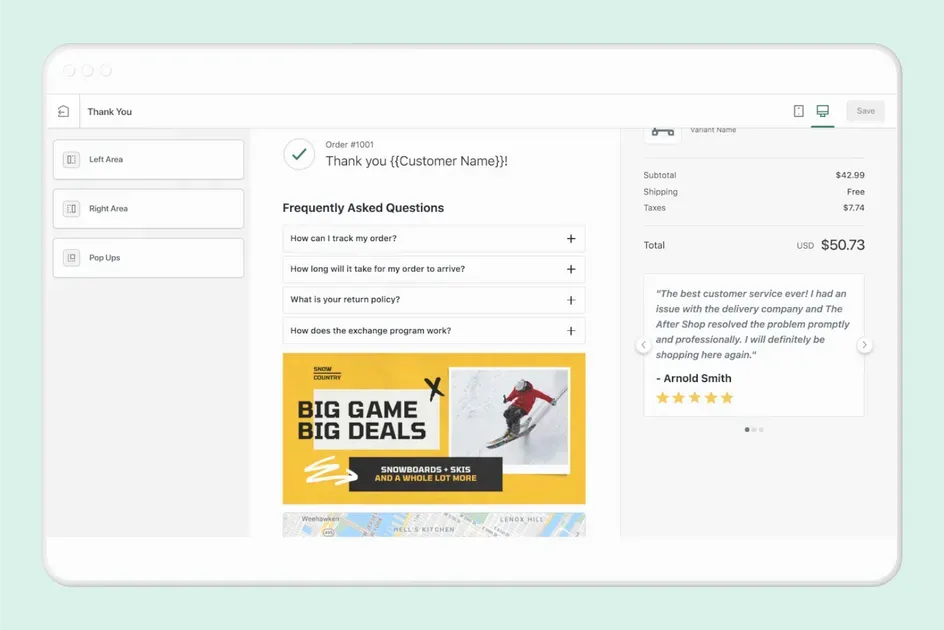
The best post-purchase surveys ask focused questions that produce useful answers without creating extra work for customers. Shopify supports survey experiences on the Thank you page, making this stage a practical time to collect feedback.
Ask How Customers Found Your Shopify Store
Start with a simple attribution question such as, “How did you hear about us?” Offer clear choices such as Google, social media, email, a friend, or an advertisement. This question can show which channels customers mention when they shop. Some Shopify survey apps also provide targeting and reporting tools for this type of feedback.
Ask Why Customers Chose Your Product
Find out what influenced the purchase decision. Useful options include price, product features, quality, reviews, brand reputation, or a specific customer need. These answers can help improve product pages, messaging, and promotional offers.
Ask About the Shopping Experience
Ask about the checkout and shopping journey with a short question. For example, “How easy was it to find and purchase the right product?” A simple rating scale can make responses easier to compare and analyze.
Ask for an Overall Rating
Use a rating question to measure the customer's overall experience. A 1–5 scale or an NPS-style question can provide a quick measure of satisfaction. Shopify's current checkout extension documentation includes compact feedback surveys as a supported use case.
Include One Optional Open-Ended Question
End with one optional question such as, “Is there anything else you would like to share?” Open responses can reveal issues or ideas that fixed choices may miss. Keep the survey short and focused. A few relevant questions can generate more useful feedback than a long form.
How to Add a Post-Purchase Survey to Shopify Without Coding
Adding a post-purchase survey to Shopify does not require custom development. A survey app can handle the questions, placement, design, and publishing through Shopify’s checkout editor.
Step 1: Choose a Shopify Post-Purchase Survey App
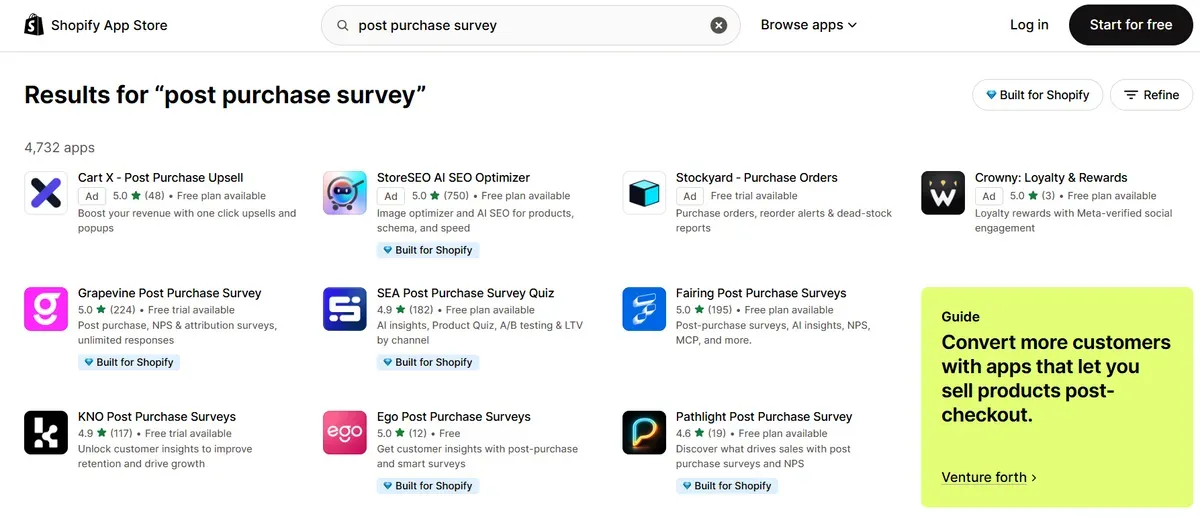
Start by choosing a survey app that supports Shopify’s Thank you or Order status pages. Check features such as question types, conditional logic, response limits, analytics, integrations, and pricing before installing an app.
For example, survey apps in the Shopify App Store can add survey blocks to post-purchase pages without code. Shopify currently lists apps such as Grapevine Post Purchase Survey, Zigpoll Customer Surveys, and other survey tools with post-purchase features.
Step 2: Install the Survey App
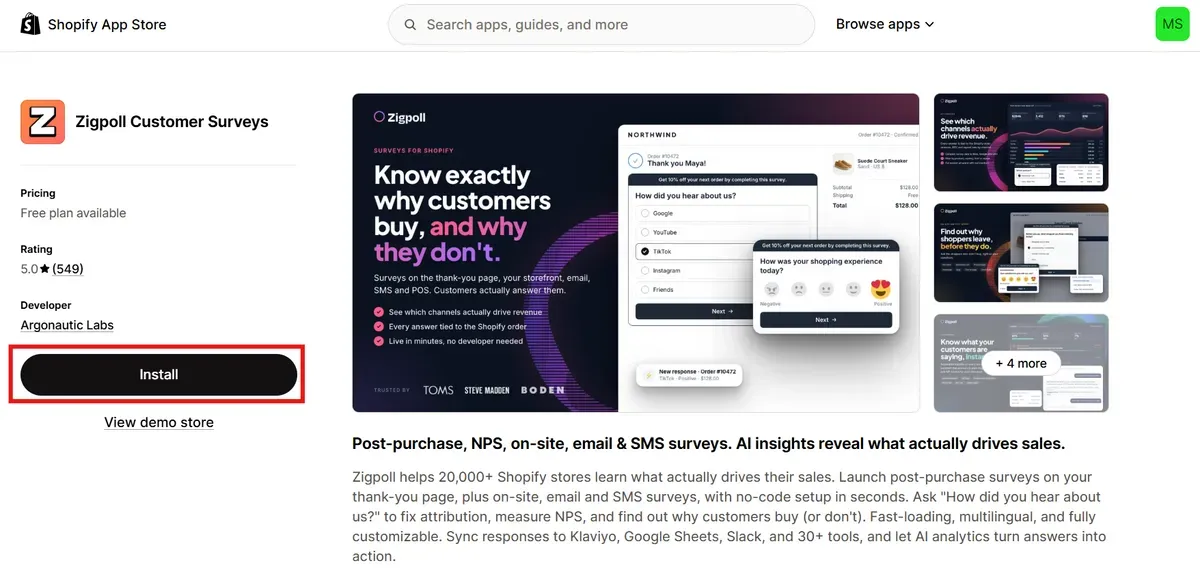
Open the selected app in the Shopify App Store and click Install. Review the requested permissions, then complete the installation in the Shopify admin.
After installation, open the app dashboard and follow its setup steps. Many survey apps provide a visual builder, so the survey can be created without editing theme files or writing code.
Step 3: Create Your Survey Questions
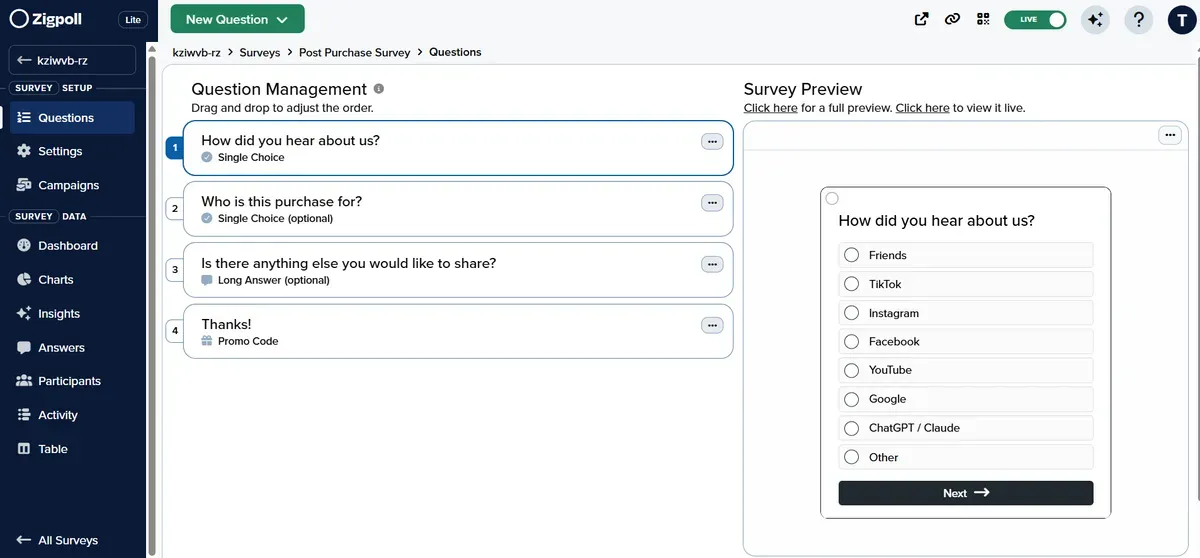
Add questions that match the information the store needs. Keep the survey focused instead of asking several unrelated questions in one session.
Common questions include:
How did you hear about the store?
What made you choose this product?
How would you rate the shopping experience?
What could improve the experience?
How likely are you to recommend the store?
Some apps also support multiple question types and conditional follow-ups. This setup lets different customers see relevant questions based on their previous answers.
Step 4: Choose Where the Survey Appears
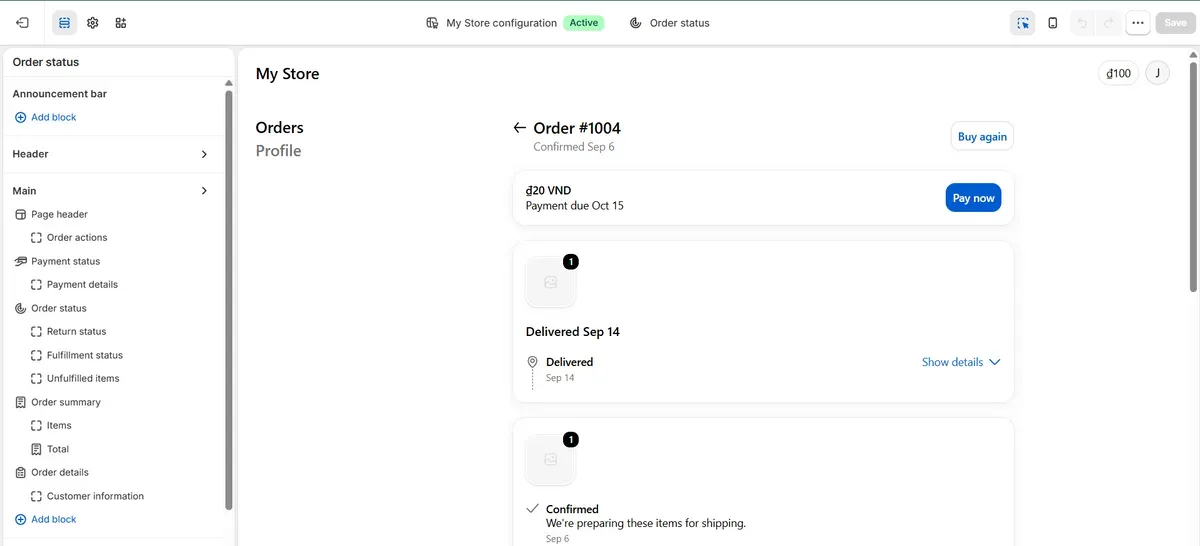
Select the post-purchase location where customers should see the survey. Shopify supports custom content on the Thank you and Order status pages through checkout UI extensions.
The Thank you page appears immediately after checkout, making it useful for questions about purchase decisions or marketing attribution. The Order status page can support follow-up feedback as customers return to check order details.
Step 5: Customize the Survey Design
Adjust the survey layout so it fits the store experience. Depending on the app, settings may include the question layout, answer buttons, colors, text, and other display options.
Keep the design simple and easy to scan. Shopify recommends limiting post-checkout content so customers do not feel overwhelmed. Keep the survey focused on the most relevant questions and avoid adding unnecessary content.
Step 6: Preview and Test Your Survey
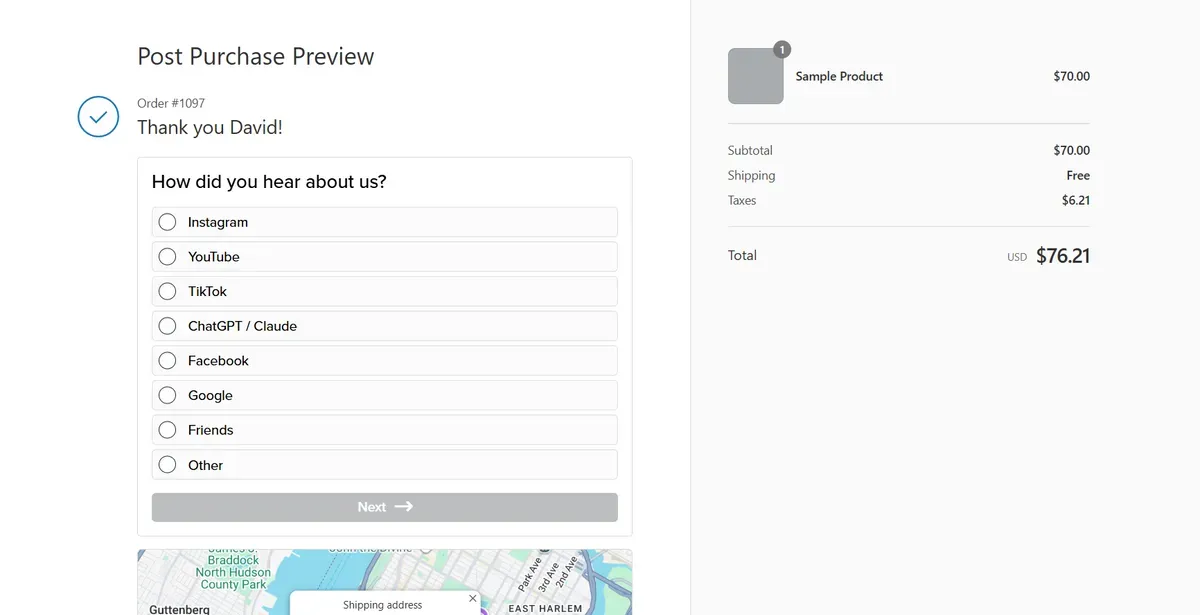
Preview the survey before publishing it to customers. Check the question order, answer choices, mobile layout, buttons, and confirmation message.
Run a test order when the app supports test mode or use the app's preview tools. Confirm that the survey appears in the intended location and that responses reach the app dashboard correctly. Shopify also recommends testing post-checkout extensions before deployment.
Step 7: Publish the Survey
Once the survey works as expected, publish or activate it from the survey app. All apps then require the survey block to be added through Shopify's checkout editor before it becomes visible to customers.
Check the live Thank you or Order status page after publishing. Review the first responses to confirm that the questions collect useful data without adding unnecessary friction to the post-purchase experience.
Best Shopify Apps for Post-Purchase Surveys
The right survey app can simplify feedback collection without requiring custom code. The following Shopify apps offer different approaches, from focused post-purchase surveys to broader customer research and marketing attribution.
| App | Key Features | Pricing | Best For |
|---|---|---|---|
| Grapevine Post Purchase Survey | Post-purchase, NPS, CSAT, attribution, unlimited responses | $25/month, 14-day free trial | Stores needing detailed insights and unlimited responses |
| Zigpoll Customer Surveys | Post-purchase, NPS, product feedback, AI insights, analytics | Free; paid from $39/month | Stores needing flexible surveys and advanced analytics |
| Gojiberry Survey & Feedback | Pre/post-purchase surveys, templates, conditional logic, multilingual | Free; Plus from $15/month | Small stores looking for an affordable, easy setup |
Grapevine Post Purchase Survey
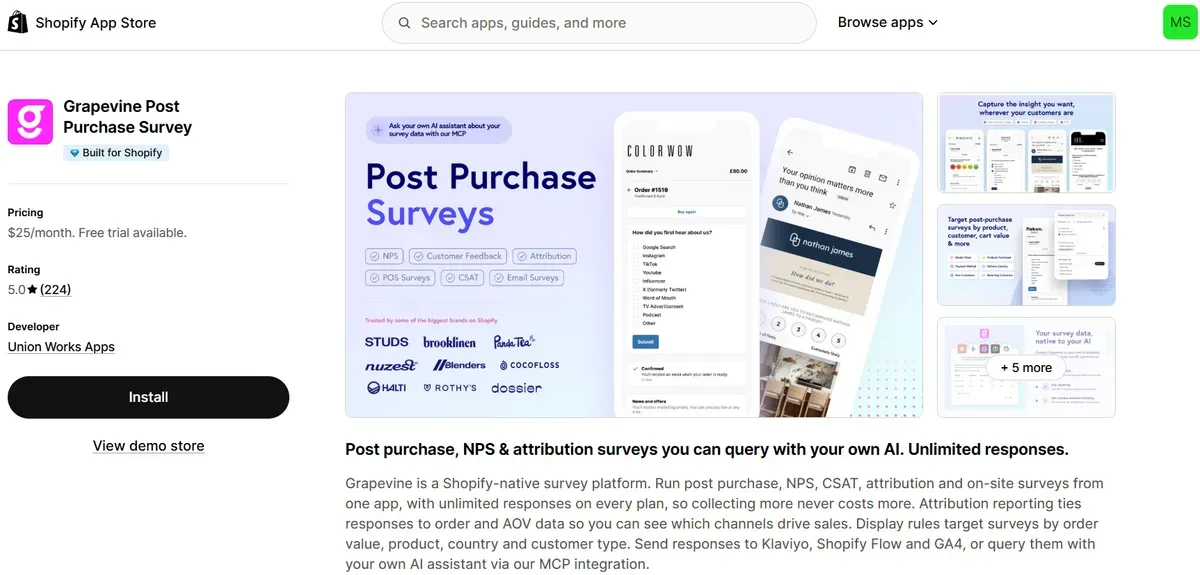
Grapevine Post Purchase Survey focuses on post-purchase, NPS, CSAT, and attribution surveys. It supports unlimited responses and can connect survey data with Shopify Flow, Klaviyo, and GA4. The app currently holds a 5.0-star rating from 228 reviews.
Pricing: $25/month with a 14-day free trial
Review: 5.0/5
Best for: Stores that need unlimited responses and detailed post-purchase insights
Zigpoll Customer Surveys
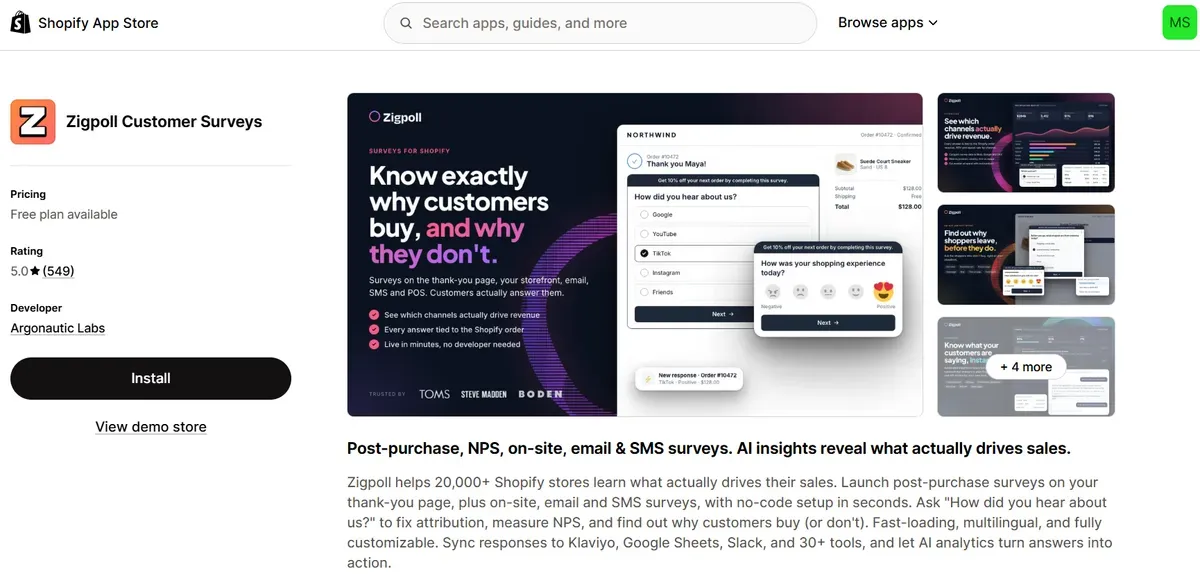
Zigpoll Customer Surveys supports post-purchase surveys, NPS, product feedback, and marketing attribution. Its features include AI insights, multilingual surveys, analytics, data exports, and customer segments.
Pricing: Free plan; paid plans start at $39/month
Review: 5.0/5
Best for: Stores that need flexible surveys and advanced analytics
Gojiberry Survey & Feedback
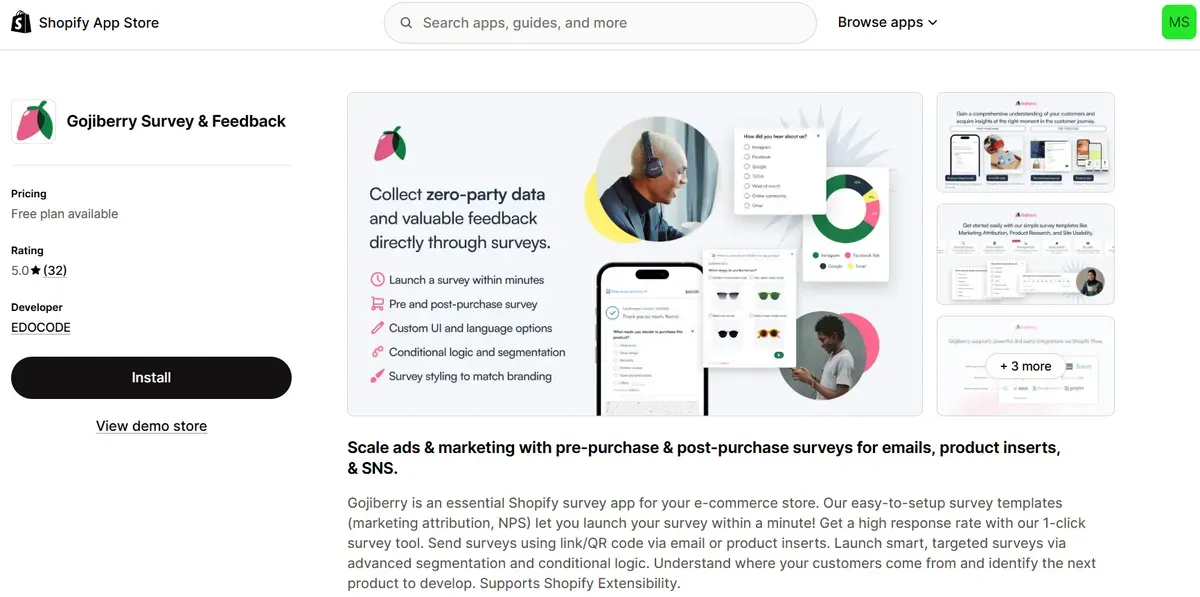
Gojiberry Survey & Feedback offers pre- and post-purchase surveys with templates, conditional logic, segmentation, and multilingual support. Its no-code setup makes it suitable for stores that need a simple way to start collecting customer feedback.
Pricing: Free plan; Plus starts at $15/month
Review: 5.0/5
Best for: Small stores looking for affordable, easy-to-set-up surveys
How to Create an Effective Shopify Post-Purchase Survey
A high-converting survey should feel quick, clear, and easy to complete. Shopify recommends keeping post-purchase surveys brief, with around three to four focused questions. Below are the key practices:
Keep the Survey Short
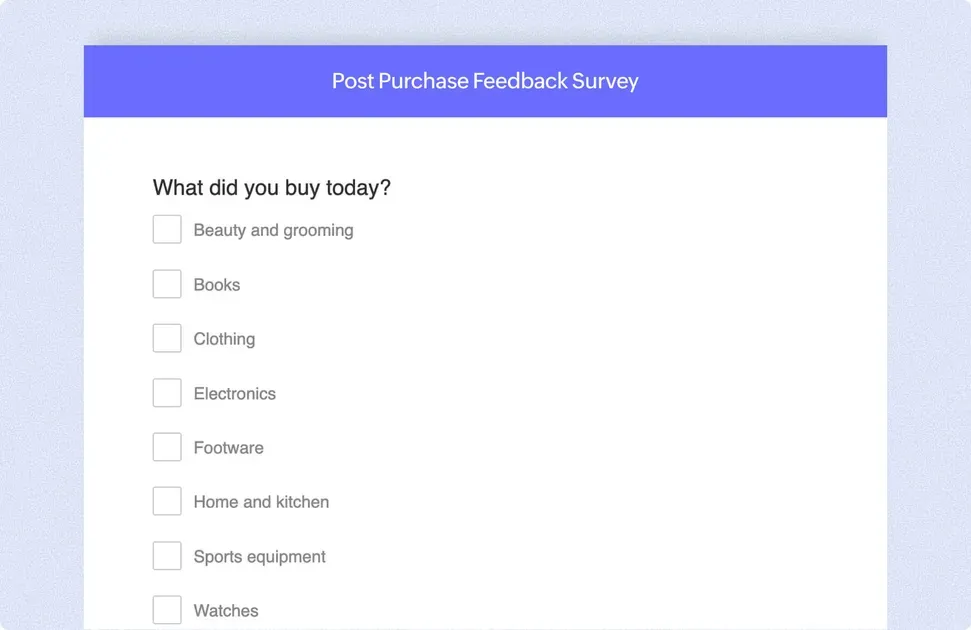
Limit the survey to only the questions that support a clear business goal. A short format reduces effort and makes customers more likely to finish the survey. For most Shopify stores, three to four focused questions can provide useful feedback without creating survey fatigue.
Ask One Question at a Time
Each question should focus on one topic. Avoid combining two ideas, such as asking about product quality and shipping in the same question. Clear wording also makes survey results easier to compare and analyze.
Use Multiple-Choice Questions
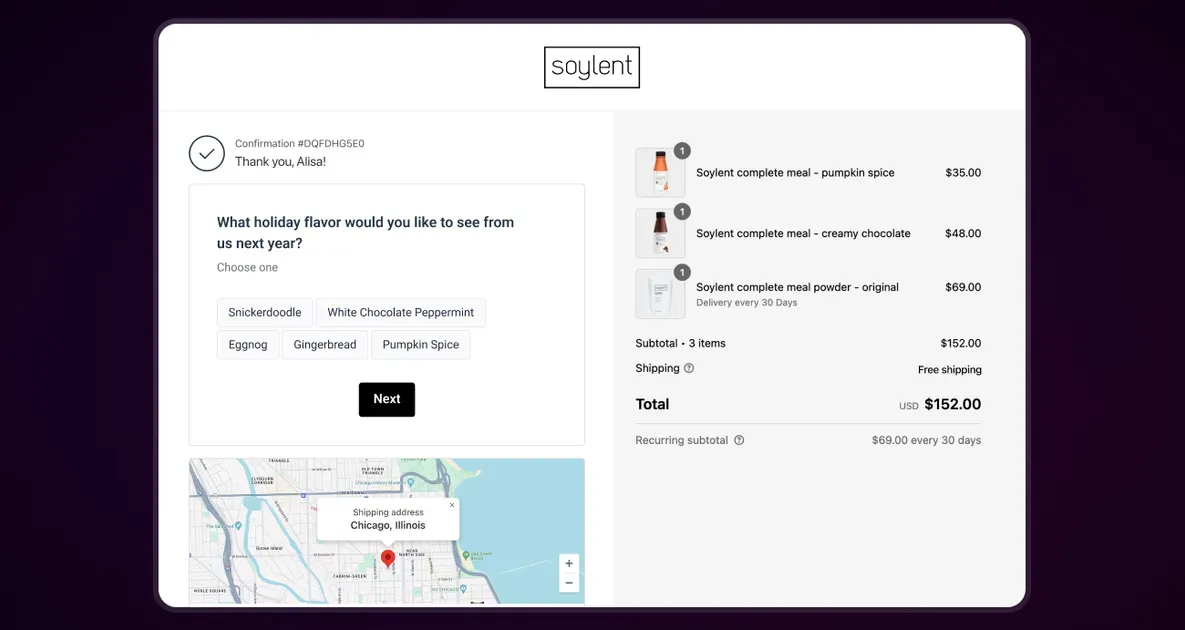
Multiple-choice questions let shoppers respond with a quick tap. Use clear options for questions about discovery channels, purchase reasons, satisfaction, or shopping preferences. Keep answer choices short and include an “Other” option when useful.
Make Open-Ended Questions Optional
An open text field can reveal details that fixed answers miss. However, typing takes more effort, especially on mobile devices, so make this question optional.
Offer an Incentive When Appropriate
A small discount or reward can encourage customers to complete a survey. Keep the offer simple and make the terms clear. The incentive should support feedback collection without making the survey feel promotional.
Optimize for Mobile
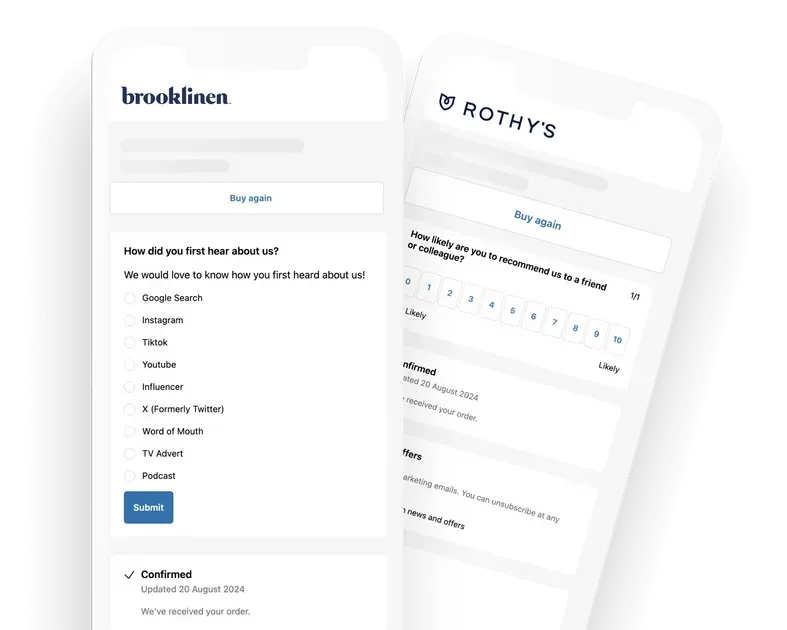
Make buttons, answer choices, and text fields easy to tap on smaller screens. Avoid long questions, large images, and layouts that require excessive scrolling.
Test the survey across common mobile screen sizes before publishing. Shopify also recommends keeping checkout extensions efficient because extra loading time can affect the buyer experience.
Post-Purchase Survey vs. Post-Delivery Survey: What's the Difference?
The best survey timing depends on the type of feedback a Shopify store needs. A post-purchase survey captures reactions while the buying experience remains fresh, often on the Thank you page immediately after checkout. Shopify also supports surveys on the Order status page, which customers can revisit during the fulfillment process.
A post-delivery survey works better for feedback about the product, delivery, packaging, or unboxing because customers have received the order. Shopify recommends matching survey timing to the customer journey stage and notes that CSAT can work after either purchase or delivery.
Let's look at the key differences:
| Factor | Post-Purchase Survey | Post-Delivery Survey |
|---|---|---|
| Timing | Immediately after checkout or during order fulfillment | After the customer receives the order |
| Best for | Purchase decisions, marketing attribution, and checkout feedback | Product satisfaction, delivery, packaging, and unboxing |
| Customer mindset | Focused on the purchase decision and checkout experience | Focused on the received product and overall fulfillment experience |
| Useful questions | “How did you find the store?” “Why did you choose this product?” “How easy was checkout?” | “How satisfied are you with the product?” “How was the delivery?” “How was the packaging?” |
| Best insights | Buying motivations, acquisition channels, and checkout friction | Product experience, delivery quality, and post-purchase satisfaction |
How to Analyze Post-Purchase Survey Performance
Creating a post-purchase survey is only the first step. Tracking the right metrics of a post-purchase survey helps determine if it is collecting useful feedback and giving customers a smooth experience:
Track Survey Response Rate
Response rate shows how many customers complete the survey after seeing it. A low response rate may indicate that the survey is too long, appears at the wrong time, or asks questions that feel irrelevant. Compare response rates across different survey versions, placements, or customer segments to identify patterns.
Measure Completion Rate
Completion rate shows how many customers who start the survey finish it. A high drop-off rate can signal that the survey has too many questions or includes difficult-to-answer fields. Keep an eye on where customers stop responding. This can help identify questions that need to be simplified or removed.
Review Customer Satisfaction Scores
Track metrics such as CSAT, NPS, or average ratings to understand how customers feel about the shopping experience. Look for changes over time rather than relying on a single survey result. Segment the results by product, order value, customer type, or acquisition channel when the survey tool supports it. This can reveal differences between customer groups.
Analyze Open-Ended Feedback
Quantitative scores show what customers rate, while written responses can explain why. Group recurring comments into themes such as product quality, shipping, checkout, pricing, or customer service. Regularly reviewing these themes can help identify problems that standard store analytics may not reveal.
Connect Survey Data With Store Data
Combine survey responses with relevant Shopify data to understand the broader customer journey. For example, compare feedback with products purchased, customer segments, order value, or acquisition sources when the available tools support these connections. The goal is not to collect the most responses. It is to turn survey results into clear insights that support better store decisions.
FAQs About Shopify Post-Purchase Surveys
Can I add a post-purchase survey to Shopify without coding?
Yes. A Shopify survey app can add a post-purchase survey without custom code, while Shopify also supports survey extensions on the Thank you and Order status pages.
Where should I put a post-purchase survey on Shopify?
The Thank you page works well for immediate feedback after checkout, such as asking how customers discovered the store. The Order status page suits later feedback about the product or overall experience.
How many questions should a Shopify post-purchase survey have?
A Shopify post-purchase survey should usually have 3–5 questions. Keep each question relevant to your goal and make optional questions easy to skip so customers can complete the survey quickly.
Can I use a post-purchase survey to find out how customers discovered my store?
Yes. A post-purchase survey can ask customers which channel led them to the store, such as search, social media, ads, or a referral. Shopify's official survey tutorial uses this type of question on the Thank you page.
Final Thoughts
A post purchase survey Shopify setup gives stores a simple way to collect useful customer feedback after checkout. With a no-code survey app, merchants can create focused questions, choose the right placement, customize the design, and test the experience before publishing. Keep surveys short, mobile-friendly, and tied to clear business goals. The right questions can reveal purchase motivations, marketing channels, customer satisfaction, and areas for improvement.

Hey! I'm Linda Bui. Join me as we explore tips and tutorials about Shopify apps and Shopify themes for your Shopify store.
Start Building Trust Today
Install the Product Reviews app to improve your store's credibility and boost sales with real customer reviews.
Get Started with Zero CostWhat to not miss out on our blog
Gain insightful knowledge and invaluable experiences from dedicated experts.
_1200x630.webp)
Best Shopify Wishlist Apps: Let Customers Save What They Love
Need a Shopify wishlist app for your store? Let's compare 7 leading options for 2026 and find the right mix of features, pricing, alerts, and integrations.
_1200x630.webp)
_1200x630.webp)
Newsletter
Get all the stories you need-to-know from the most powerful name in news delivered first thing every morning to your inbox