Shopify Review Request Email Templates That Get More Responses
- What Is a Shopify Review Request Email?
- What Makes a Shopify Review Request Email Effective?
- 7 Shopify Review Request Email Templates to Copy and Customize
- Best Shopify Review Apps for Sending Review Request Emails
- When Should You Send a Shopify Review Request Email?
- How to Create an Automated Shopify Review Request Email Flow
- Tips to Get More Responses to Shopify Review Request Emails
- What to Avoid in a Shopify Review Request Email
- FAQs About Shopify Review Request Emails
- The Bottom Line
What makes a customer stop and take the time to leave a review? The right message, timing, and tone can make a major difference. A well-crafted Shopify review request email can encourage more customers to share genuine feedback without feeling pressured. This guide covers effective email templates, practical tips, and proven approaches for increasing response rates. Explore the templates and find the right approach for a Shopify store.
What Is a Shopify Review Request Email?

A Shopify review request email is a post-purchase message that asks customers to share feedback about a product or shopping experience. Shopify recommends using automated post-purchase emails to request reviews and making the process simple with a direct link to the purchased product.
A typical review request email includes:
A personalized greeting
The purchased product or order details
A short request for honest feedback
A direct review link or button
A simple thank-you message
Timing also matters. Shopify’s Shop Product Reviews lets merchants set review request notifications from 1 to 180 days after delivery, giving stores flexibility to match the request with the product experience. A clear, timely email reduces friction and gives customers an easy reason to respond.
What Makes a Shopify Review Request Email Effective?
A strong review request should feel relevant, quick, and easy to act on. These elements can help Shopify merchants encourage genuine feedback without adding friction.
Write a Clear and Specific Subject Line
The subject line should tell customers why the email matters. Keep it short and direct, such as “How’s Your New Jacket?” or “Share Your Thoughts on Your Order.”
Avoid vague or sales-focused wording. A clear subject helps set the right expectation before the customer opens the email.
Personalize the Review Request
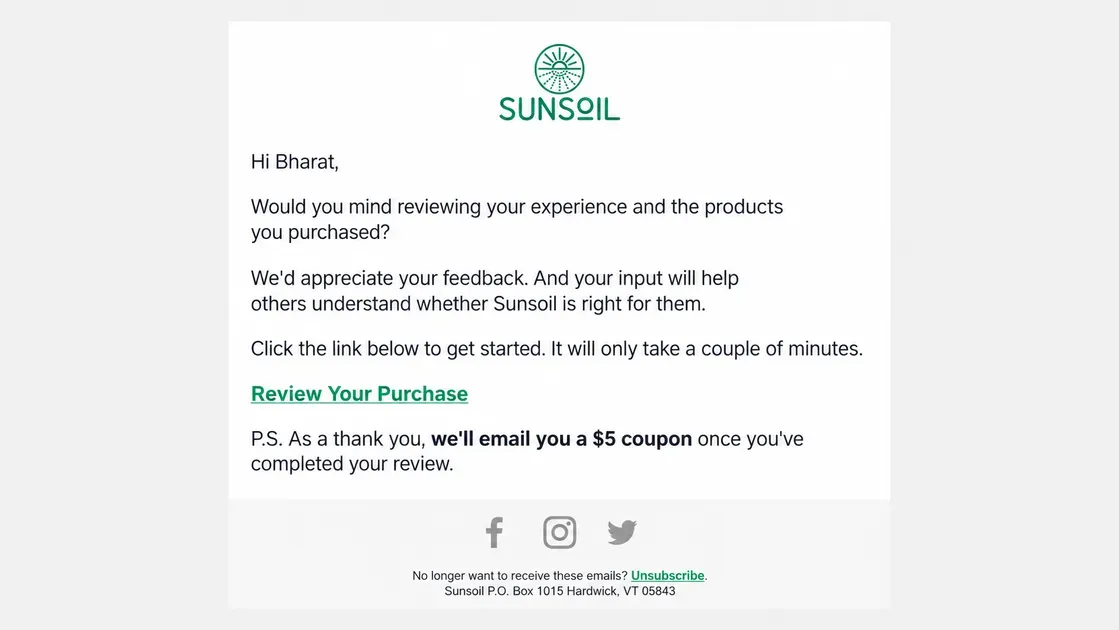
Personalization can make a request feel more relevant. Include details such as:
Customer name
Product name
Recent order
Purchase experience
Shopify specifically recommends personalized post-purchase emails for review requests.
Make the Review Process Simple
Give customers one clear action. Add a direct link or button that takes them to the review form or product page. Shopify notes that direct product links make it easier for customers to leave reviews, especially on mobile devices.
Ask for Honest Feedback
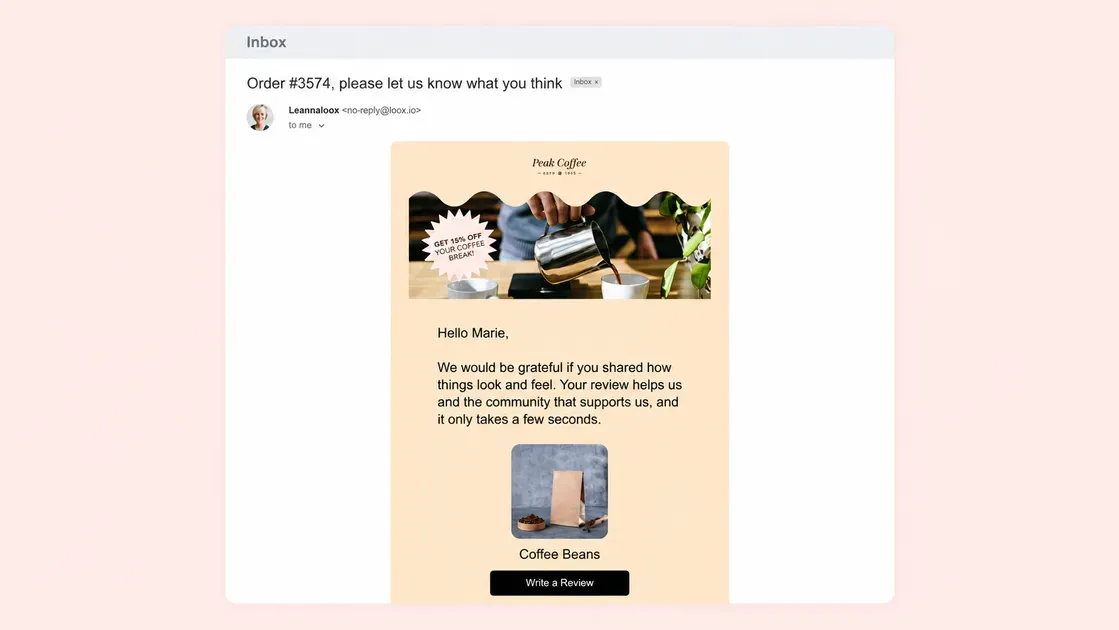
A review request should invite genuine opinions instead of pushing customers toward positive ratings. Use simple language such as “Tell us what you think” or “Share your honest feedback.”
For Shop product reviews, customers can leave a 1–5 star rating and add a comment of up to 1,000 characters. Shopify also lets merchants set review-request notifications from 1 to 180 days after delivery, so timing can match the product experience.
7 Shopify Review Request Email Templates to Copy and Customize
The right template can make a review request feel natural instead of intrusive. The examples below cover common post-purchase situations and follow Shopify’s guidance to make review requests clear, easy, and neutral:
1. Simple Shopify Product Review Request Email
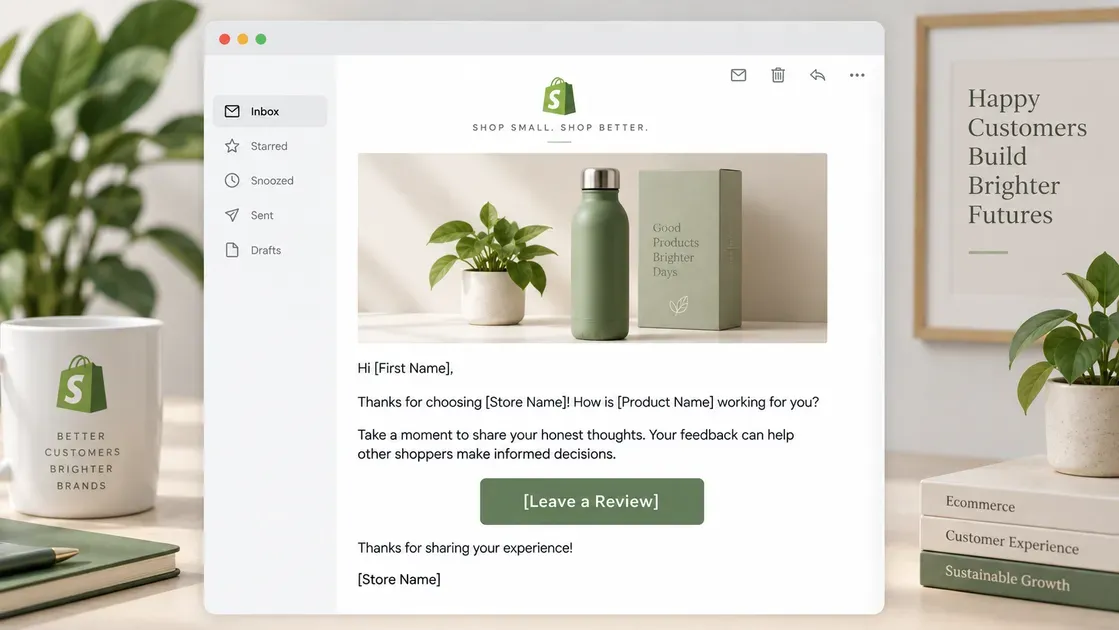
A simple request works well for standard post-purchase follow-ups. Keep the message focused on the product and give customers one clear action. Shopify recommends adding a direct link to the product to make reviewing easier.
Subject: How are you enjoying [Product Name]?
Email:
Hi [First Name],
Thanks for choosing [Store Name]! How is [Product Name] working for you?
Take a moment to share your honest thoughts. Your feedback can help other shoppers make informed decisions.
[Leave a Review]
Thanks for sharing your experience!
[Store Name]
2. Friendly Shopify Review Request Email After Delivery
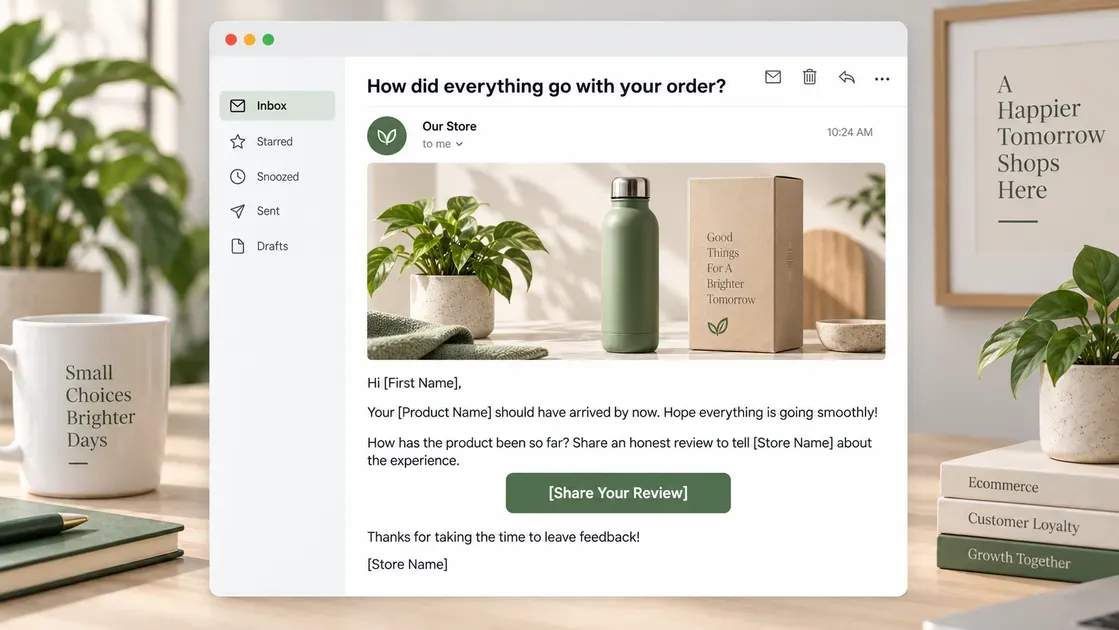
A delivery-based request gives customers time to receive and try the product before reviewing it. Shopify allows Shop review requests to go out from 1 to 180 days after delivery, so timing can match the product type.
Subject: How did everything go with your order?
Email:
Hi [First Name],
Your [Product Name] should have arrived by now. Hope everything is going smoothly!
How has the product been so far? Share an honest review to tell [Store Name] about the experience.
[Share Your Review]
Thanks for taking the time to leave feedback!
[Store Name]
3. Short Shopify Review Request Email
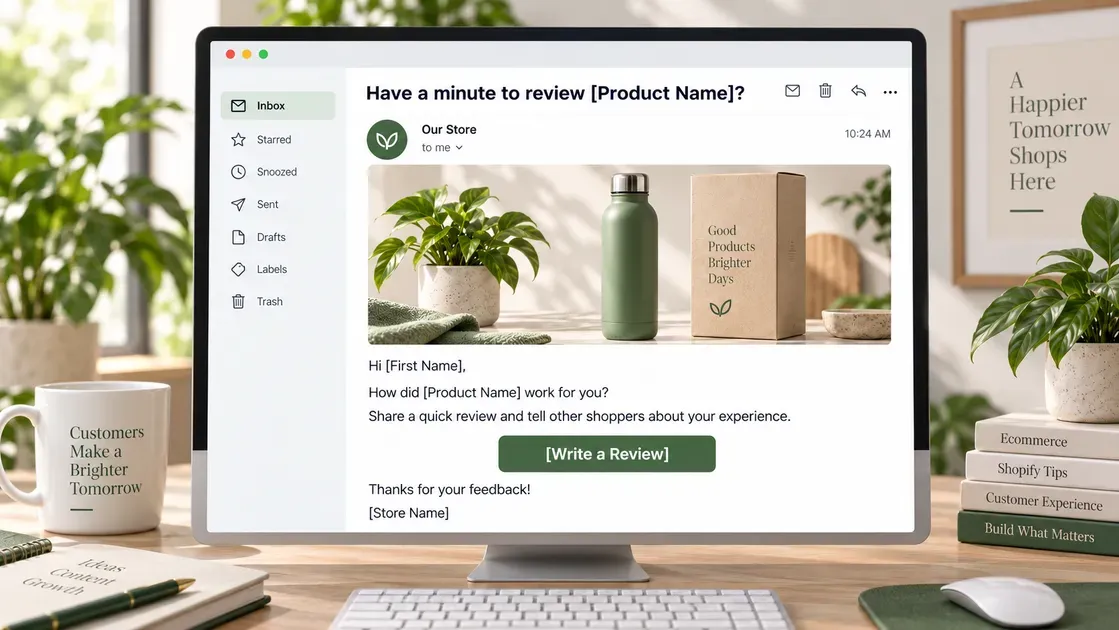
Short emails can remove unnecessary steps and get straight to the request. A single CTA also makes the review process easier to complete.
Subject: Have a minute to review [Product Name]?
Email:
Hi [First Name],
How did [Product Name] work for you?
Share a quick review and tell other shoppers about your experience.
[Write a Review]
Thanks for your feedback!
[Store Name]
4. Shopify Review Request Email With a Photo Request
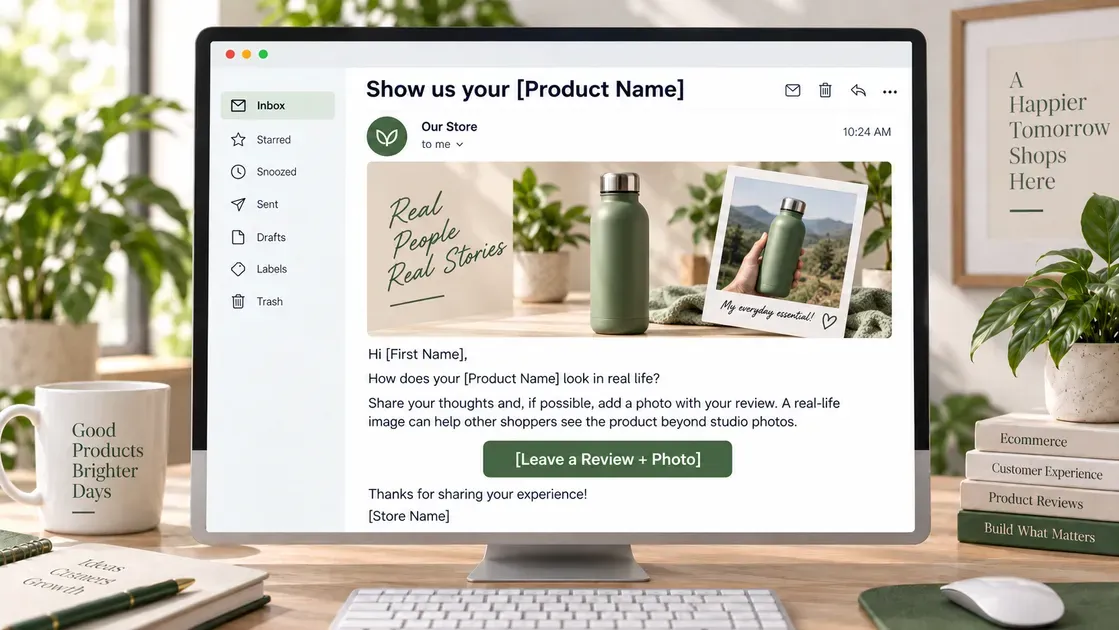
Photo reviews can add useful product context for future shoppers. Shopify supports partner app-collected reviews with images or videos when they meet Shop’s requirements.
Subject: Show us your [Product Name]
Email:
Hi [First Name],
How does your [Product Name] look in real life?
Share your thoughts and, if possible, add a photo with your review. A real-life image can help other shoppers see the product beyond studio photos.
[Leave a Review + Photo]
Thanks for sharing your experience!
[Store Name]
5. Shopify Review Request Email With an Incentive
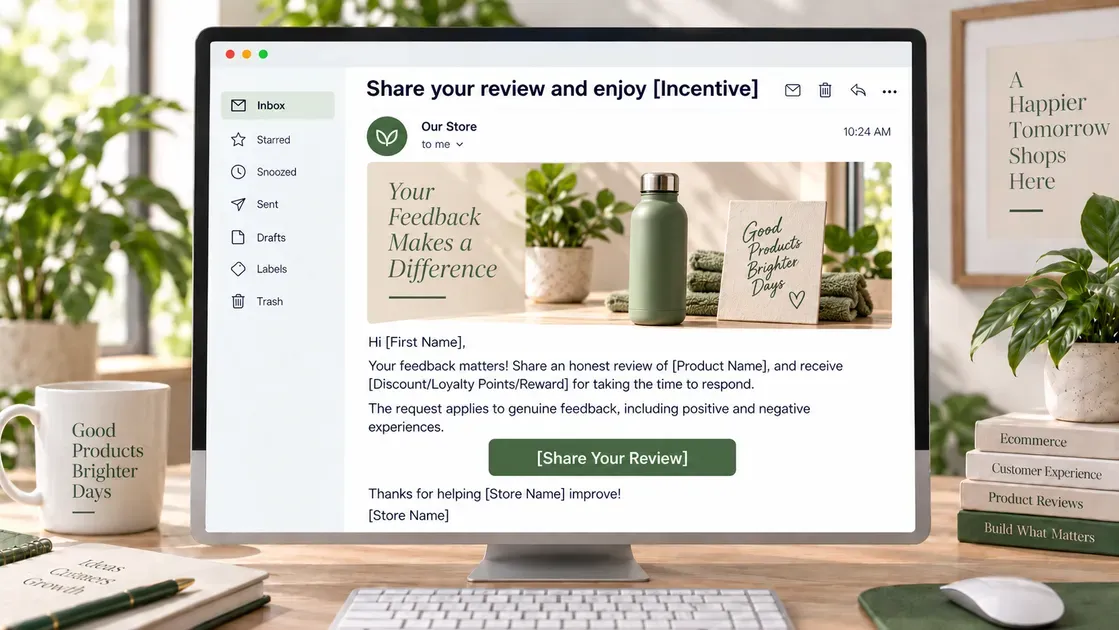
An incentive can encourage customers to spend more time writing a review. However, the reward should not depend on positive sentiment. Shopify’s 2026 guidance also notes that merchants should ask for honest feedback rather than a positive review.
Subject: Share your review and enjoy [Incentive]
Email:
Hi [First Name],
Your feedback matters! Share an honest review of [Product Name], and receive [Discount/Loyalty Points/Reward] for taking the time to respond.
The request applies to genuine feedback, including positive and negative experiences.
[Share Your Review]
Thanks for helping [Store Name] improve!
[Store Name]
Note: For reviews collected through Shop, Shopify says merchants should not offer compensation such as discounts, free products, or refunds in exchange for reviews. Check the rules for the specific review channel and app before using an incentive.
6. Follow-Up Shopify Review Request Email
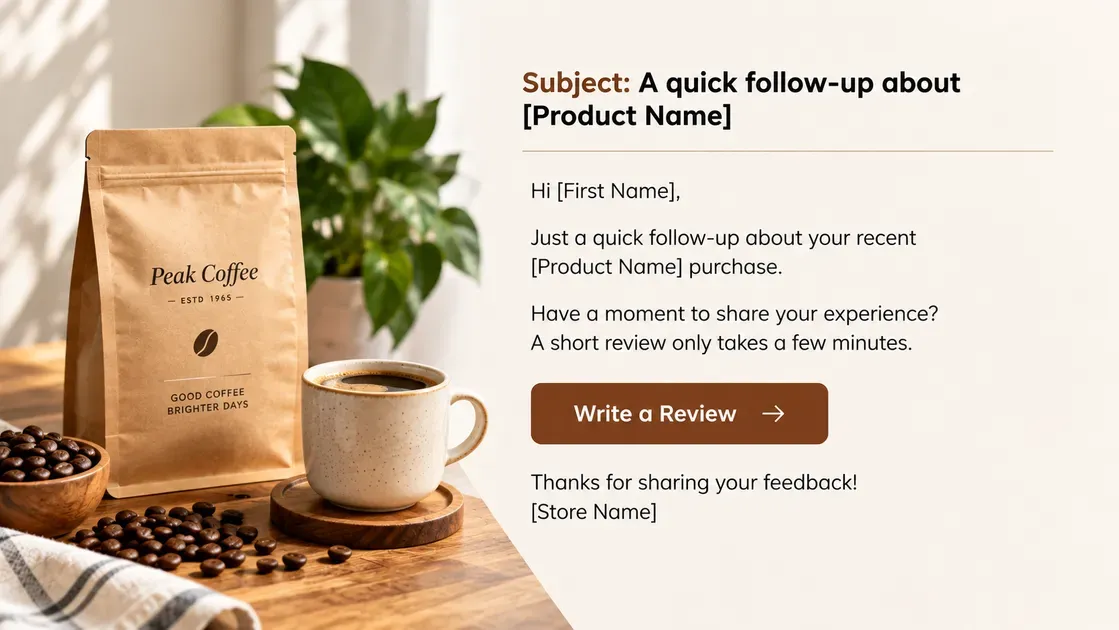
A follow-up can remind customers who missed the first request without repeating the entire message. Shopify recommends automated follow-ups as part of a post-purchase review strategy.
Subject: A quick follow-up about [Product Name]
Email:
Hi [First Name],
Just a quick follow-up about your recent [Product Name] purchase.
Have a moment to share your experience? A short review only takes a few minutes.
[Write a Review]
Thanks for sharing your feedback!
[Store Name]
7. Shopify Review Request Email for Repeat Customers
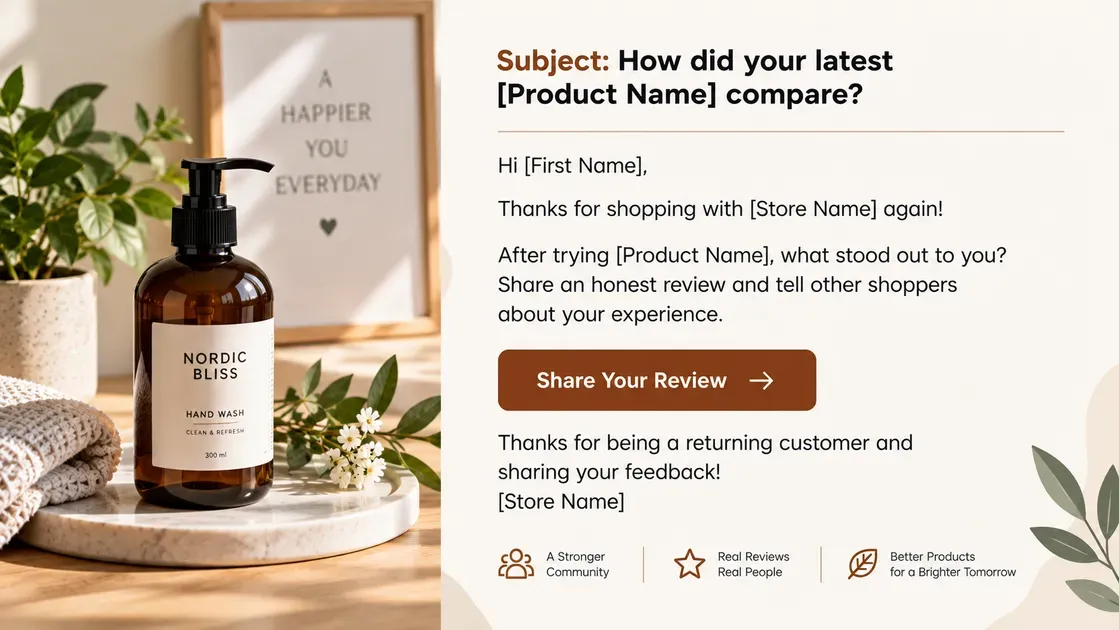
Repeat buyers already have experience with the store, so the message can acknowledge their continued support. A personalized request can also make the email feel more relevant.
Subject: How did your latest [Product Name] compare?
Email:
Hi [First Name],
Thanks for shopping with [Store Name] again!
After trying [Product Name], what stood out to you? Share an honest review and tell other shoppers about your experience.
[Share Your Review]
Thanks for being a returning customer and sharing your feedback!
[Store Name]
Shopify recommends keeping review requests neutral and avoiding language that asks customers specifically for positive feedback. Genuine reviews give future shoppers more useful information.
Best Shopify Review Apps for Sending Review Request Emails
The right review app can automate requests while making the review process easier for customers. The options below focus on email requests, review collection, and features that support higher response rates.
| App | Main features | Pricing |
|---|---|---|
| Doran Product Reviews App & QA | Automated email requests, photo/video reviews, Q&A, discounts, review reminders, analytics, customizable widgets | Free |
| Junip Product Reviews App & AI | Unlimited review requests, mobile-first forms, photo reviews, review widgets, AI tools, Google Shopping and Shop App integrations | Free plan; paid plans from $29/month |
| AG Product Reviews App & UGC | Automated email requests, reminders, discounts, photo reviews, UGC, review widgets, rich snippets, review imports | Free |
Doran Product Reviews App & QA
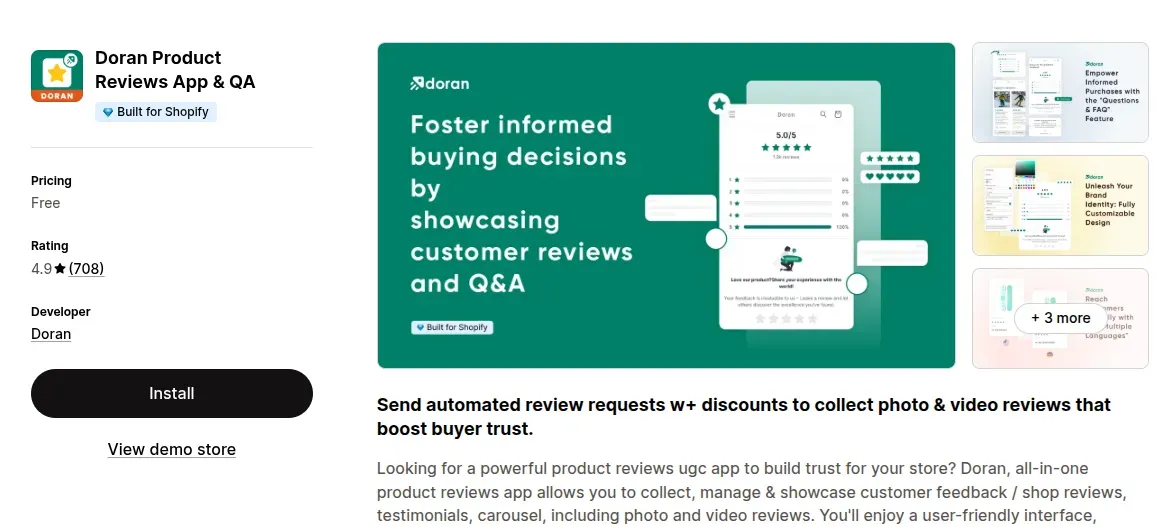
Doran Product Reviews App & QA helps Shopify merchants collect and display customer feedback from one platform. The app supports automated review requests through email and can include discount codes to encourage participation. It also collects photo and video reviews, manages Q&A, and offers multiple review widgets. Doran supports multiple languages and works with Shopify Flow, Klaviyo, and Omnisend.
Pricing: Free
Review: 4.9/5
Ideal for: Stores that need automated review emails, UGC, and extensive customization
Junip Product Reviews App & AI
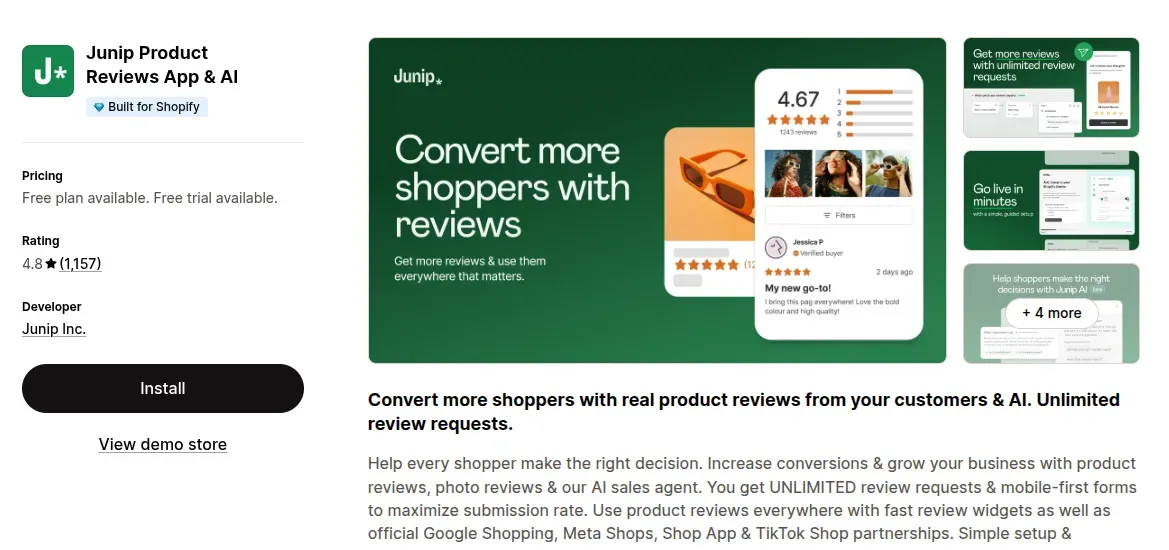
Junip Product Reviews App & AI focuses on collecting reviews through unlimited review requests and mobile-first submission forms. Merchants can collect photo reviews and display feedback through fast, on-brand widgets. The app also supports Google Shopping, Shop App, Meta Shops, and TikTok Shop integrations on higher plans.
Pricing: Free plan available; Core $29/month, Growth $79/month, Premium $299/month
Review: 4.8/5
Ideal for: Growing stores that need unlimited review requests and mobile-friendly review collection
AG Product Reviews App & UGC
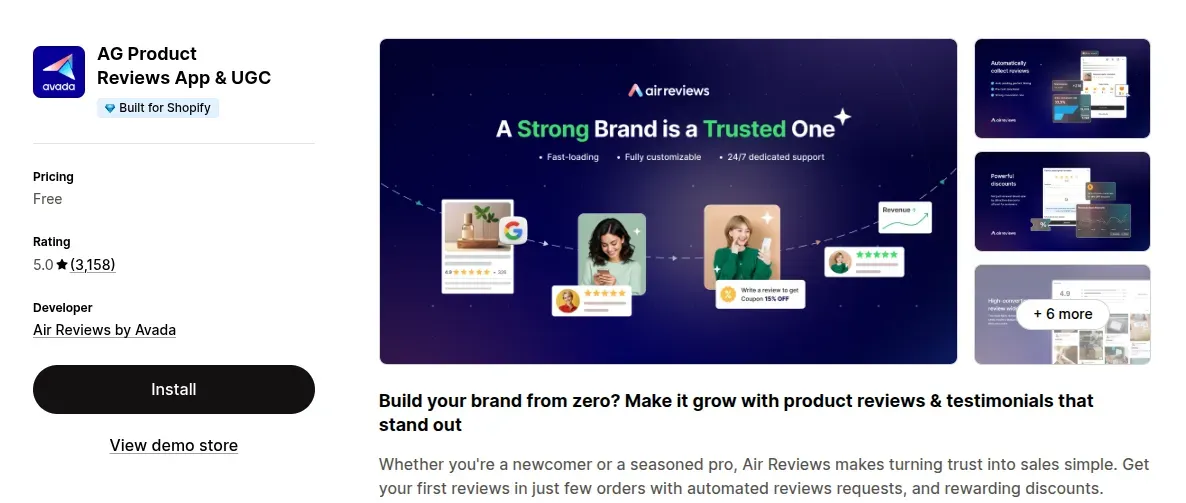
AG Product Reviews App & UGC, also known as Air Reviews, combines automated review requests with UGC collection and review display tools. Merchants can send interactive email requests and reminders, offer discounts, and collect photo reviews. The app also supports review widgets, rich snippets, review imports, and integrations with Shopify Flow and Klaviyo.
Pricing: Free
Review: 5.0/5
Ideal for: Stores that want automated email requests, UGC, and flexible review displays
When Should You Send a Shopify Review Request Email?
The best time to send a Shopify review request email depends on how quickly customers can use and judge the product. In general, send the first request after delivery, once the customer has had enough time to form an opinion. Shopify’s guidance suggests asking about a week or two after delivery, while faster-use products may need only a few days.
Fast-use products: A few days after delivery
Products that need more time: About 1–2 weeks or longer
Long-term products: Wait several weeks if customers need extended use to assess results
Follow-up: Send a reminder if the first request gets no response
Shopify’s Shop product reviews allow merchants to set requests anywhere from 1 to 180 days after delivery.
How to Create an Automated Shopify Review Request Email Flow
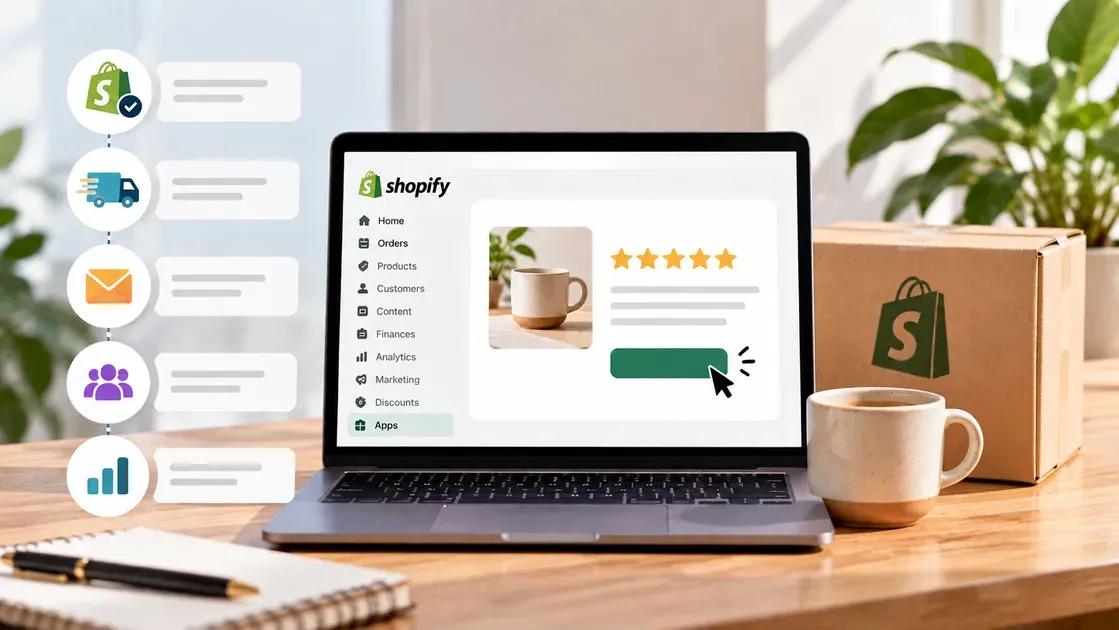
An automated review flow can send requests at the right stage without requiring manual follow-ups. Shopify Flow supports event-based workflows, including order fulfillment triggers, while review apps can handle email requests and collection.
Let's build a simple flow that keeps each message timely and relevant.
Step 1: Choose a Review Collection Method
Start with a Shopify review app that supports email requests. Shopify’s App Store lists hundreds of review apps with this feature, including tools for automated requests, photo reviews, and review management.
Choose an app that lets customers reach the review form with one clear click. Check its email, automation, customization, and analytics features before setting up the flow.
Step 2: Trigger the Email After Delivery
Set the first request after the customer receives the order. Avoid sending it immediately after checkout because the customer may not have used the product yet.
Shopify Flow includes an Order fulfilled trigger that starts a workflow after fulfillment succeeds. Use the review app's timing settings to add an appropriate delay after fulfillment or delivery.
Step 3: Add a Follow-Up Email
Create one reminder for customers who do not submit a review after the first request. Keep the follow-up shorter than the original email.
Avoid sending repeated reminders too close together. A simple message with one review button keeps the next step clear.
Step 4: Segment Review Requests
Separate customers into useful groups before sending requests. For example:
First-time customers
Repeat customers
Customers who bought specific products
Customers with multiple-item orders
Shopify Flow can use customer and order data in workflow conditions, which supports more targeted automation.
Step 5: Track Email and Review Performance
Monitor key metrics to see how the flow performs. Track email delivery, open rates, clicks, review submissions, and response rates when the selected app provides these metrics.
Compare results across subject lines, timing, products, and customer segments. Adjust the flow based on the data instead of sending every customer the same request.
Tips to Get More Responses to Shopify Review Request Emails
A few small changes can make a Shopify review request email easier to open and complete:
Send at the right time: Request feedback after delivery, once customers have enough time to use the product.
Keep the message short: Explain the request clearly and avoid unnecessary details.
Add a direct review link: Send customers straight to the review form to reduce extra steps.
Personalize the email: Include the customer’s name and purchased product when possible.
Use a clear subject line: Avoid misleading wording, excessive punctuation, and all-caps text to support email deliverability.
Follow up once: A short reminder can reach customers who missed the first request.
Ask for honest feedback: Encourage genuine opinions instead of requesting only positive reviews.
What to Avoid in a Shopify Review Request Email
A strong Shopify review request email should feel helpful, honest, and easy to act on. Avoid tactics that can reduce trust or affect email deliverability:
Do not ask for positive reviews: Request honest feedback instead of guiding customers toward a specific rating.
Avoid misleading subject lines: Keep the subject relevant to the email content and avoid excessive punctuation or all-caps text.
Do not pressure customers: Give shoppers a simple way to skip the request.
Avoid long emails: Keep the message focused and make the review link easy to find. Shopify recommends keeping marketing emails under 200 words.
Do not use fake reviews: Never create or request reviews that misrepresent a customer's experience.
Check incentive rules: Shop product reviews prohibit compensation in exchange for reviews, including discounts, free products, or refunds.
FAQs About Shopify Review Request Emails
How many times should I ask for a product review?
One initial request plus one short follow-up is usually enough. For Shop reviews, Shopify lets merchants set the review request notification from 1 to 180 days after delivery, so timing matters more than sending repeated requests.
Can Shopify automatically send review request emails?
Shop can automatically send a review request notification after an order gets delivered. Merchants can also customize the timing, while Shopify Flow supports a Shop Reviews Custom Notification Flow for more advanced workflows.
Can I offer a discount for leaving a Shopify review?
No. Shopify's Shop product review guidelines prohibit offering money, discounts, free products, or refunds in exchange for a review. Review requests should remain neutral and encourage honest feedback.
The Bottom Line
A well-timed Shopify review request email can turn recent purchases into valuable customer feedback. Keep each message short, personalize the request, use a clear review link, and follow up without creating pressure. The right review app can also automate requests and simplify collection. Use the templates and tips in this guide to create a smooth review process, encourage honest responses, and gather feedback that helps improve the customer experience.

Hey! I'm Linda Bui. Join me as we explore tips and tutorials about Shopify apps and Shopify themes for your Shopify store.
Start Building Trust Today
Install the Product Reviews app to improve your store's credibility and boost sales with real customer reviews.
Get Started with Zero CostWhat to not miss out on our blog
Gain insightful knowledge and invaluable experiences from dedicated experts.
_1200x630.webp)
Best Shopify Wishlist Apps: Let Customers Save What They Love
Need a Shopify wishlist app for your store? Let's compare 7 leading options for 2026 and find the right mix of features, pricing, alerts, and integrations.
_1200x630.webp)
_1200x630.webp)
Newsletter
Get all the stories you need-to-know from the most powerful name in news delivered first thing every morning to your inbox