How to Add a Newsletter Popup to Your Shopify Store That Actually Converts
- **What Is a Shopify Newsletter Popup?**
- **Why Add a Newsletter Popup to Your Shopify Store?**
- **How to Add a Newsletter Popup to Shopify**
- **How to Design a Shopify Newsletter Popup That Converts**
- **Where and When Should a Shopify Newsletter Popup Appear?**
- **5 Best Shopify Newsletter Popup Apps to Try**
- **Shopify Newsletter Popup vs. Shopify Forms**
- **Common Shopify Newsletter Popup Mistakes to Avoid**
- **How to Use Shopify Newsletter Popup Subscribers After Signup**
- **FAQs About Shopify Newsletter Popup**
- **Final Thoughts**
Is the Shopify store getting traffic but missing chances to turn visitors into subscribers? A well-designed Shopify newsletter popup can capture email addresses at the right moment without disrupting the shopping experience. From choosing the right trigger to creating a compelling offer, each detail can affect signup rates and future engagement. This guide covers practical ways to build a popup that feels natural and encourages more visitors to subscribe. Let’s explore how to make it convert.
What Is a Shopify Newsletter Popup?
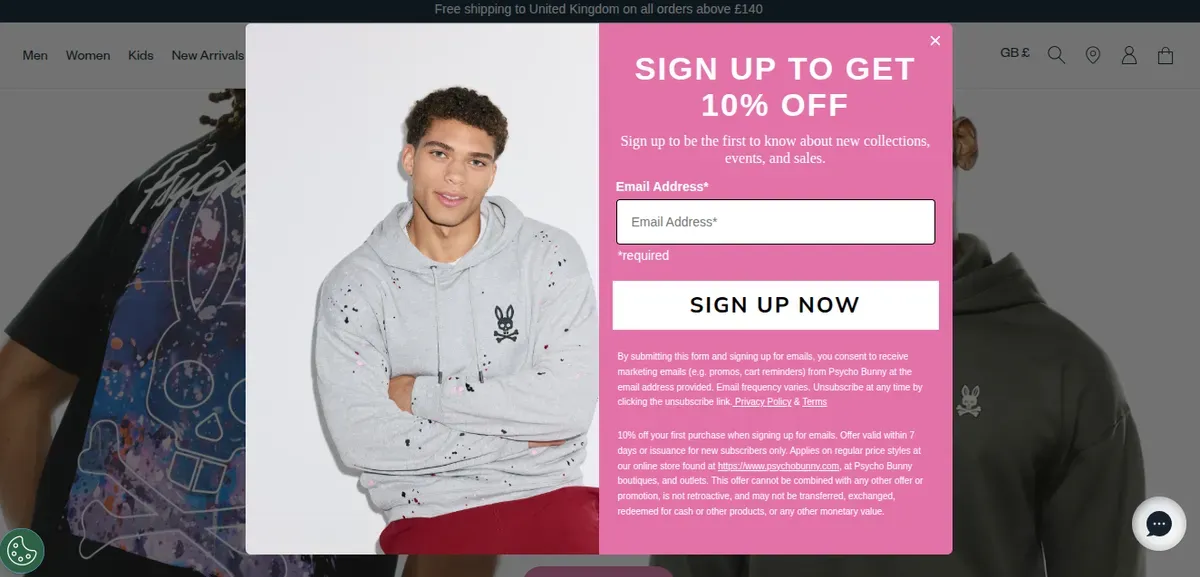
A Shopify email popup is a small form that appears on a store page and asks visitors to join an email list. It gives merchants a direct way to collect subscriber information and build an audience for future email marketing. Shopify Forms supports popup and inline forms for this purpose.
A popup can appear as a floating form or an overlay. Merchants can control its content, styling, display settings, fields, and marketing consent options. Shopify also lets forms connect with automations and customer tags for more targeted marketing.
A newsletter popup typically includes:
A clear headline that explains the signup benefit.
An email field for collecting subscriber information.
A strong CTA such as “Sign Up” or “Get My Discount.”
An incentive, such as a discount or special offer.
Why Add a Newsletter Popup to Your Shopify Store?
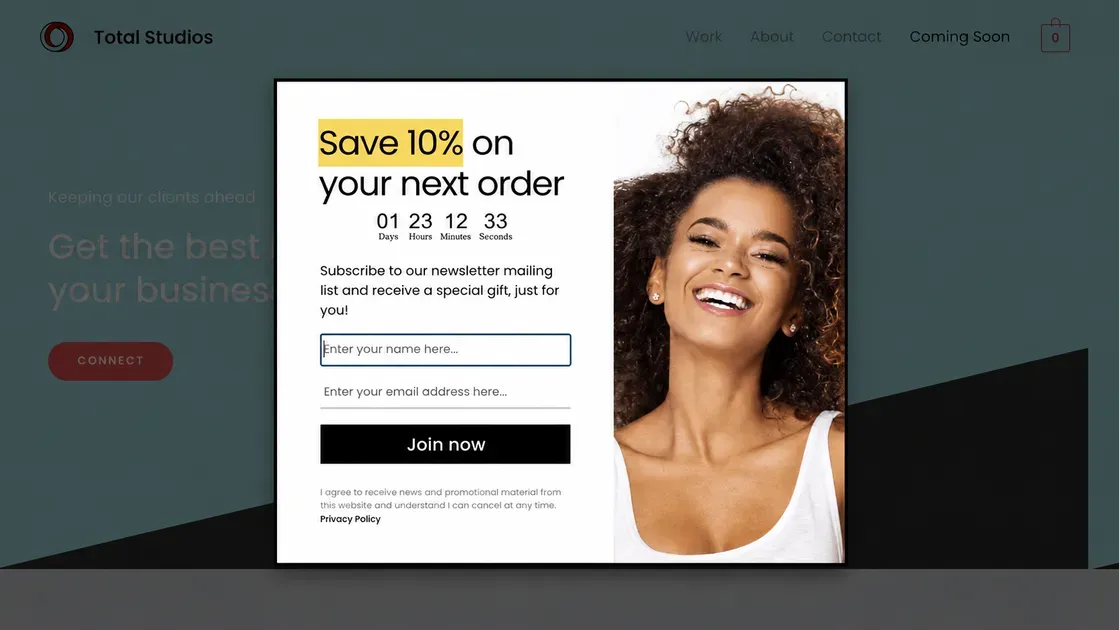
A newsletter popup Shopify can turn a brief store visit into an ongoing customer relationship. It also gives Shopify merchants a direct channel for sharing products, offers, and useful updates.
Build an Email Subscriber List
A popup gives visitors a simple way to join the store’s email list while browsing. Shopify confirms that newsletter sign-ups can add customers to the Email subscribers segment in the admin, creating a permission-based audience for marketing.
Shopify Forms also lets merchants customize popup forms and add discounts to encourage sign-ups. The app can trigger automations, apply customer tags, and support targeted email campaigns.
Turn Anonymous Visitors Into Subscribers
Many visitors leave without buying or creating an account. A well-timed popup can give those visitors a clear reason to share an email address, such as early access, product updates, or a discount. After signup, Shopify can use customer segments to organize subscribers by shared traits and marketing activity.
Create Opportunities for Repeat Sales
Email subscribers create another channel for promoting new products, sales, and personalized offers. Shopify Messaging can send campaigns to all subscribers or selected segments based on customer data. Shopify also provides welcome and post-purchase automations that can support future purchases and ongoing engagement.
How to Add a Newsletter Popup to Shopify
Shopify Forms provides a built-in way to collect email subscribers through popup forms. The setup takes only a few steps, from enabling the app to choosing when the popup appears. Below is how to create and launch a Shopify popup newsletter step by step:
Step 1: Install and Enable Shopify Forms
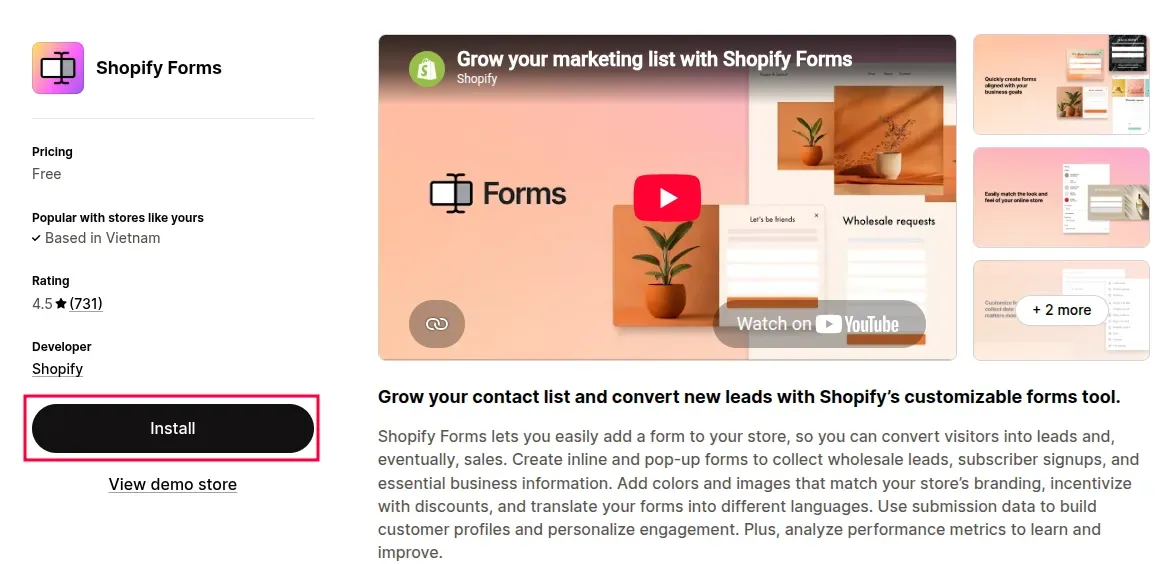
First, install Shopify Forms from the Shopify App Store. Shopify Forms comes free to install and use, but it does not come installed by default with a Shopify plan.
Next, activate the Forms app embed in the store theme:
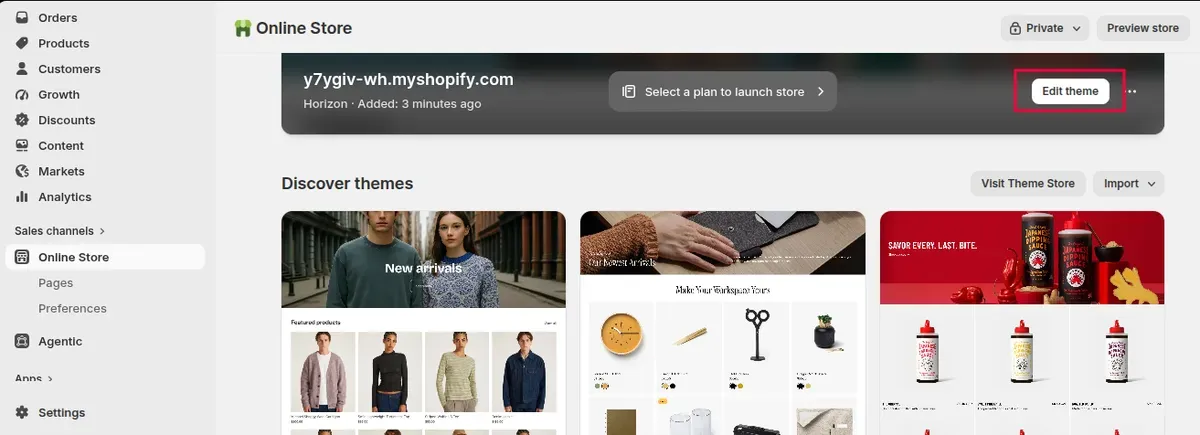
Go to Online Store > Themes in Shopify admin.
Open the active theme and click Edit theme.
Select App embeds.
Turn on Forms and click Save.
Shopify requires the Forms theme app embed for popup forms to appear on the storefront.
Step 2: Create a Shopify Newsletter Popup
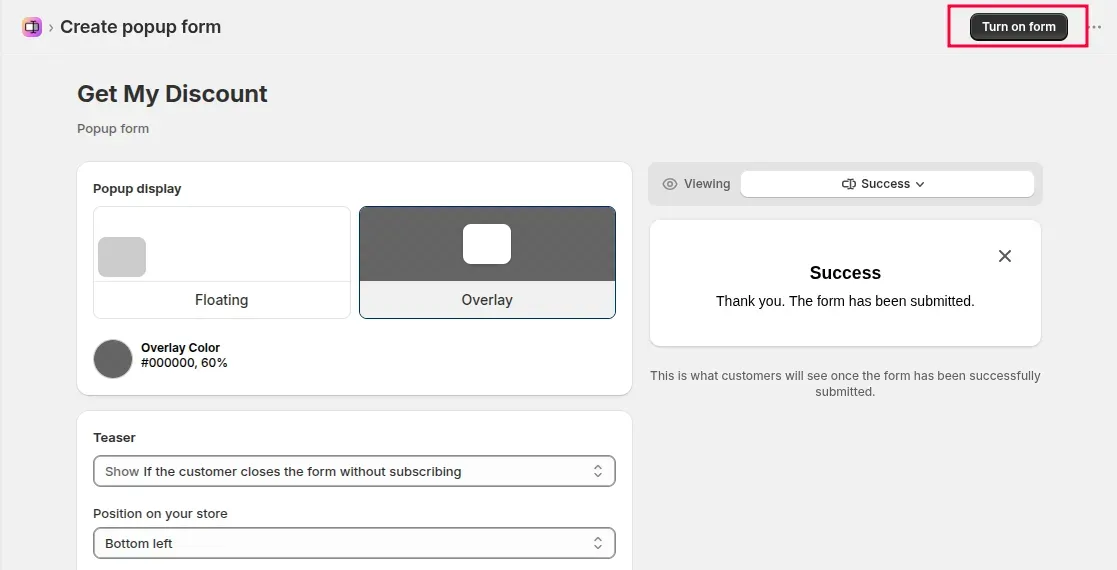
Go to Apps > Forms in Shopify admin, then click Create form and select Popup form. Enter a name for the form and click Create.
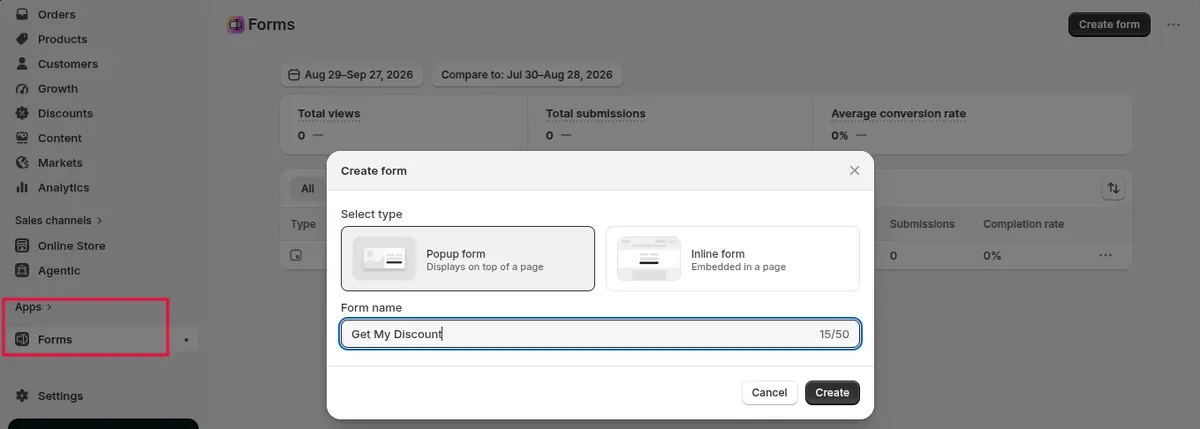
Shopify provides two popup display options:
Floating: Shows the form as a floating section in a selected position.
Overlay: Places the form in the middle of the page with an overlay covering the rest of the storefront.
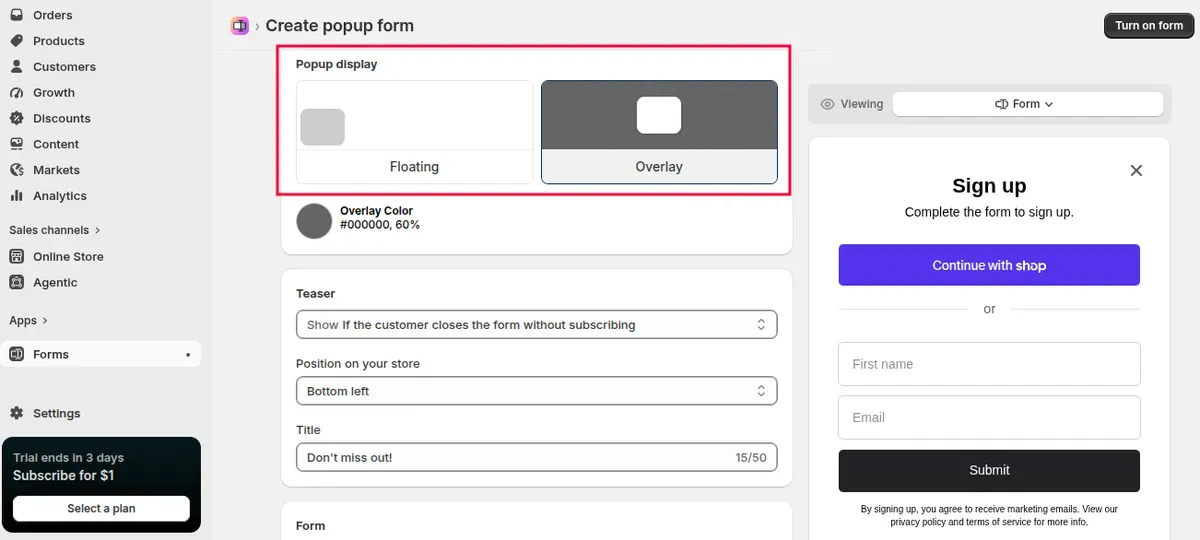
Customize the title, content, email field, button, colors, typography, and image to match the store design. Keep the message short and make the signup benefit easy to understand.
Step 3: Add Your Newsletter Signup Offer
A clear incentive can give visitors a stronger reason to subscribe. Shopify Forms lets merchants add a new or existing discount to a form and display the discount after a successful signup.
Common offers include:
10% off the first order
Free shipping on the first purchase
Early access to new products
Exclusive deals for subscribers
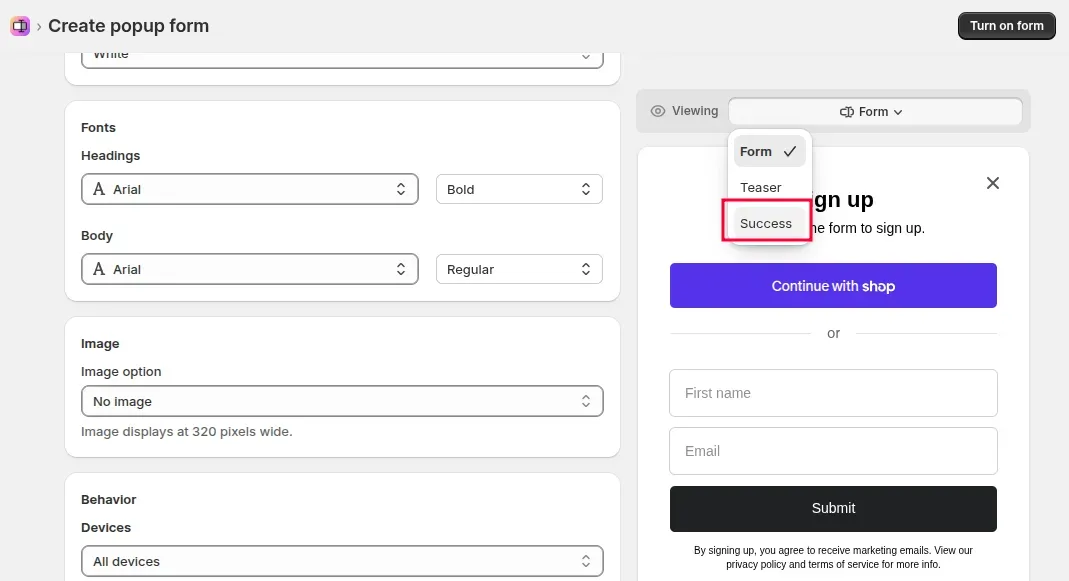
Set the offer in the Success section and add a short confirmation message. Shopify also supports redirecting subscribers to another page after form submission.
Step 4: Set Popup Display Rules
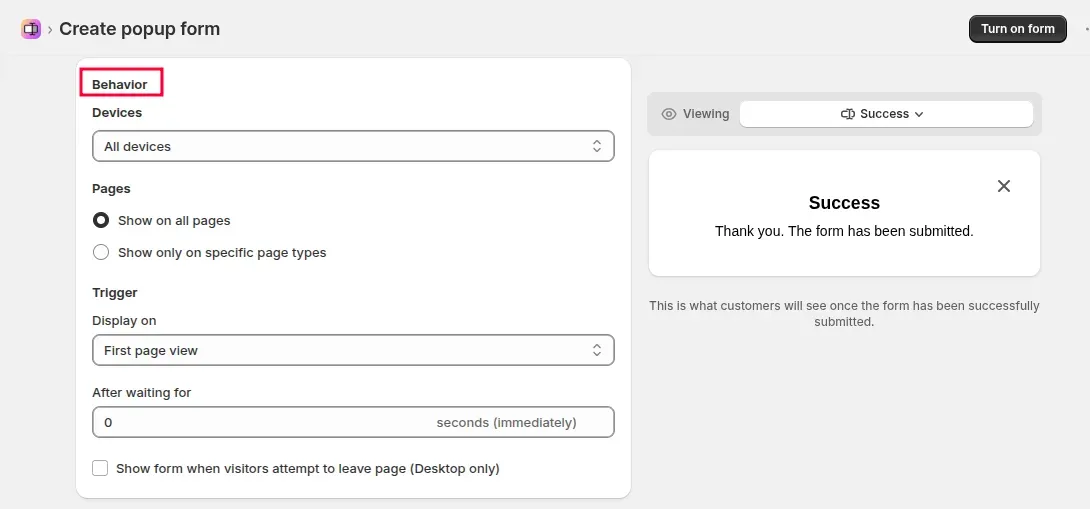
Open the popup's Behavior settings to control when and where it appears. Shopify lets merchants select specific devices, page types, page views, delays, and an exit-intent trigger for desktop visitors.
For example, a store can show the popup after a short delay or on selected product and collection pages. Avoid showing the form too quickly, especially when visitors need time to explore the page.
Step 5: Preview and Activate the Popup
Use Shopify's preview option to check the popup before it reaches shoppers. Review the copy, form fields, offer, layout, and appearance across relevant devices.
When everything looks correct, click Turn form on. Shopify sets new forms to inactive by default, so activation is necessary before the popup can appear on the store.
How to Design a Shopify Newsletter Popup That Converts
A strong popup should make the signup value clear within seconds. Shopify Forms provides controls for content, styling, images, fields, and display behavior, so each element can support a cleaner signup experience.
Lead With a Clear Benefit
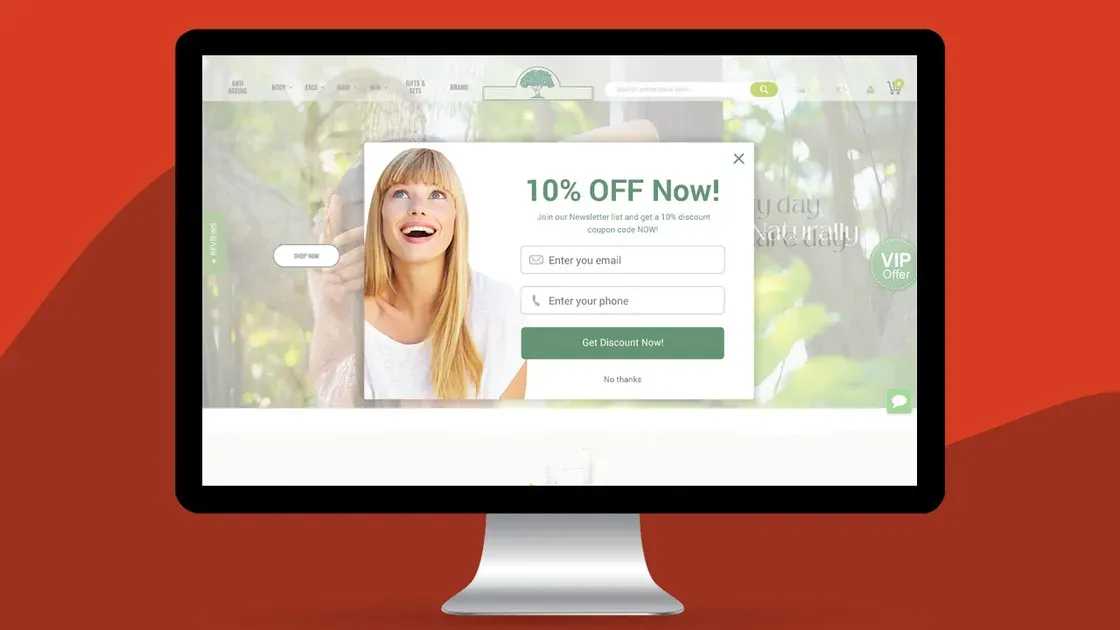
Start with a direct reason to subscribe. Offer a useful benefit such as a first-order discount, exclusive deals, early product access, or new product updates.
Keep the headline short and focused. Shopify recommends using the title to provide an incentive or call to action, while the content should stay simple and concise.
Keep the Shopify Newsletter Popup Simple
A Shopify newsletter popup should collect only the information needed for the signup. An email field and a clear CTA often create a cleaner path than a form with many questions.
Limit extra copy, images, and fields that do not support the main goal. Shopify Forms lets merchants control form fields and content directly in the editor.
Write a Strong CTA
Use button text that tells visitors exactly what happens after the click. Options such as “Get My Discount,” “Join the List,” or “Sign Up” make the action easy to understand. Shopify allows up to 25 characters for the button label and recommends clear calls to action.
Match the Popup to Your Store Design
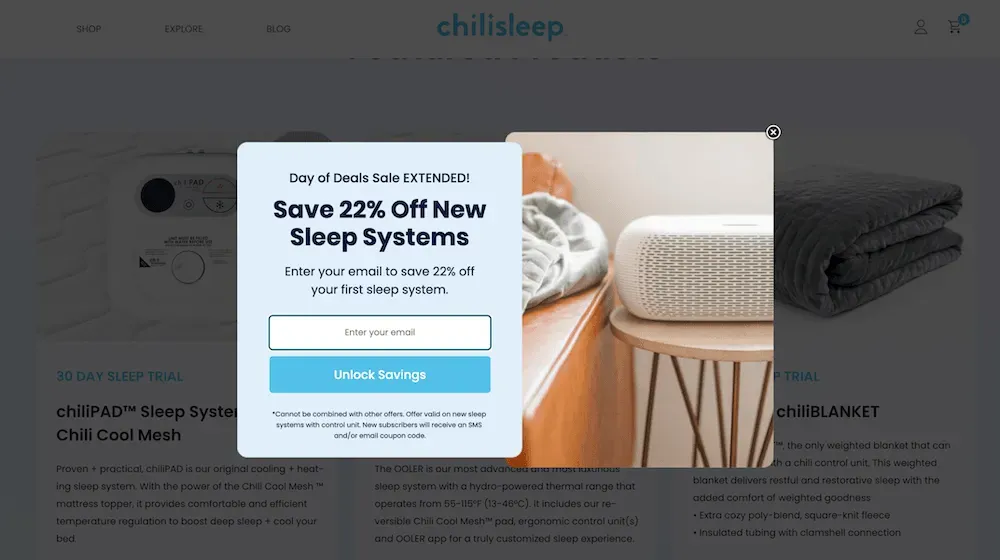
Keep colors, fonts, and images consistent with the rest of the storefront. Shopify Forms includes styling controls for background colors, text, buttons, typography, and images. Avoid designs that compete with the product page. A simple layout can feel like part of the store instead of an unrelated ad.
Optimize the Popup for Mobile
Check the popup on smaller screens before activating it. Text, buttons, fields, and images should remain easy to read and use without forcing visitors to zoom or scroll unnecessarily. Shopify lets merchants choose to display popup forms on all devices, desktop only, or mobile only.
Where and When Should a Shopify Newsletter Popup Appear?
A Shopify newsletter popup should appear on pages where visitors can understand the store and its offer, such as product, collection, or other high-traffic pages. Shopify Forms lets merchants choose specific page types instead of showing the popup across the entire store.
For timing, avoid displaying the form immediately after the page loads. Shopify allows popups to appear on the first, second, or third page view, either immediately or after a delay. Desktop stores can also use an exit-intent trigger when a visitor moves the cursor toward the browser address bar.
A practical setup can include:
Product pages: Show the popup after visitors explore the product.
Collection pages: Capture visitors browsing multiple products.
Desktop: Test a delayed or exit-intent trigger.
Mobile: Use a simple, easy-to-close popup that does not cover too much content.
Shopify also saves popup interactions on the visitor's device, so a dismissed form does not appear again unless the visitor clears local data or uses incognito mode.
5 Best Shopify Newsletter Popup Apps to Try
The right popup app can make email capture easier while giving Shopify merchants more control over design, targeting, and follow-up campaigns. The five options below cover dedicated popup tools, all-in-one marketing platforms, and Shopify’s own free form builder.
App | Best Features | Review | Best For |
Exit intent, A/B testing, targeting, gamified popups | 4.9/5 | Small and mid-sized stores | |
Advanced targeting, A/B testing, analytics, AI tools | 4.9/5 | High-traffic stores | |
Popups, email, SMS, automation, segmentation | 4.5/5 | Stores needing email + SMS marketing | |
Newsletter popups, exit intent, email automation, segmentation | 4.9/5 | Affordable list building | |
Native popups, discounts, targeting, Shopify Email integration | 4.4/5 | Stores wanting a free native solution |
Poptin Exit Popup Email Pop Up
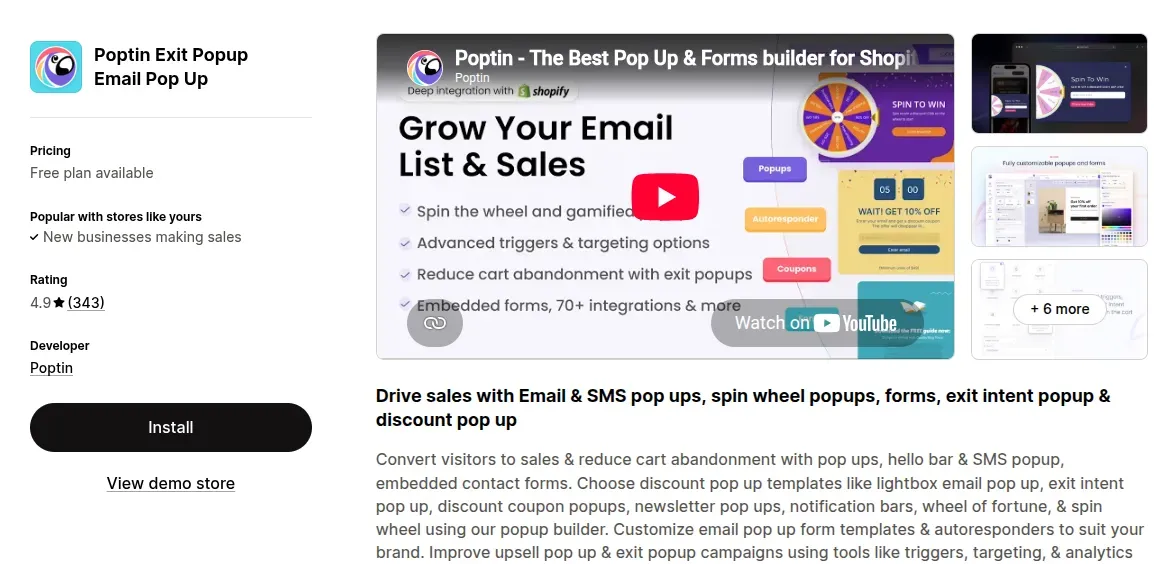
Poptin focuses on popups, forms, and lead generation for Shopify stores. It supports newsletter popups, exit-intent campaigns, discount popups, spin-to-win campaigns, triggers, targeting, analytics, and A/B testing. Its free plan includes unlimited popups for up to 1,000 visitors per month, while paid plans add more traffic capacity and autoresponders. Poptin also supports email and SMS popups for stores that want to expand beyond newsletter signups.
Pricing: Free plan; paid plans start at $25/month.
Review: 4.9/5
Best for: Stores that need dedicated popup tools, targeting, and A/B testing.
Wisepops: Popup Builder & CRO
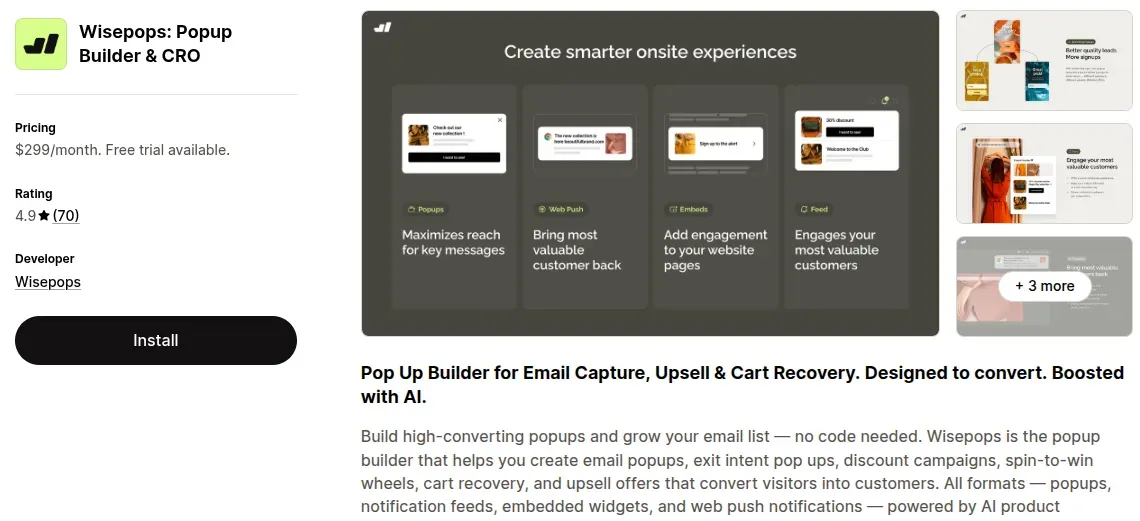
Wisepops offers a broader conversion toolkit for stores that need advanced popup campaigns. Features include email popups, exit-intent campaigns, discounts, targeting rules, segmentation, analytics, A/B testing, and AI product recommendations. The platform also supports web push notifications, embedded widgets, and integrations with tools such as Klaviyo, Mailchimp, and Zapier.
Pricing: $299/month for up to 500,000 monthly pageviews; 14-day free trial available.
Review: 4.9/5
Best for: High-traffic stores that need advanced targeting, testing, and CRO features.
Privy – Email, SMS & Pop Ups
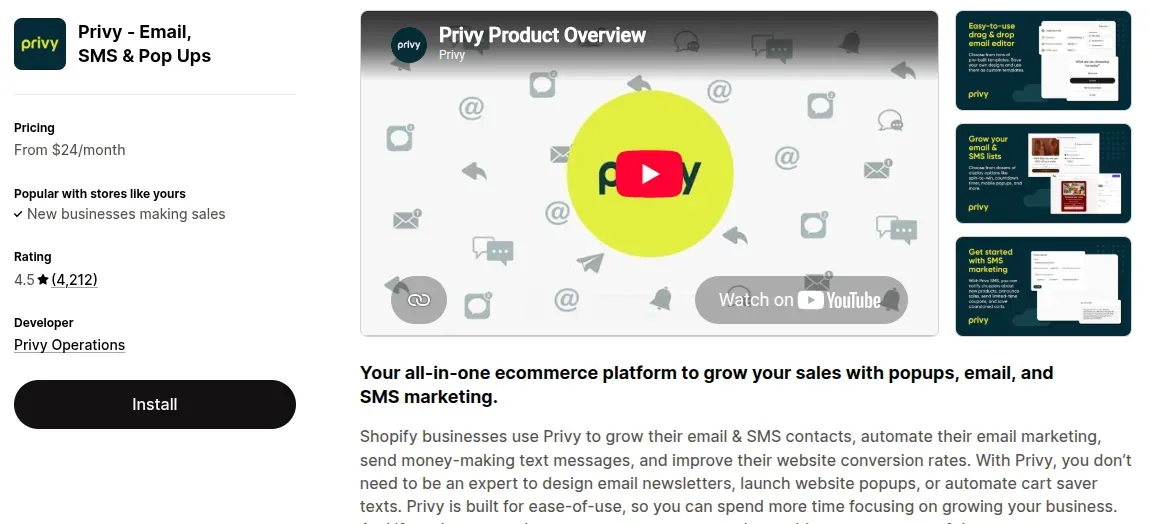
Privy combines popup campaigns with email and SMS marketing. It includes drag-and-drop email editing, popup targeting, segmentation, automations, abandoned-cart campaigns, welcome emails, and A/B testing. The popup tools support several campaign types, including newsletters, discounts, exit intent, and forms.
Pricing: Popup & Displays starts at $24/month; email starts at $30/month for up to 1,500 contacts.
Review: 4.5/5
Best for: Stores that want popup, email, and SMS marketing on one platform.
CWILL Pop Up Email Marketing
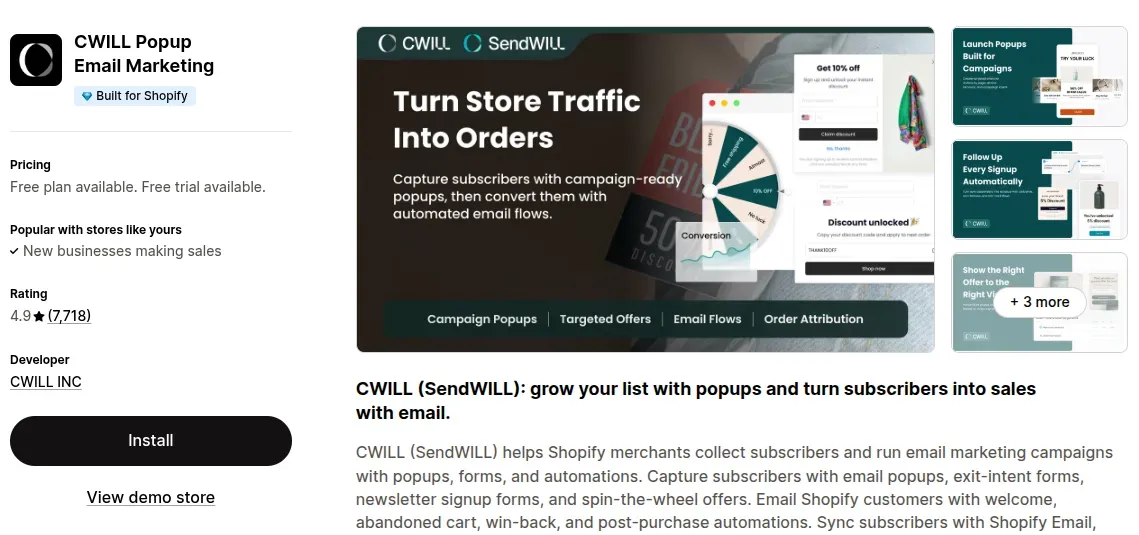
CWILL Popup Email Marketing focuses on growing email and SMS lists through popups and forms. It supports newsletter and exit-intent popups, spin-the-wheel campaigns, discounts, email automations, customer segmentation, analytics, and integrations with Shopify Email and other marketing tools. The free plan includes 30 new subscribers and 2,000 marketing emails per month.
Pricing: Free plan; paid plans start at $11.90/month, with usage-based charges beyond plan limits.
Review: 4.9/5
Best for: Stores that want popup campaigns plus built-in email marketing tools.
Shopify Forms
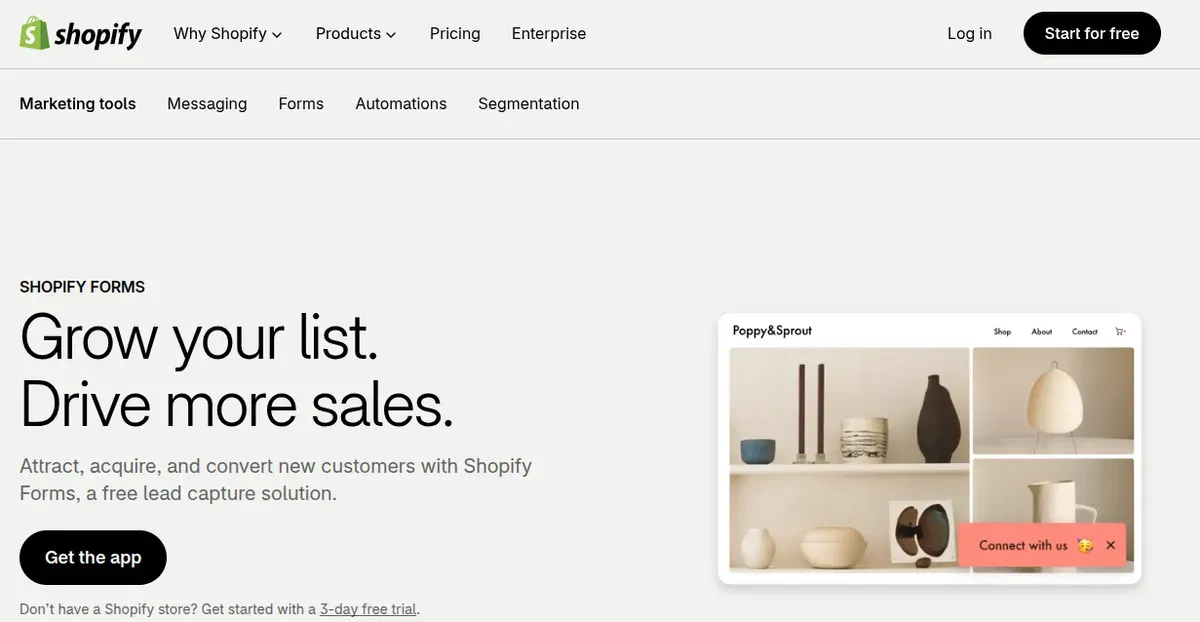
Shopify Forms provides a native option for creating popup and inline forms without adding a separate popup platform. Merchants can customize text, images, fields, discounts, triggers, and translations, then use submission data for customer profiles and segmentation. It also connects with Shopify Admin and Shopify Email, which can simplify the setup for stores already using Shopify's marketing tools.
Pricing: Free.
Review: 4.4/5
Best for: Shopify merchants who want a free, native solution for newsletter signup popups.
Shopify Newsletter Popup vs. Shopify Forms
A Shopify newsletter popup and Shopify Forms can both grow an email list, but they work differently:
Shopify Newsletter Popup | Shopify Forms | |
Visibility | High; appears over the page | Moderate; visitors see it within the page layout |
Placement | Floating or centered overlay | Embedded in a page section or landing page |
Timing | Can appear after a delay, on selected page views, or at desktop exit intent | Remains visible as visitors browse the page |
Attention | Captures attention quickly | Creates less interruption |
User experience | Useful for timely offers but can interrupt browsing | More natural and less disruptive |
Best use | Discounts, welcome offers, and targeted signup campaigns | Always-on newsletter signup and dedicated signup pages |
Shopify setup | Requires the Forms theme app embed | Uses a compatible theme and Forms app embed |
Common Shopify Newsletter Popup Mistakes to Avoid
A Shopify newsletter popup can capture more subscribers, but poor setup can hurt the browsing experience. Avoid these common mistakes to keep the popup useful and conversion-focused:
Showing the Popup Too Early
Displaying a newsletter popup as soon as a visitor lands on the store can interrupt browsing before the shopper understands the offer. Shopify Forms lets merchants control the trigger and show a popup on the first, second, or third page view, either immediately or after a delay.
Solution: Give visitors time to explore the store before displaying the form. Test a short delay or a later page view, and use desktop exit intent when it fits the campaign.
Asking for Too Much Information
Long forms can make Shopify signup popup feel like work. Shopify Forms allows custom fields, but Shopify recommends keeping the message simple, with a title of up to 50 characters and content of up to 100 characters.
Solution: Start with the email address and add only fields that support a clear marketing goal. Use a direct CTA such as “Get My Discount” or “Subscribe” to make the next step obvious.
Ignoring Mobile Experience
A popup that looks good on desktop can still create problems on smaller screens. Shopify lets merchants choose specific devices and adjust popup styling, including colors, typography, images, and form fields.
Solution: Preview the popup on mobile before activation. Keep the design compact, use readable text, and make the close option easy to find so visitors can continue shopping without friction.
How to Use Shopify Newsletter Popup Subscribers After Signup
Collecting email addresses is only the first step. Use new Shopify newsletter popup subscribers to build relevant campaigns and automated follow-ups.
Send a welcome email: Introduce the brand and deliver a promised discount or offer soon after signup. Shopify Messaging supports welcome emails and discount series.
Create subscriber segments: Group new signups based on form data, customer tags, or behavior. Shopify Forms can create customer segments for targeted email campaigns.
Share useful content: Send product updates, helpful tips, new arrivals, or seasonal offers instead of constant promotions. Shopify recommends email campaigns for building ongoing customer relationships.
Track and improve: Review form analytics and campaign results to identify stronger offers and messaging. Shopify Forms provides form analytics, while Shopify Messaging reports automation performance.
Keep consent in mind: Send promotional emails only to customers who agreed to receive marketing. Remove unsubscribed contacts and avoid purchased email lists.
FAQs About Shopify Newsletter Popup
Does Shopify have a built-in newsletter popup?
Shopify offers Shopify Forms, a free app that lets merchants create popup and inline newsletter forms. The app does not come installed by default, so merchants need to install it and enable the Forms theme app embed.
Can I offer a discount through a Shopify newsletter popup?
Yes. Shopify Forms lets merchants add an existing discount or create a new discount for a form. The discount can appear after a customer submits the popup successfully.
Can I collect email marketing consent with a Shopify popup?
Yes. Shopify Forms includes email marketing consent settings. Merchants can subscribe customers after form submission or require customers to check a consent box before receiving marketing emails.
Can I track how well my Shopify newsletter popup performs?
Yes. Shopify Forms provides views, submissions, and completion rates for individual forms. Merchants can also create customer segments from form submissions and use those segments for email campaigns or discounts.
Final Thoughts
A well-timed Shopify newsletter popup can turn store traffic into valuable email subscribers without disrupting the shopping experience. Choose a clear offer, simple design, and trigger that fits the customer journey. Shopify Forms provides a free starting point, while dedicated popup apps offer more targeting and testing options. Keep testing timing, copy, and offers to find what works best for the store.

Hey! I'm Linda Bui. Join me as we explore tips and tutorials about Shopify apps and Shopify themes for your Shopify store.
Start Building Trust Today
Install the Product Reviews app to improve your store's credibility and boost sales with real customer reviews.
Get Started with Zero CostWhat to not miss out on our blog
Gain insightful knowledge and invaluable experiences from dedicated experts.
_1200x630.webp)
Best Shopify Wishlist Apps: Let Customers Save What They Love
Need a Shopify wishlist app for your store? Let's compare 7 leading options for 2026 and find the right mix of features, pricing, alerts, and integrations.
_1200x630.webp)
_1200x630.webp)
Newsletter
Get all the stories you need-to-know from the most powerful name in news delivered first thing every morning to your inbox