How to Create a Customer Survey on Your Shopify Store to Boost Sales
- What Is a Shopify Customer Survey?
- Why Create a Customer Survey on Shopify?
- Common Types of Shopify Customer Survey
- How to Create a Customer Survey on Shopify
- Best Shopify Customer Survey Questions to Ask
- 3 Trusted Shopify Customer Survey Apps
- How to Analyze Shopify Customer Survey Responses
- How to Use Customer Survey Data to Boost Shopify Sales
- FAQs About Shopify Customer Surveys
- In A Nutshell
What do customers really think after purchasing from a Shopify store? Their feedback can reveal what drives satisfaction, where the buying journey falls short, and what changes could lead to more sales. A Shopify customer survey makes it easier to collect these insights directly from shoppers and turn their opinions into actionable improvements. This guide explains how to create an effective survey, choose the right questions, and use responses to improve the customer experience. Keep reading to get started!
What Is a Shopify Customer Survey?
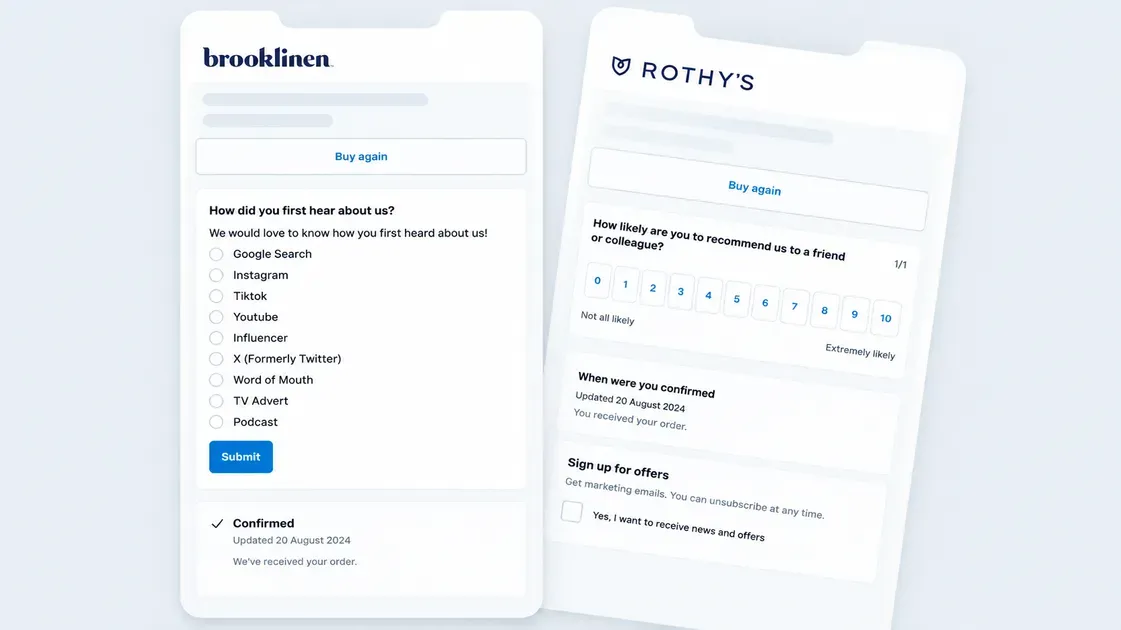
A Shopify customer survey is a form that collects direct feedback from shoppers about their experience with a store, products, or buying journey. It gives merchants a structured way to gather customer insights instead of relying only on sales data or reviews.
Shopify Forms supports customizable forms that can collect customer information and display on an online store. Merchants can create popup or inline forms and control the fields, content, styling, and success message.
A survey can capture responses such as:
Customer opinions about products or the shopping experience
Feedback about specific parts of the buying journey
Suggestions for improving the store
Information that helps identify customer needs
Shopify also stores form submissions in the admin and provides analytics such as views, submissions, and completion rates.
Why Create a Customer Survey on Shopify?
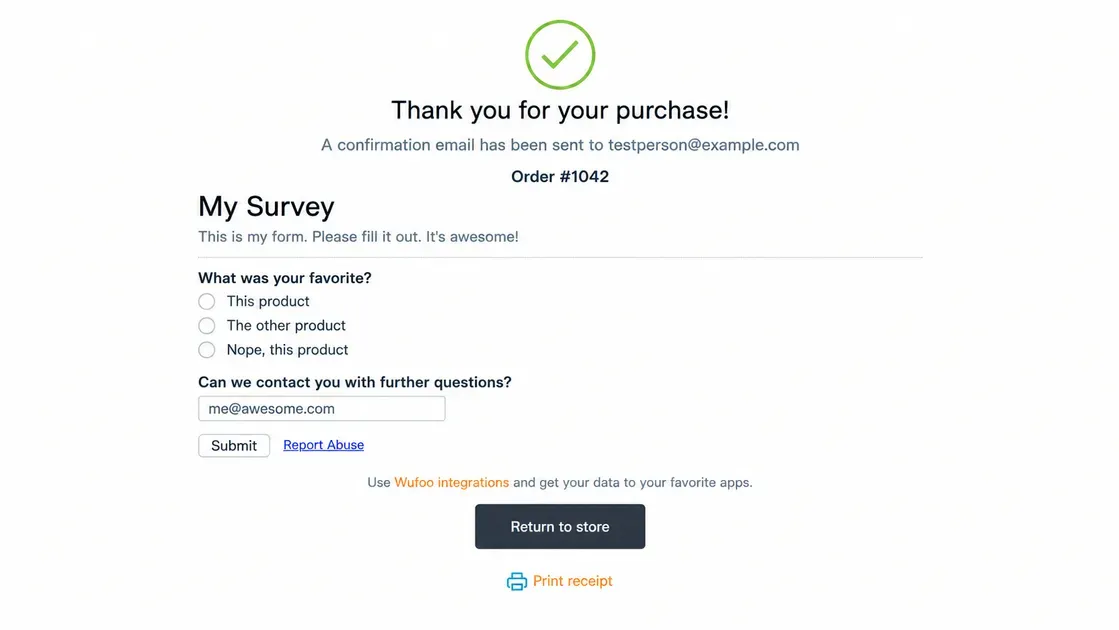
A well-designed survey helps connect customer opinions with practical changes that can support sales. Here are the key benefits:
Understand What Customers Really Want
Surveys give customers a direct way to share their preferences, needs, and expectations. Shopify Forms lets merchants customize fields to collect customer data that matters to the business.
Responses can reveal preferences about products, pricing, features, or shopping habits. These insights can guide decisions with real customer input.
Identify Friction in the Shopping Experience
Customer feedback can highlight issues that store analytics may not explain clearly. A survey can ask about confusing pages, product information, checkout concerns, or other parts of the buying journey. Shopify Forms also provides submission and completion-rate data, which can help track survey engagement.
Improve Products and Offers
Customer responses can reveal what shoppers like, dislike, or want to see next. Merchants can use these insights to refine products, promotions, and offers around actual customer needs.
Create More Targeted Marketing Campaigns
Survey data can help group customers by shared interests or preferences. Shopify allows customer segments based on different criteria, and merchants can use segments for more personalized marketing.
For example, feedback can help identify customers interested in a product category, then support more relevant email campaigns or offers. Shopify also allows Forms data to create customer segments for email or discount campaigns.
Common Types of Shopify Customer Survey
Different survey formats answer different questions about the customer journey:
Post-Purchase Customer Survey
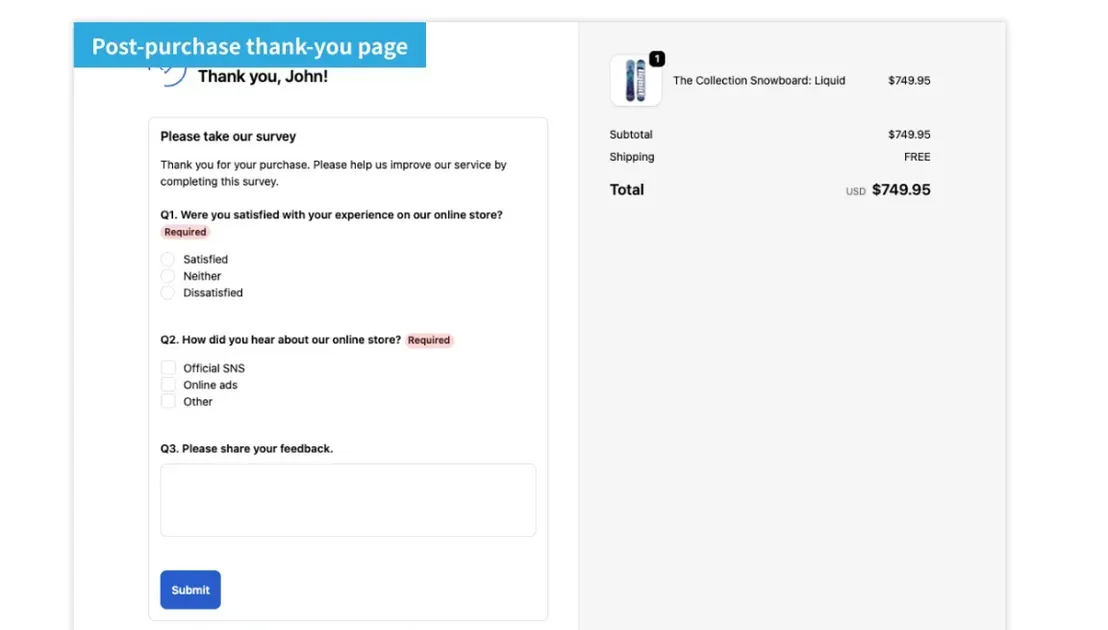
A post-purchase survey collects feedback after a customer places an order. Shopify survey apps can display these surveys on the Thank you or Order status page. Common questions ask why customers bought, how they found the store, or what could improve their experience.
Customer Satisfaction Survey
A customer satisfaction survey measures how customers feel about their experience. Questions can use ratings, scales, or short written answers to assess satisfaction with products, service, delivery, or the overall shopping process.
Product Feedback Survey
A product feedback survey focuses on a specific item. It can ask about product quality, features, value, ease of use, or areas that need improvement. Shopify currently lists survey apps with dedicated product feedback features.
NPS and Customer Loyalty Survey
An NPS survey measures how likely customers are to recommend a store or brand. The standard question uses a 0–10 scale, while follow-up questions can uncover the reason behind the score. Shopify's App Store includes survey tools that support NPS collection.
Website Experience Survey
A website experience survey gathers feedback about browsing and shopping on the store. Questions can cover navigation, product pages, site content, search, or checkout. These responses can reveal areas that create confusion or slow the path to purchase.
How to Create a Customer Survey on Shopify
A useful survey starts with a clear goal and reaches customers at the right moment. Follow these steps to collect relevant feedback without making the process feel complicated:
Step 1: Define Your Survey Goal
Start with one clear goal. Decide what the survey should reveal, such as customer satisfaction, product preferences, or reasons behind cart abandonment. A focused goal makes it easier to write relevant questions and analyze the answers later.
Step 2: Choose Your Target Customers
Select the customer group that can provide the most useful feedback. Shopify lets merchants create customer segments using filters such as order history, location, subscription status, and other customer data.
For example, target:
First-time buyers
Repeat customers
Customers who abandoned checkout
Customers who bought a specific product
Step 3: Choose a Shopify Survey Tool
Choose a survey tool based on the survey goal, question format, placement, and reporting needs. Shopify Forms can collect customer data through customizable popup and inline forms.
Third-party survey apps can provide additional features, such as specialized survey templates, advanced targeting, or NPS tools.
Step 4: Write Short, Useful Survey Questions
Keep each question focused on one topic. Avoid long wording, leading questions, and unnecessary fields.
Useful formats include:
Multiple-choice questions
Rating scales
Yes-or-no questions
Short-answer questions
Aim for a survey that customers can complete quickly.
Step 5: Create the Survey With Shopify Forms
Shopify Forms provides a built-in option for creating customer-facing forms. The app lets merchants customize the information collected and choose between popup and inline formats.
To create one, go to Shopify Admin → Apps → Forms → Create form.
Then choose the form type, add the required fields, customize the design, preview the form, and activate it. Shopify Forms supports up to 25 forms per store.
Step 6: Place the Survey at the Right Customer Touchpoint
Match the survey location to its goal. A post-purchase survey can appear after an order, while a product survey can appear near a relevant product experience.
Shopify Forms supports popup and inline forms. Popup forms require the Forms theme app embed, while inline forms need a compatible theme and the same app embed.
Step 7: Offer an Incentive When Appropriate
A small incentive can encourage more customers to complete a survey. Consider a discount, store credit, or another relevant reward when the extra response volume justifies the cost.
Shopify Forms can display a discount after a customer submits a form, using the form's success settings.
Best Shopify Customer Survey Questions to Ask
The right survey questions help merchants collect useful feedback without making the survey feel too long. Choose questions based on the survey goal and customer stage.
Customer Satisfaction Questions
How satisfied are you with your overall shopping experience?
How would you rate the quality of your purchase?
How easy was it to find what you needed?
Product Feedback Questions
What do you like most about this product?
How well does the product meet your expectations?
What could be improved about this product?
What other products would you like to see?
Shopping Experience Questions
How easy was it to navigate the store?
Was there anything that made it difficult to complete your purchase?
What information was missing from the product page?
Purchase and Marketing Questions
What made you decide to purchase from this store?
How did you first hear about the store?
What almost stopped you from completing your purchase?
What type of offers would interest you most?
Open-Ended Feedback Questions
What is one thing the store could improve?
Is there anything else you would like to share about your experience?
3 Trusted Shopify Customer Survey Apps
The right survey app can simplify data collection and help turn customer feedback into useful store insights. These three Shopify apps offer different features, pricing models, and survey options for different store needs:
| App | Main features | Pricing |
|---|---|---|
| Fairing Post Purchase Surveys | Post-purchase surveys, NPS, attribution, segmentation, analytics, 25+ integrations | Free; paid plans from $49/month |
| Gojiberry Survey & Feedback | Pre- and post-purchase surveys, conditional logic, segmentation, QR/link surveys, multilingual support | Free; $15/month |
| POWR: Customer Survey | Poll | Drag-and-drop builder, NPS, product feedback, conditional logic, pop-ups, analytics | Free; paid plans from $11.99/month |
Fairing Post Purchase Surveys
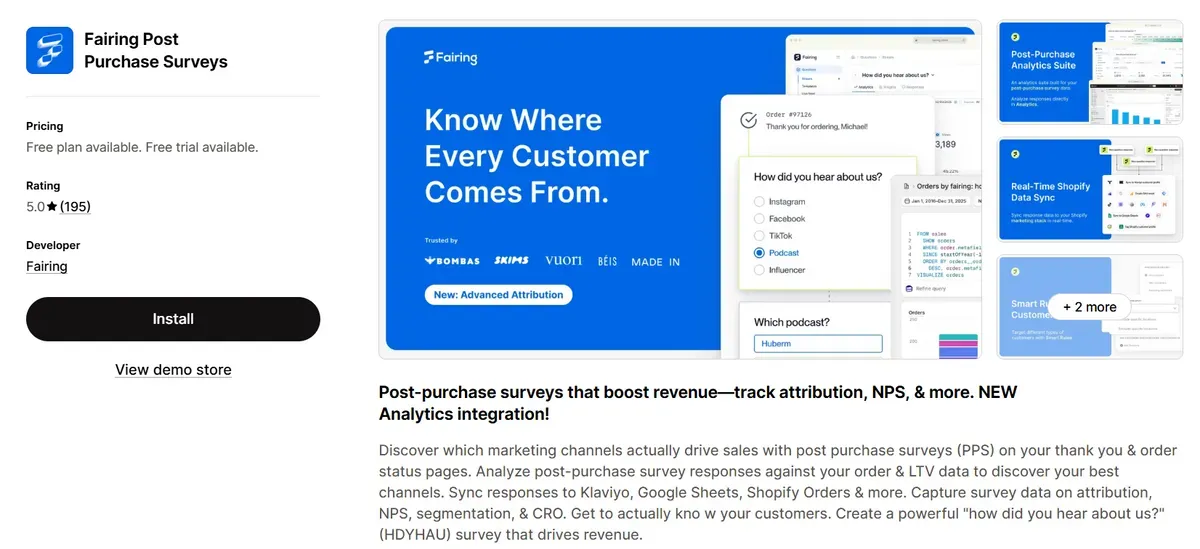
Fairing focuses on post-purchase surveys that collect feedback after an order. The app supports NPS, customer satisfaction, product feedback, and attribution surveys. It can connect survey responses with order and lifetime value data, giving merchants more context for customer insights. Fairing also offers integrations with Klaviyo, Google Sheets, Shopify Flow, and more. However, Fairing mainly targets post-purchase feedback, so it may not suit stores that need extensive pre-purchase surveys. Its paid plans also start at $49/month and increase with order volume, which can make it less suitable for smaller stores with limited survey needs.
Pricing: Free for up to 200 orders; paid plans start at $49/month for 201–500 orders.
Review: 5.0/5
Ideal for: Stores focused on post-purchase feedback, attribution, NPS, and customer data analysis.
Gojiberry Survey & Feedback
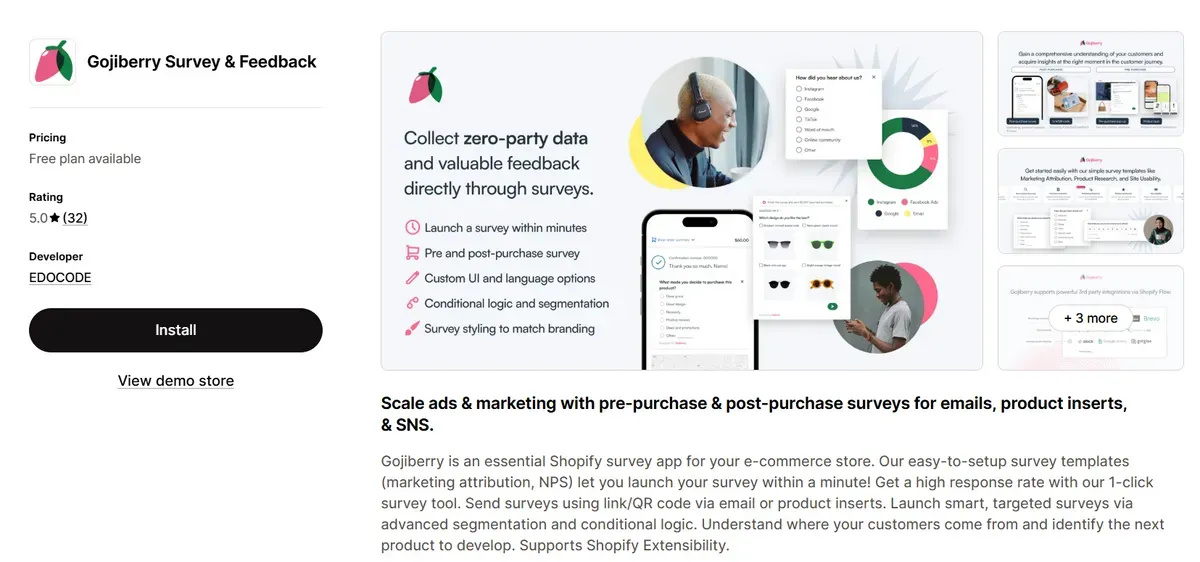
Gojiberry supports both pre-purchase and post-purchase surveys. Its features include conditional logic, customer segmentation, QR and survey links, multilingual support, and customizable survey designs. The app also provides analytics and lets merchants connect survey results with customer data. The free plan limits stores to 100 responses, so growing stores may need to upgrade quickly. Some advanced features, such as segmentation, image surveys, and white-label surveys, also require the $15/month Plus plan.
Pricing: Free for up to 100 responses; Gojiberry Plus costs $15/month with unlimited responses.
Review: 5.0/5
Ideal for: Stores that need flexible pre- and post-purchase surveys with targeting and conditional questions.
POWR: Customer Survey | Poll
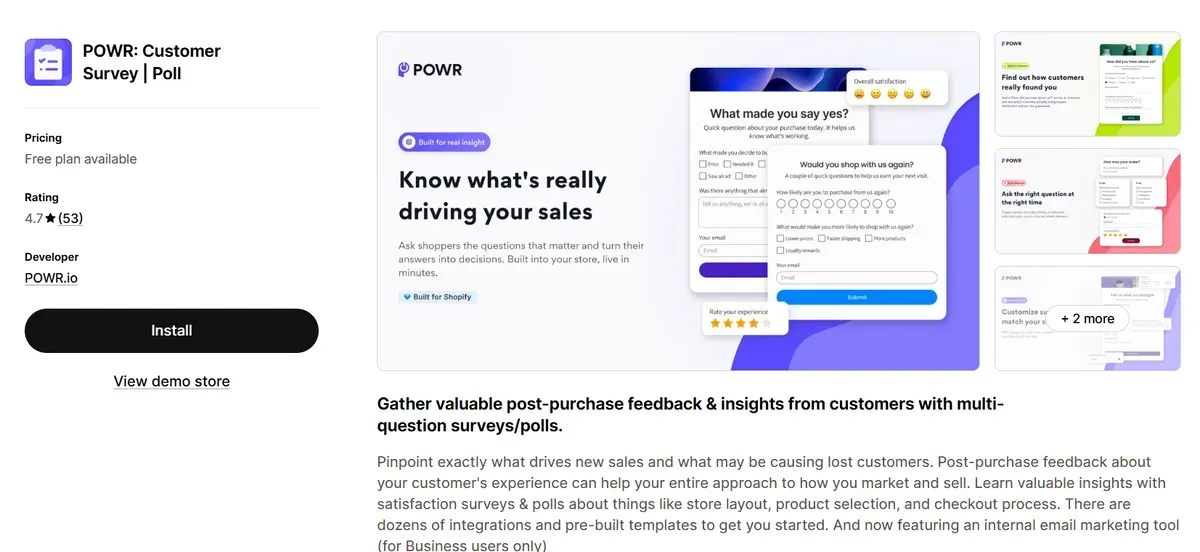
POWR provides a flexible survey and poll builder for Shopify stores. Merchants can use drag-and-drop tools, templates, conditional logic, pop-ups, and multiple question formats. The app supports customer satisfaction, NPS, market research, and product feedback surveys. The free plan allows only 25 submissions per month and limits each survey to six elements. Stores that need more responses, advanced conditional logic, integrations, or larger surveys must move to a paid plan, with pricing reaching $98.99/month for the Business tier.
Pricing: Free with up to 25 submissions per month; paid plans start at $11.99/month.
Review: 4.7/5
Ideal for: Stores that need customizable surveys, polls, and multiple question formats at different price levels.
How to Analyze Shopify Customer Survey Responses
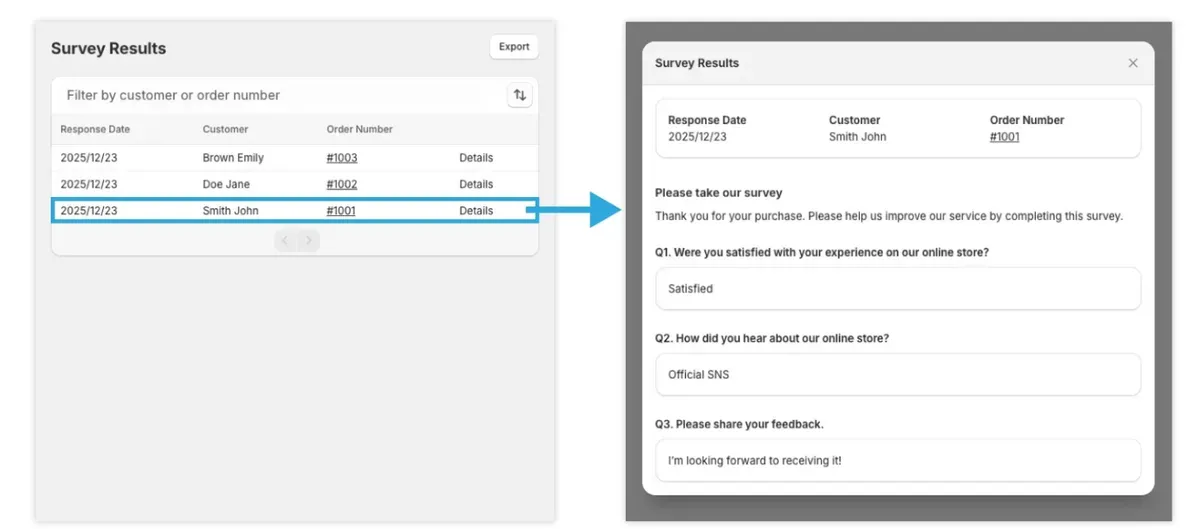
Collecting survey responses is only the first step. The next task is to find useful patterns and connect customer feedback with store data to guide practical improvements.
Track Survey Views and Completion Rates
Start by checking how many shoppers view and complete the survey. Shopify Forms reports total views, submissions, and completion rates for each form. The completion rate equals total submissions divided by total views.
A low completion rate can signal that the survey feels too long, appears at the wrong time, or asks for too much information.
Look for Recurring Customer Feedback
Review written answers and group similar comments together. Look for repeated mentions of product quality, pricing, delivery, website navigation, or checkout issues.
Recurring feedback can reveal patterns that individual responses may not show. Compare these patterns with Shopify customer and behavior reports for additional context.
Segment Customers Based on Survey Insights
Group customers based on relevant survey answers and existing customer data. Shopify supports customer segments using filters such as order history, location, subscription status, and spending behavior.
For example, a store can create segments for:
Customers interested in a specific product category
Highly satisfied repeat buyers
Customers who report a poor shopping experience
Customers interested in future product offers
Shopify Forms can also create customer segments from form submissions for email campaigns or discounts.
Turn Feedback Into Action
Use the strongest patterns to guide specific store improvements. Match each finding with a measurable action, such as updating product descriptions, improving navigation, changing an offer, or creating a targeted campaign.
Then compare sales, repeat purchases, or other relevant metrics after the change. Shopify customer reports include metrics such as order count, average order value, total spending, and repeat purchases, which can help measure changes over time.
How to Use Customer Survey Data to Boost Shopify Sales
Customer survey data becomes valuable when it leads to clear store improvements. Combine customer feedback with Shopify analytics to identify what shoppers need and turn those insights into sales opportunities.
Improve Product Pages
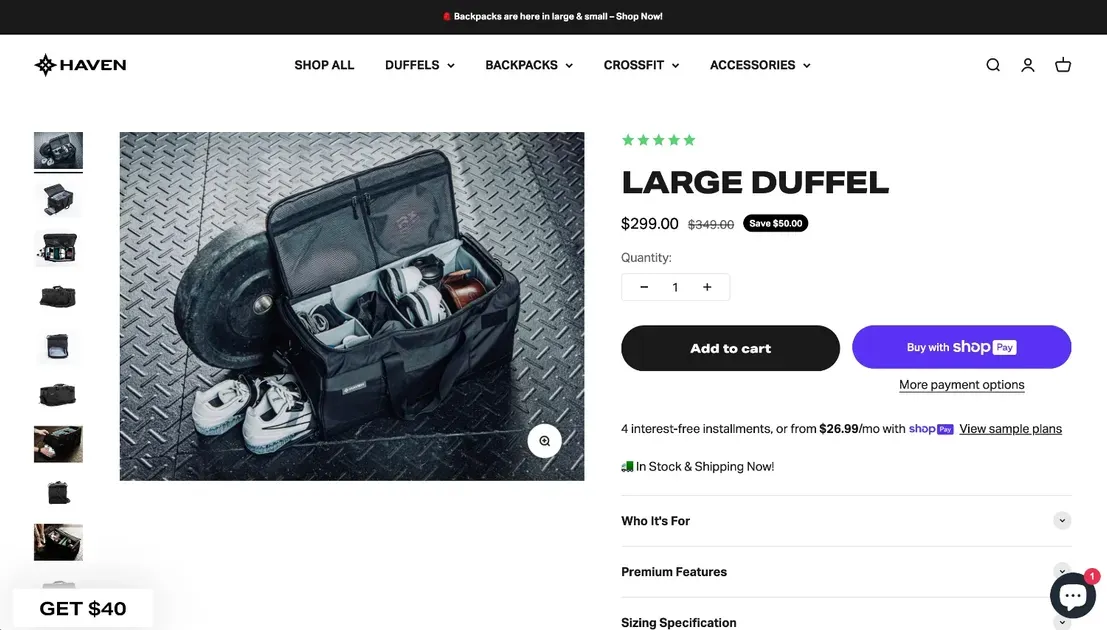
Use survey responses to find gaps in product information. Customers may ask for clearer details about size, materials, features, shipping, or product use.
Also, update product pages based on these repeated questions. Add clearer descriptions, useful images, comparison details, or FAQs where shoppers need more information.
Shopify Product Insights also shows product sales, traffic sources, and customer data from the last 90 days. Compare this data with survey feedback to identify products that need stronger page content.
Improve Product Selection
Customer surveys can reveal products, features, colors, sizes, or categories that shoppers want to see. Group similar requests and look for patterns before adding new products.
Compare survey insights with Shopify search data and product performance. Shopify behavior reports can show search terms, searches with no results, and product recommendation performance. These insights can help identify gaps in the current product selection. For example, frequent searches for a product that the store does not carry may signal an opportunity to expand the catalog.
Personalize Marketing
Use survey answers to create customer groups based on interests, preferences, or shopping needs. Shopify Forms lets merchants create customer segments from form submissions and use those segments for email campaigns or discounts.
Relevant segments can include:
Customers interested in a specific product category
Shoppers looking for a certain product feature
Customers interested in new product launches
Repeat buyers with specific product preferences
Match each segment with relevant products, content, or offers instead of sending the same message to every customer.
Reduce Purchase Friction
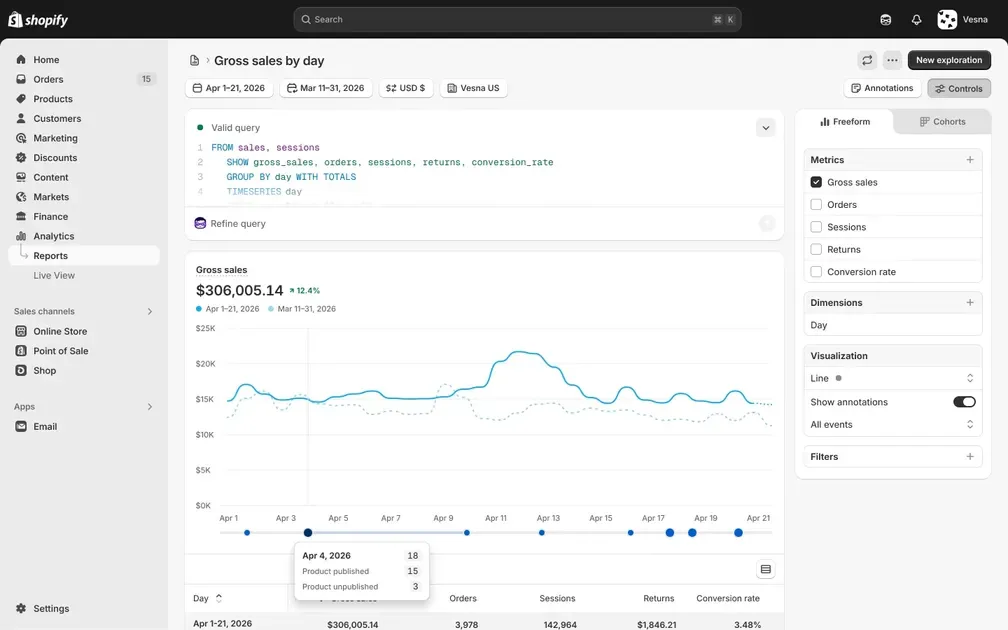
Survey responses can show where shoppers struggle before completing an order. Look for repeated complaints about confusing navigation, unclear product details, pricing, shipping, payment options, or checkout.
Then compare this feedback with Shopify behavior data. Shopify Analytics tracks metrics such as add-to-cart activity, checkout visits, and completed checkouts, helping merchants identify points where shoppers may drop out. Fix the most common issues first and monitor the related metrics after each change.
Close the Feedback Loop
Let customers know when their feedback leads to a real change. A short follow-up can explain that a product page was updated, a new product was added, or a common shopping issue was fixed.
This approach turns a survey from a one-time data collection tool into an ongoing feedback cycle. Continue tracking customer responses, sales, and repeat purchases to see how each improvement affects store performance.
Shopify customer reports can also help measure changes in repeat purchases, order counts, average order totals, and customer spending over time.
FAQs About Shopify Customer Surveys
Is Shopify Forms Free to Use?
Yes. Shopify Forms is free to install and use, although it does not come installed by default with any Shopify plan. It supports popup and inline forms for collecting customer data and feedback.
How Long Should a Shopify Customer Survey Be?
Keep a Shopify customer survey with 5–10 questions and aim for a 2–5 minute completion time. Focus on questions that directly support the survey goal, such as customer satisfaction, product feedback, or shopping experience.
Can Shopify Forms Create Customer Segments From Survey Responses?
Yes. Shopify Forms can tag customers from form submissions and create customer segments based on the collected data. These segments can support targeted email campaigns and discounts.
In A Nutshell
A Shopify customer survey helps merchants understand customer needs, improve the shopping experience, and find new ways to increase sales. Start with a clear goal, ask focused questions, and choose the right survey tool for the store. Then analyze responses, identify common patterns, and turn feedback into practical changes. By connecting customer insights with Shopify data, merchants can improve product pages, personalize marketing, reduce purchase friction, and build a better customer experience.

Hey! I'm Linda Bui. Join me as we explore tips and tutorials about Shopify apps and Shopify themes for your Shopify store.
Start Building Trust Today
Install the Product Reviews app to improve your store's credibility and boost sales with real customer reviews.
Get Started with Zero CostWhat to not miss out on our blog
Gain insightful knowledge and invaluable experiences from dedicated experts.
_1200x630.webp)
Best Shopify Wishlist Apps: Let Customers Save What They Love
Need a Shopify wishlist app for your store? Let's compare 7 leading options for 2026 and find the right mix of features, pricing, alerts, and integrations.
_1200x630.webp)
_1200x630.webp)
Newsletter
Get all the stories you need-to-know from the most powerful name in news delivered first thing every morning to your inbox