4 Best Shopify Feedback Apps to Understand What Customers Really Think (2026)
- What Is Shopify Customer Feedback?
- Top 4 Shopify Customer Feedback Apps to Collect Customer Insights
- Why Collect Customer Feedback on a Shopify Store?
- 7 Ways to Collect Shopify Customer Feedback
- How to Create an Effective Shopify Customer Feedback Survey
- What Questions Should I Ask in a Shopify Customer Feedback Survey?
- How to Analyze Shopify Customer Feedback
- How to Close the Shopify Customer Feedback Loop
- Best Practices for Collecting Customer Feedback on Shopify
- FAQs
- The Bottom Line
What are customers really thinking after browsing, buying, or interacting with a Shopify store? Their feedback can reveal hidden issues, improve the shopping experience, and guide smarter business decisions. A reliable Shopify feedback app makes it easier to collect, organize, and understand customer opinions without adding extra work. This guide explores four top-rated options, highlighting their key features, strengths, and use cases. Keep reading to find the right app for the store.
What Is Shopify Customer Feedback?
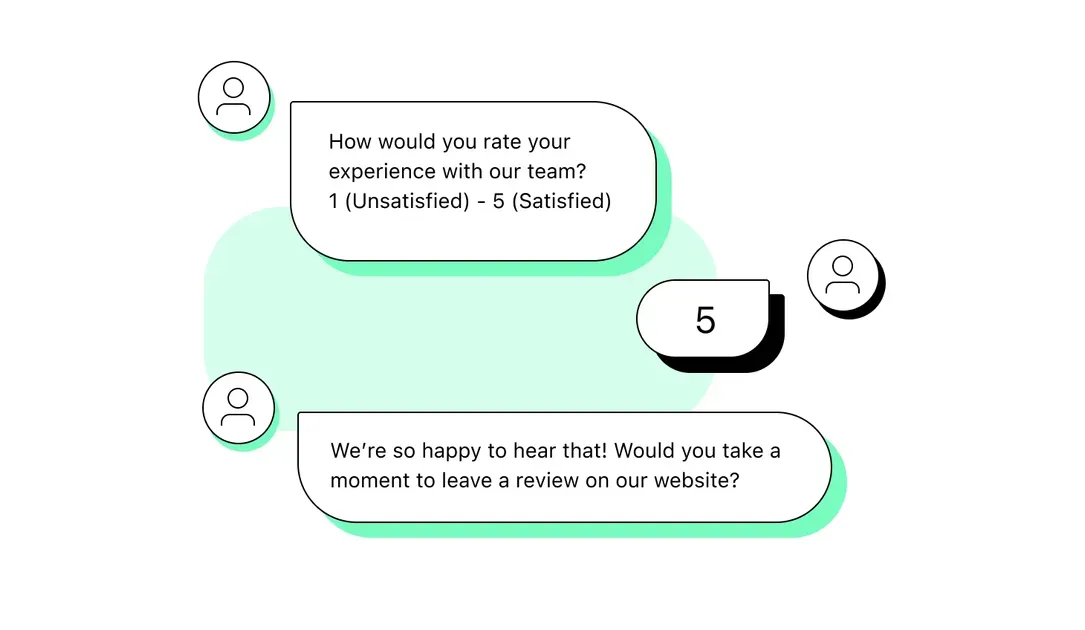
Shopify customer feedback refers to information customers share about their experience with a store, product, service, or brand. It can include ratings, surveys, written reviews, interviews, support messages, and feedback forms. Shopify notes that these insights can help merchants understand satisfaction and identify areas for improvement.
For Shopify stores, feedback can reveal issues that sales data alone may not show. Common methods include:
Customer surveys: Collect ratings, opinions, and open-ended responses.
Product reviews: Capture comments and ratings after a purchase.
Feedback forms: Ask targeted questions about the shopping experience.
Support conversations: Identify recurring customer problems and requests.
A Shopify feedback app can simplify this process by collecting responses and organizing customer insights in one place. The Shopify App Store lists more than 150 survey apps with customer satisfaction features, giving merchants many options for gathering feedback.
Top 4 Shopify Customer Feedback Apps to Collect Customer Insights
The right feedback tool depends on the type of customer insight a Shopify store needs. The apps below cover post-purchase surveys, custom feedback forms, verified shopper feedback, and third-party reviews:
App
Main features
Pros
Cons
Pricing
Grapevine Post Purchase Survey
Post-purchase, NPS, CSAT, attribution surveys; targeting; analytics; Shopify Flow, Klaviyo, and GA4 integrations
Strong post-purchase analytics; unlimited responses; detailed targeting options
Higher starting price than some alternatives; mainly focused on survey-based feedback
$25/month; 14-day free trial
Custom feedback forms, conditional logic, file uploads, surveys, pop-ups, analytics
Flexible form builder; supports many form types; useful integrations
Some advanced features require a paid plan; more setup flexibility can mean more configuration
Free; paid plans from $14.90/month
Verified reviews, NPS, CSAT, full-journey surveys, AI-powered feedback analysis
Combines surveys and verified reviews; useful tools for analyzing open-ended feedback
Best suited to stores that need broader customer feedback and review capabilities rather than simple forms
Free
Automated review requests, Google and Trustpilot reviews, private feedback forms, AI email localization
Strong third-party review collection; automated requests; private feedback option
More focused on reviews and reputation management than detailed customer surveys
Free; paid plans from $9.99/month
Grapevine Post Purchase Survey
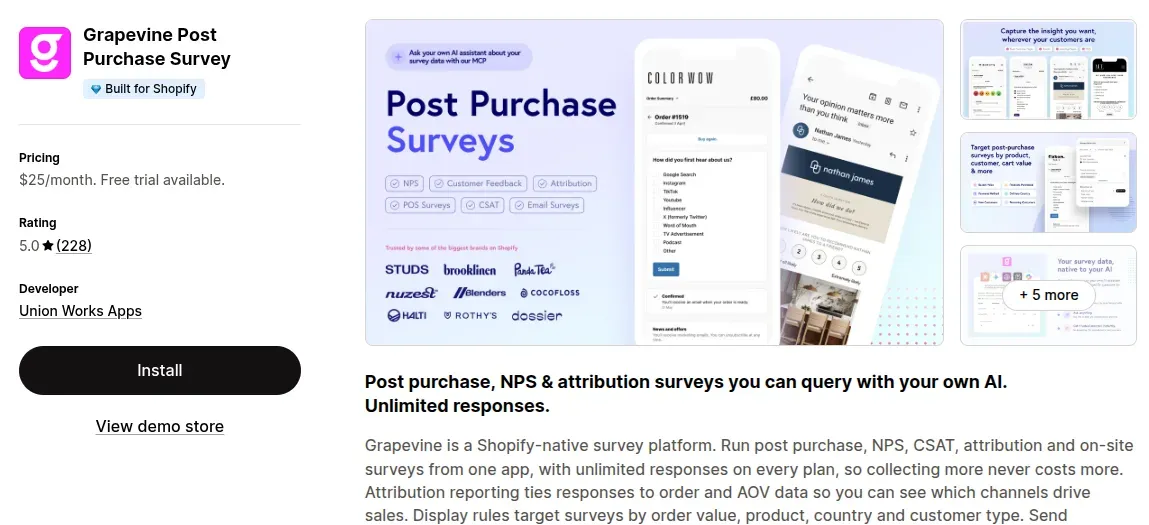
Grapevine focuses on collecting feedback after customers place an order. It supports post-purchase, NPS, CSAT, attribution, and on-site surveys with unlimited responses. Merchants can target surveys based on factors such as order value, product, country, payment method, and customer type. It also integrates with Shopify Flow, Klaviyo, Google Analytics 4, Google Sheets, and Shopify POS.
Pros: Unlimited responses and detailed targeting make it useful for stores that want to connect customer feedback with purchase data.
Cons: The $25/month starting price may be less suitable for small stores with basic feedback needs.
Pricing: $25/month; 14-day free trial
Review: 5.0/5
Best for: Post-purchase surveys, NPS, CSAT, and customer insights tied to sales data
Powerful Contact Form Builder
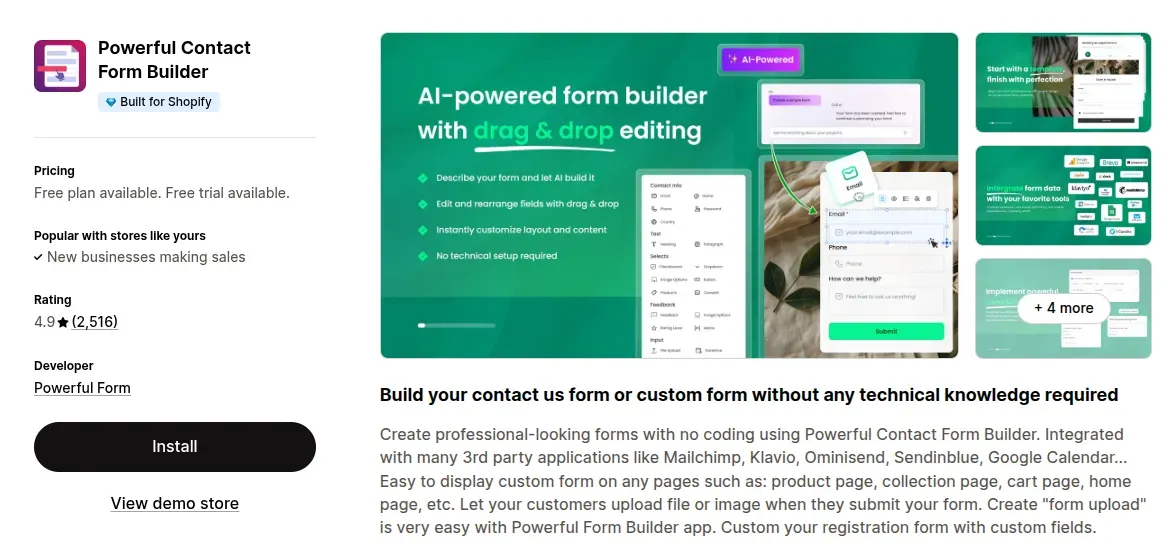
Powerful Contact Form Builder gives Shopify stores a flexible way to create feedback forms without coding. It supports custom fields, conditional logic, file uploads, pop-ups, multi-step forms, surveys, and CAPTCHA. Merchants can also connect form data with tools such as Klaviyo, Mailchimp, Omnisend, Google Sheets, and Shopify Flow.
Pros: Flexible enough for different feedback and form use cases; the free plan provides a low-cost way to get started.
Cons: Stores that need advanced features may need a paid plan, and the wide range of options may require more setup.
Pricing: Free plan; paid plans from $14.90/month
Review: 4.9/5
Best for: Custom feedback forms and stores that need flexible form options
Bizrate Customer Feedback
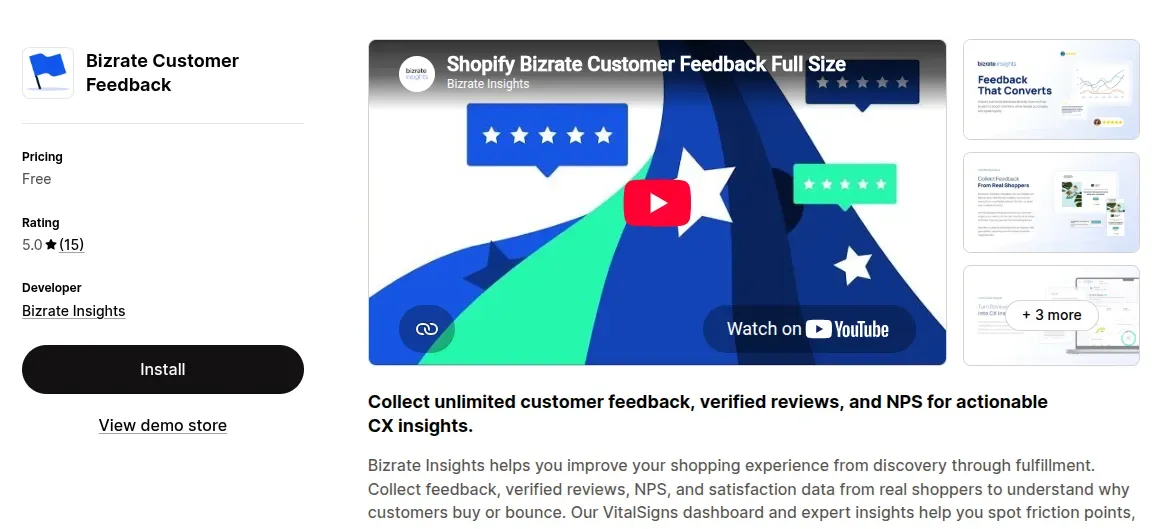
Bizrate Customer Feedback focuses on verified shopper feedback across the customer journey. The app supports NPS, CSAT, satisfaction surveys, verified reviews, and unlimited surveys and invitations. Its VitalSigns dashboard and AI-powered tools help identify common themes and issues in open-ended customer comments.
Pros: Combines customer surveys with verified reviews and provides tools for analyzing qualitative feedback.
Cons: Its broader feedback and review features may be more than a store needs if it only wants a simple post-purchase survey.
Pricing: Free
Review: 5.0/5
Best for: Verified shopper feedback, customer satisfaction data, and review insights
Reputon Customer Reviews App
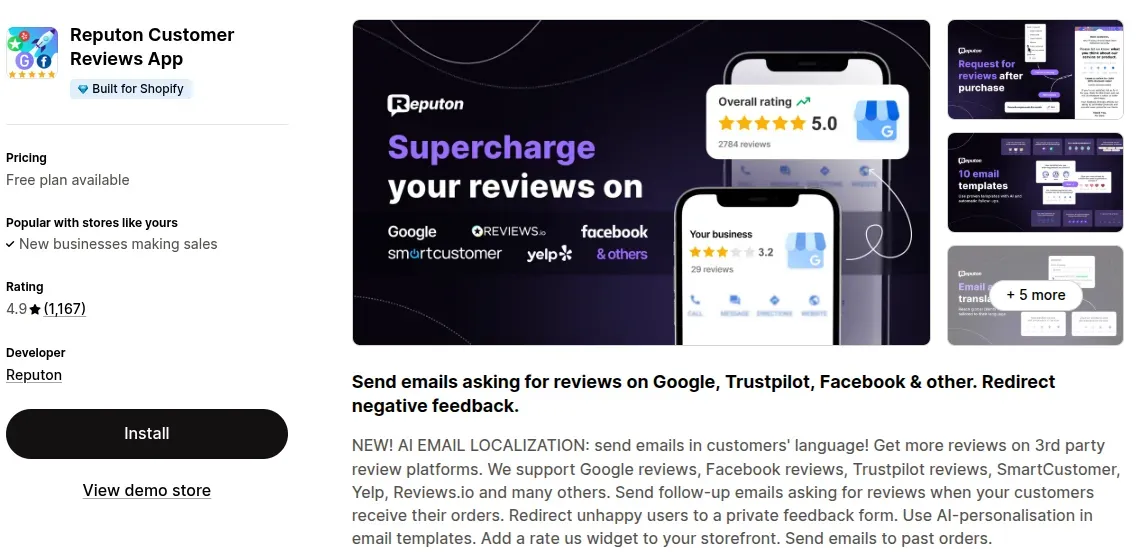
Reputon helps stores collect reviews through automated email requests after customers receive their orders. It supports Google, Trustpilot, Facebook, Yelp, Reviews.io, and other review platforms, while also offering a private feedback form for customers who report negative experiences. AI email localization can help stores send review requests in different languages.
Pros: Useful for collecting reviews across multiple platforms and giving unhappy customers a private feedback channel.
Cons: It focuses more on review collection and reputation management than on detailed customer surveys or NPS analysis.
Pricing: Free plan; paid plans from $9.99/month
Review: 4.9/5
Best for: Automated review requests, third-party reviews, and private customer feedback
Why Collect Customer Feedback on a Shopify Store?
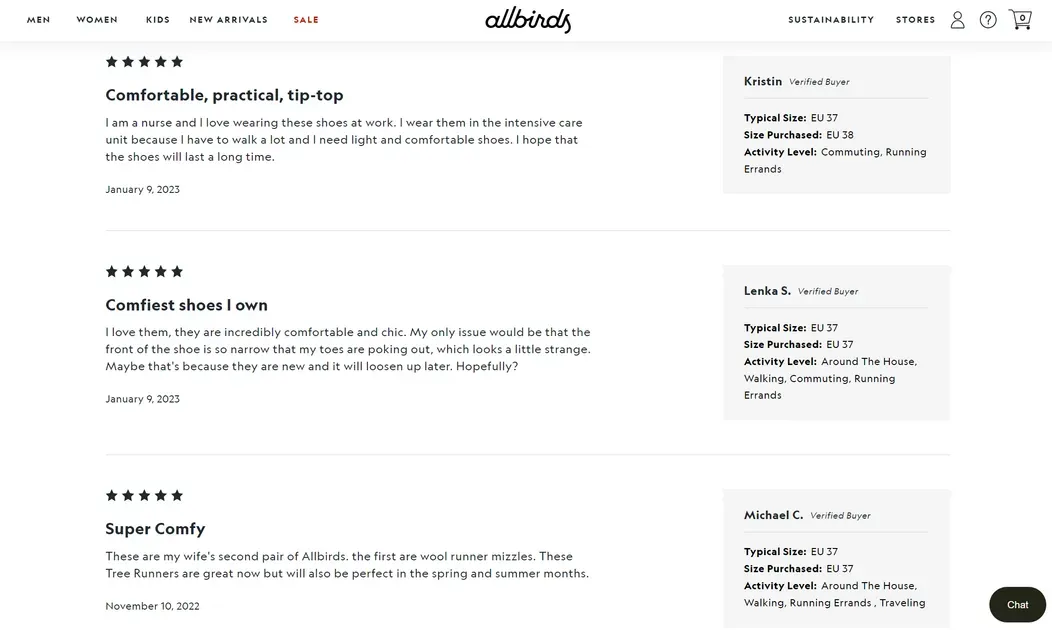
Customer feedback gives Shopify merchants direct insight into what shoppers like, dislike, and expect. Shopify recommends combining surveys, reviews, support data, and other customer signals to improve products and the overall shopping experience:
Identify Problems in the Customer Experience
Feedback can reveal friction that analytics may not explain. Comments about checkout, navigation, shipping, or support can point to specific problems that need attention.
Improve Products and Services
Customer comments can highlight product issues, missing features, or service gaps. Shopify reports that businesses can use feedback to refine product offerings and improve customer experiences.
Understand What Customers Expect
Customer expectations change as shopping habits evolve. Feedback helps stores learn what shoppers value, including product features, service quality, delivery, and convenience. Shopify’s 2026 research highlights customer sentiment and real-time insights as important CX signals.
Make More Informed Business Decisions
Feedback adds context to sales and analytics data. It can explain why customers abandon carts, stop buying, or prefer certain products, helping merchants choose actions based on customer needs rather than assumptions.
7 Ways to Collect Shopify Customer Feedback
Shopify recommends using several feedback channels to build a clearer view of customer needs. Below are seven effective ways to collect Shopify customer feedback:
1. Send Customer Feedback Surveys
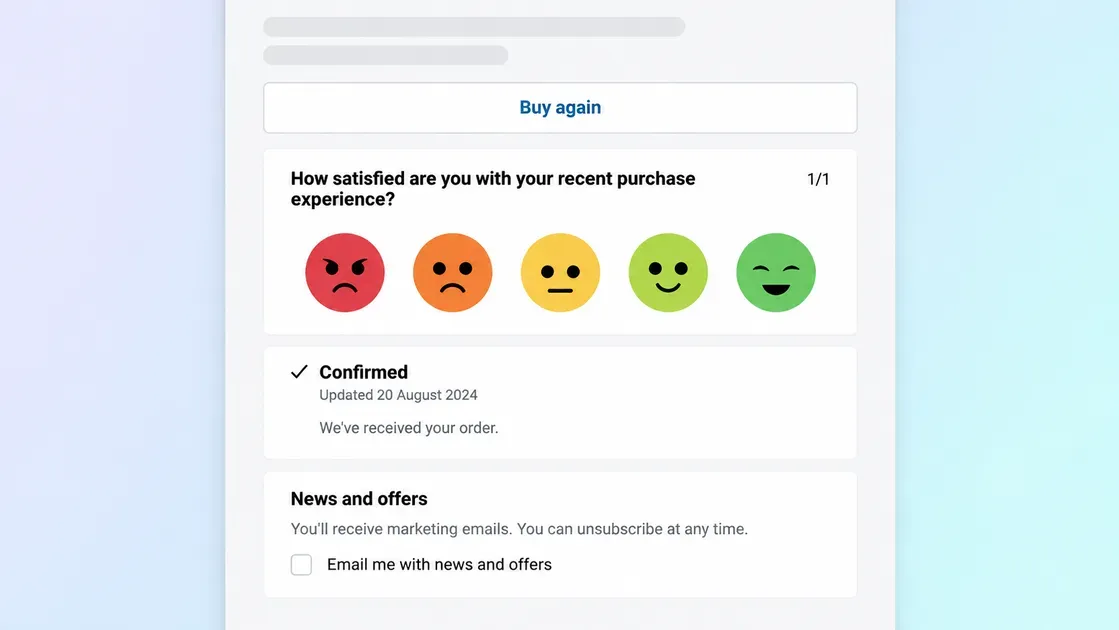
Surveys provide structured answers that make customer opinions easier to compare. Keep questions short and mix rating scales with open-ended questions to collect both measurable data and detailed comments.
Post-purchase surveys can ask about the buying experience, product satisfaction, or reasons behind a purchase. Shopify also supports post-purchase survey apps that can place short surveys after payment and before the order confirmation page.
2. Add Feedback Forms to Your Shopify Store
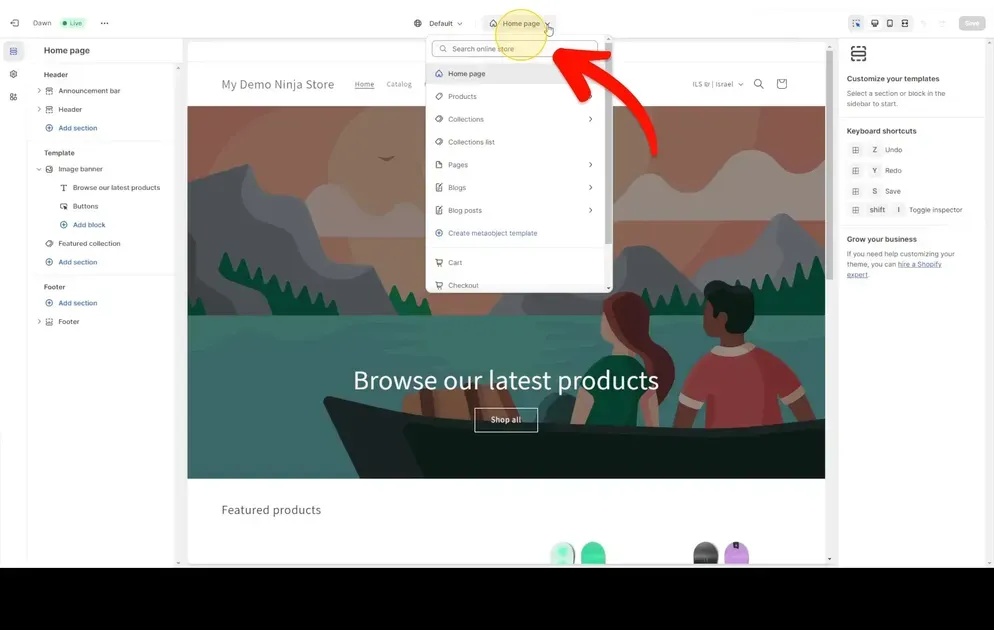
Feedback forms give shoppers a simple way to report problems, request features, or share suggestions. Shopify Forms supports customized pop-ups and inline forms, along with submission notifications and analytics.
Place forms where the feedback matters most, such as product pages, account pages, or after an order arrives. Keep each form focused on information that can support a clear action.
3. Ask for Product Reviews After Purchase
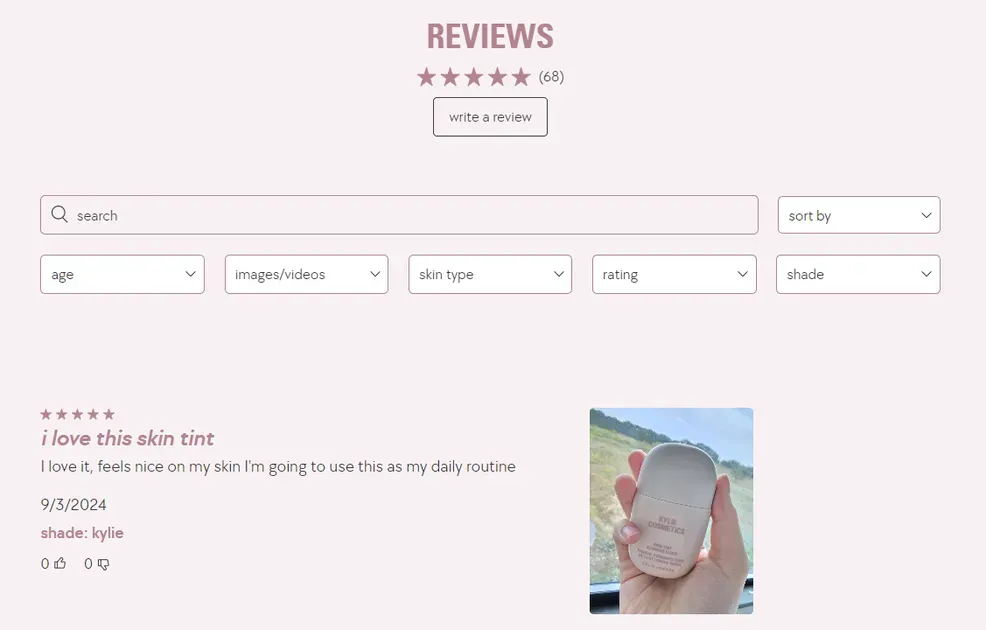
Product reviews show how customers feel about specific items after they have used them. Automated requests after delivery can make review collection more consistent and give stores a steady flow of fresh feedback.
Ask customers to comment on product quality, fit, value, or their overall experience. Keep review requests authentic and avoid incentives that require a positive or negative opinion, as FTC rules prohibit that practice.
4. Collect Feedback Through Customer Service

Support tickets, emails, and live chats can reveal problems that customers may never mention in a survey. Review these conversations for repeated questions, product issues, unclear policies, and delivery concerns.
Tag common topics to identify patterns over time. Shopify Inbox can help teams manage store chats, search past conversations, and review topic labels related to issues such as shipping, checkout, and returns.
5. Use Social Media Polls and Comments
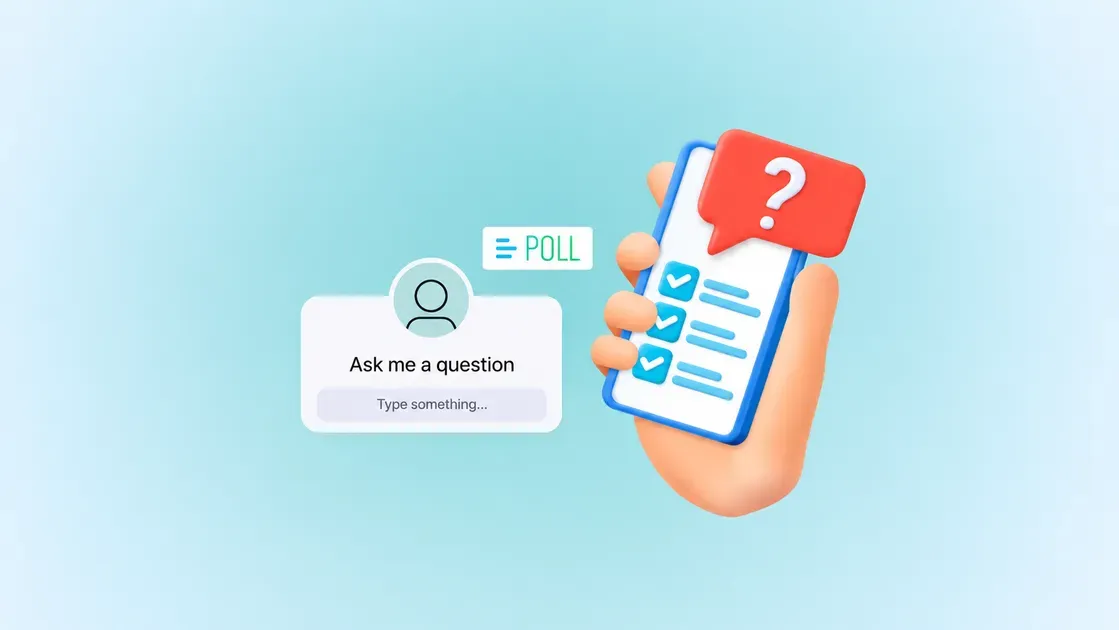
Social media offers a quick way to hear from customers in a public setting. Polls can test product ideas, while comments can reveal reactions to products, campaigns, and customer experiences.
Track recurring themes instead of focusing only on individual comments. Social listening can also uncover feedback from people who never contact the store directly.
6. Conduct Customer Interviews

Customer interviews provide detailed feedback and allow follow-up questions when an answer raises a new issue. Conversations can happen in person, by phone, or through video calls.
Use a consistent set of core questions to make responses easier to compare. Then explore unexpected answers to uncover unmet needs, buying habits, or new product use cases.
7. Use Feedback and Survey Apps
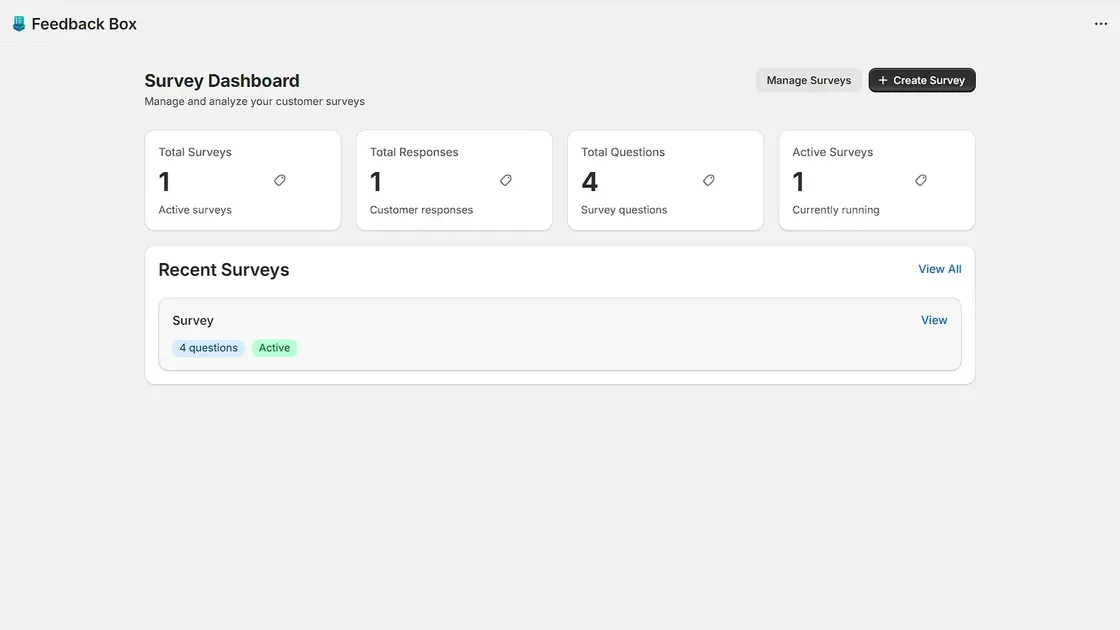
A Shopify feedback app can centralize surveys, forms, responses, and customer insights. Many apps also offer automated triggers, analytics, and integrations that reduce manual work.
Choose an app based on the type of feedback needed and the channels customers use most. A focused tool can make it easier to collect feedback regularly and turn responses into useful actions.
How to Create an Effective Shopify Customer Feedback Survey
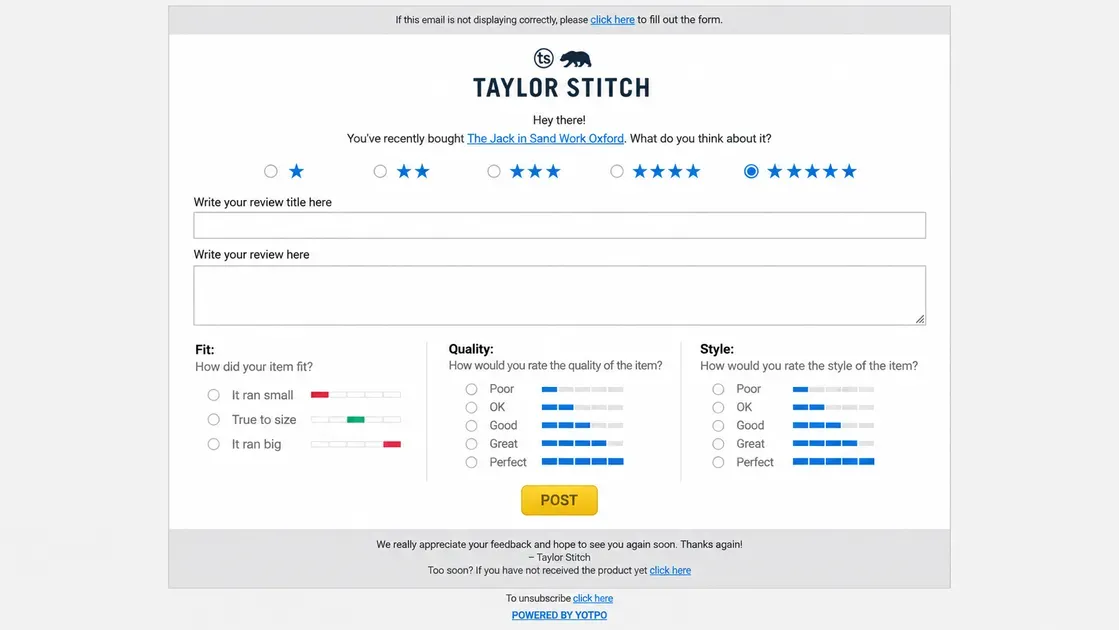
A well-designed survey can turn customer opinions into clear, useful insights. The key lies in asking focused questions at the right point in the customer journey.
Step 1: Define What You Want to Learn
Start with one clear goal for the survey. Decide if the store needs feedback about product quality, checkout, delivery, customer service, or overall satisfaction.
A focused goal keeps the survey short and makes the results easier to analyze. Shopify recommends defining the purpose and type of feedback before choosing survey questions.
Step 2: Choose the Right Feedback Method
Select a format that matches the information needed. A post-purchase survey can measure satisfaction, while an NPS survey can show customer loyalty and a product survey can uncover specific product issues. Shopify supports several feedback methods, including surveys, reviews, and feedback forms.
Step 3: Write Short, Specific Questions
Use simple wording and ask one thing at a time. Combine rating questions with a short follow-up such as “Why?” to learn both the score and the reason behind it.
Keep the survey easy to complete, especially on mobile devices. A shorter survey can reduce friction and help customers finish the questions instead of leaving midway.
Step 4: Choose When and Where to Display the Survey
Match the timing to the information being requested. Ask about the purchase experience soon after checkout, but wait until customers have used a product before asking if it met their expectations.
A Shopify feedback survey can appear on the thank-you page, through email, or within the store. Test different placements and timing to find the points that generate useful responses without interrupting the shopping experience.
Step 5: Review Responses and Identify Patterns
Group responses by common themes such as product quality, shipping, pricing, checkout, or customer service. Look for repeated comments and compare them with rating data to find issues that deserve attention. Shopify recommends categorizing feedback, taking action, and following up as part of a customer feedback loop.
What Questions Should I Ask in a Shopify Customer Feedback Survey?
The right survey questions help stores collect feedback that can inform product, marketing, and customer experience decisions. Below are some key questions to include in a Shopify customer feedback survey:
How Satisfied Are You With Your Purchase?
Use a 1–5 or 1–10 rating scale to measure overall customer satisfaction. For example: “How satisfied are you with your purchase?”
Why Did You Choose This Product?
Ask what influenced the customer’s purchase decision, such as price, features, quality, or recommendations. For example: “What was the main reason you chose this product?”
How Did You Hear About Our Store?
Include options such as Google, social media, paid ads, email, referrals, or other sources. This can help identify which channels bring customers to the store.
How Was Your Shopping Experience?
Ask about website navigation, product information, checkout, delivery, or other parts of the buying journey. For example: “What could we improve about your shopping experience?”
What Do You Like Most About Our Product?
An open-ended question can reveal product strengths and help identify the features customers value most. For example: “What do you like most about the product you purchased?”
What Could We Improve?
Give customers an opportunity to mention problems or unmet expectations. For example: “What is one thing we could improve about your experience?”
Would You Recommend Our Store to Others?
Use the standard 0–10 NPS question: “On a scale of 0–10, how likely are you to recommend our store to a friend or colleague?”
How to Analyze Shopify Customer Feedback
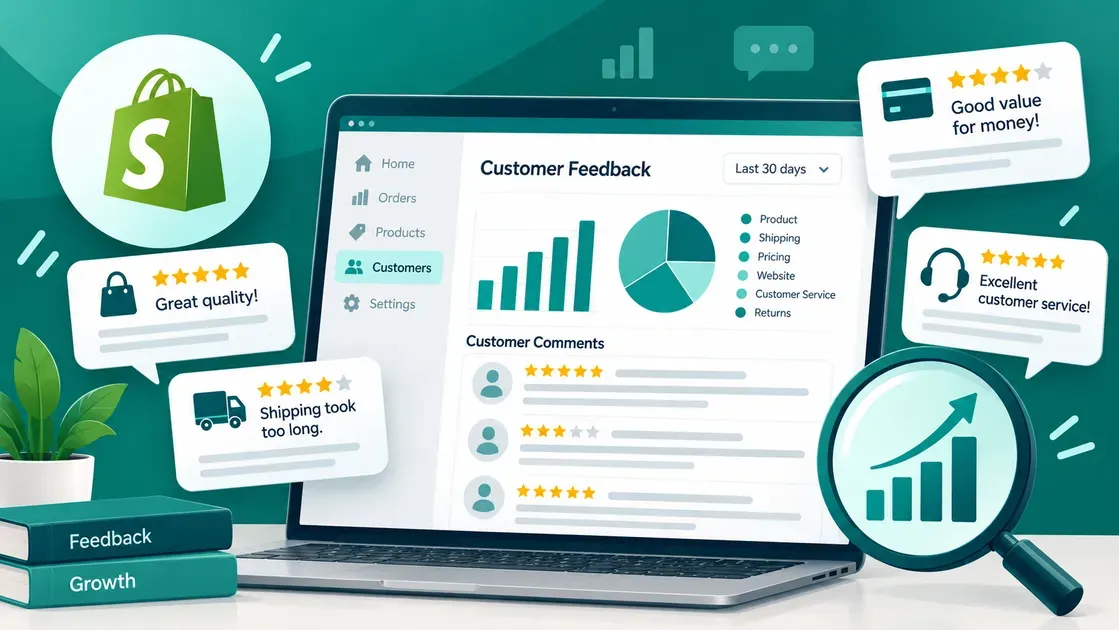
Collecting feedback only creates value when the responses lead to useful insights. A structured analysis helps Shopify merchants spot customer needs, find recurring issues, and connect feedback with store performance.
Organize Feedback by Topic
Group responses into clear categories before looking for larger trends. Common topics include:
Product quality and features
Shipping and delivery
Pricing and value
Checkout and website experience
Customer service
Returns and refunds
Organizing comments this way makes repeated concerns easier to spot. Shopify recommends grouping open-text feedback by theme and reviewing those themes across customer segments and time periods.
Look for Recurring Patterns
A single negative comment may not indicate a major issue, but repeated comments can reveal a clear problem. Track how often customers mention the same complaint, request, or positive experience.
Compare patterns across products, customer groups, and time periods. This approach can show if an issue affects a specific product or appears across the entire store.
Combine Qualitative and Quantitative Data
Numbers show what is happening, while written responses can explain why it happens. Compare survey scores, review ratings, conversion data, and other metrics with customer comments to build a fuller picture.
For example, a high cart abandonment rate may identify a checkout problem, while survey responses can reveal that unexpected shipping costs cause shoppers to leave. Shopify recommends using both quantitative and qualitative data to turn raw information into actionable customer insights.
Turn Feedback Into Action Items
The final step involves converting repeated findings into specific tasks. Each action should connect to a clear business goal, such as reducing checkout friction, improving a product description, or addressing a common service issue.
Track the results after making changes. Shopify recommends comparing customer feedback with key performance indicators to see if a feedback-driven change improves store results over time.
How to Close the Shopify Customer Feedback Loop
A simple feedback loop can help show customers that their input matters. Here are the key steps:
Acknowledge Customer Feedback
Start by confirming that the store received the feedback. Thank customers for sharing their thoughts and acknowledge specific concerns when possible. A quick, relevant response can make customers feel heard and encourage future feedback.
Act on Useful Feedback
Review responses and identify issues that appear often or affect the customer experience. Then, turn useful insights into clear actions, such as improving product information, simplifying checkout, or adjusting customer support. Shopify recommends turning customer data into specific insights that directly guide business decisions.
Follow Up With Customers
Let customers know when their feedback leads to a change. A follow-up message can explain what changed and thank them for helping improve the store. This final step completes the feedback loop and creates a stronger connection with customers.
Best Practices for Collecting Customer Feedback on Shopify
Follow these practices to collect useful Shopify customer feedback without creating extra friction:
Set a clear goal: Decide what the feedback should help improve before creating a survey or form.
Keep questions short: Ask specific, neutral questions that focus on one topic at a time.
Use different feedback channels: Combine surveys, product reviews, support chats, social comments, and feedback forms to capture different customer perspectives.
Mix question types: Use rating questions for measurable data and open-ended questions for detailed opinions.
Ask at the right time: Collect feedback after key moments, such as checkout, delivery, or a support interaction.
Make feedback easy to give: Use Shopify feedback apps, pop-ups, or inline forms to reduce extra steps.
Analyze responses regularly: Group comments by topic, identify repeated issues, and connect feedback with Shopify metrics.
Close the feedback loop: Act on useful insights and tell customers when their feedback leads to a change.
FAQs
Does Shopify have a built-in customer feedback form?
Yes. Shopify Forms supports both pop-up and inline forms, which merchants can use to collect customer feedback and survey responses.
When should I ask customers for feedback?
Ask at key moments, such as after a purchase, checkout, product use, or customer service interaction. The timing should match the goal of the feedback.
What is the difference between customer reviews and customer surveys?
Customer reviews usually share opinions about a specific product or purchase and often appear publicly. Customer surveys use targeted questions to collect broader insights about the shopping experience, needs, and satisfaction.
The Bottom Line
Customer feedback can reveal what shoppers really think and highlight areas that need improvement. From surveys and forms to reviews and support conversations, Shopify stores have several ways to collect useful insights. A Shopify feedback app can simplify this process by organizing responses and supporting faster analysis. Choose a tool that matches the store’s feedback goals, then use customer insights to improve products, service, and the overall shopping experience.

Hey! I'm Linda Bui. Join me as we explore tips and tutorials about Shopify apps and Shopify themes for your Shopify store.
Start Building Trust Today
Install the Product Reviews app to improve your store's credibility and boost sales with real customer reviews.
Get Started with Zero CostWhat to not miss out on our blog
Gain insightful knowledge and invaluable experiences from dedicated experts.
_1200x630.webp)
Best Shopify Wishlist Apps: Let Customers Save What They Love
Need a Shopify wishlist app for your store? Let's compare 7 leading options for 2026 and find the right mix of features, pricing, alerts, and integrations.
_1200x630.webp)
_1200x630.webp)
Newsletter
Get all the stories you need-to-know from the most powerful name in news delivered first thing every morning to your inbox