How to Use Exit Intent Surveys on Shopify to Recover Abandoning Visitors
- **What Is an Exit Intent Survey on Shopify?**
- **Why Shopify Stores Should Use Exit Intent Surveys**
- **How to Set Up an Exit Intent Survey on Shopify**
- **Best Exit Intent Survey Apps for Shopify Stores**
- **Best Exit Intent Survey Questions for Shopify Stores**
- **How to Turn Exit Survey Responses Into Recovered Sales**
- **FAQs about Exit Intent Surveys**
- **The Bottom Line**
Why do visitors leave a Shopify store without making a purchase? For new merchants, understanding the reasons behind abandoned carts and lost sales is essential for building a successful online business. An exit intent survey Shopify strategy helps uncover customer concerns before visitors leave, providing valuable insights into pricing, product selection, and checkout issues. With the right approach, these insights can guide practical improvements. Let’s explore how to use exit intent surveys to recover abandoning visitors and boost conversions.
What Is an Exit Intent Survey on Shopify?
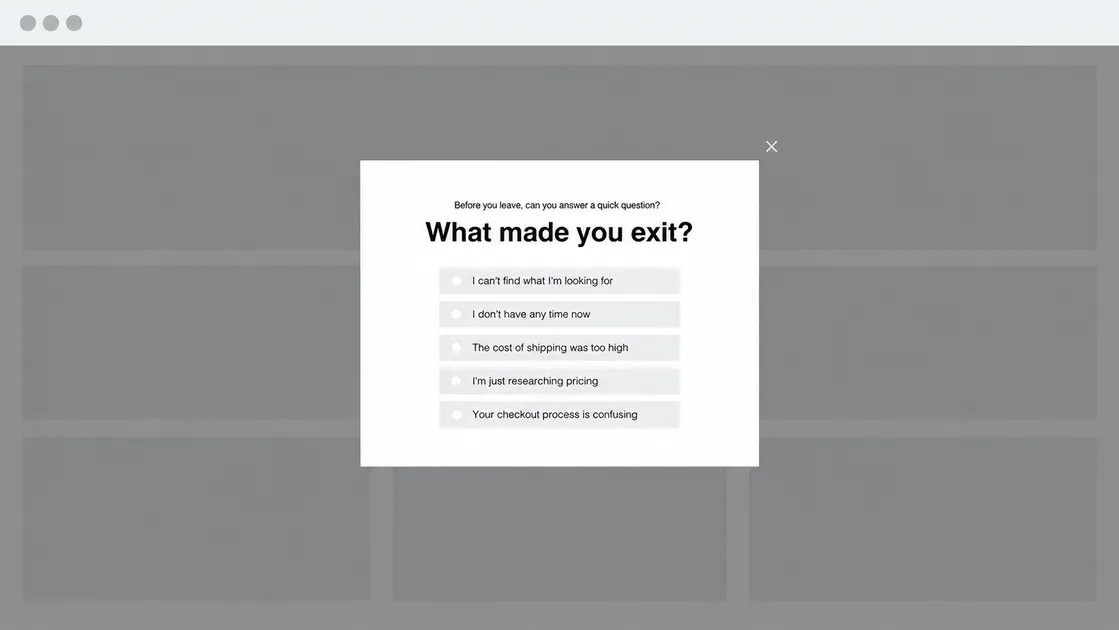
An exit intent survey on Shopify is a short pop-up that asks visitors why they plan to leave an online store. It helps new merchants identify common barriers, such as high shipping costs, unclear product details, limited payment options, or unexpected checkout fees.
Unlike a standard feedback form, an exit intent survey appears when a visitor shows signs of leaving. Merchants can use the responses to improve the shopping experience, fix problems, and encourage more visitors to complete their purchases. Shopify merchants can add this feature through compatible survey or pop-up apps.
How Exit Intent Surveys Detect Visitors Who Are About to Leave
Exit intent tools track behavioral signals that suggest a visitor may leave the store. Depending on the device and app, these signals may include:
Desktop: Rapid cursor movement toward the browser toolbar or close button.
Mobile: Scroll patterns, inactivity, or other supported behavioral triggers.
Trigger rules: Merchants set conditions, such as time on page or cart activity, to control when a survey appears.
Detection methods vary by app, and mobile exit intent may work differently from desktop detection.
Exit Intent Surveys vs. Traditional Shopify Abandoned Cart Recovery
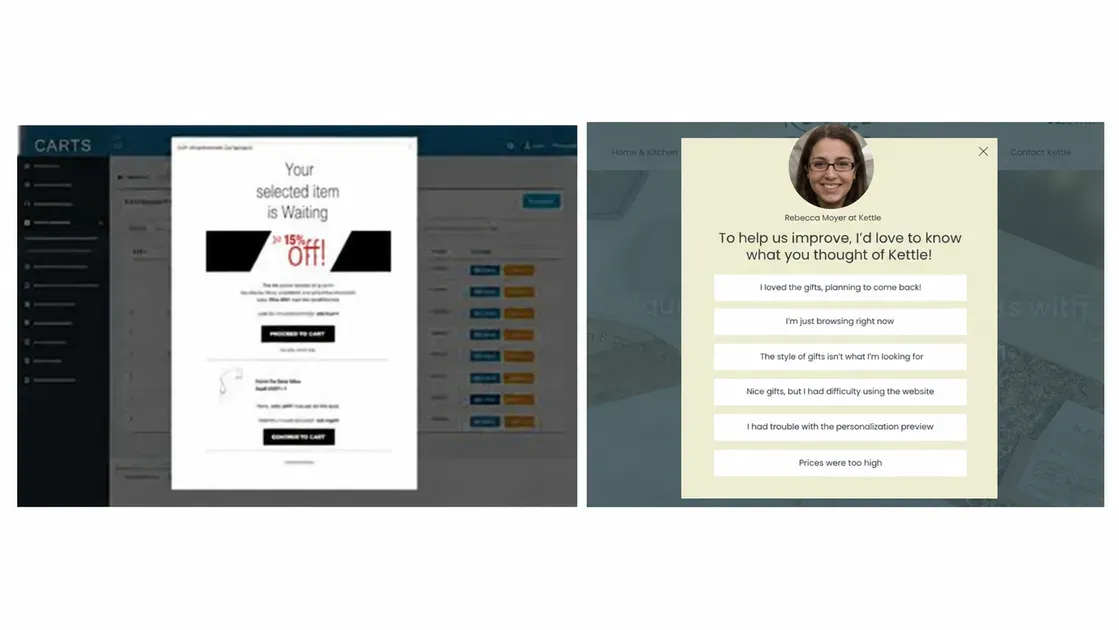
Exit intent surveys collect feedback before visitors leave, while abandoned checkout recovery encourages shoppers to return after they leave without completing a purchase.
Exit Intent Survey | Abandoned Checkout Recovery | |
Main goal | Identify purchase barriers | Encourage customers to complete orders |
Timing | Before visitors leave | After shoppers abandon checkout |
Common method | Popup questions | Automated recovery emails |
Best use | Improve store experience | Bring shoppers back to checkout |
Why Shopify Stores Should Use Exit Intent Surveys
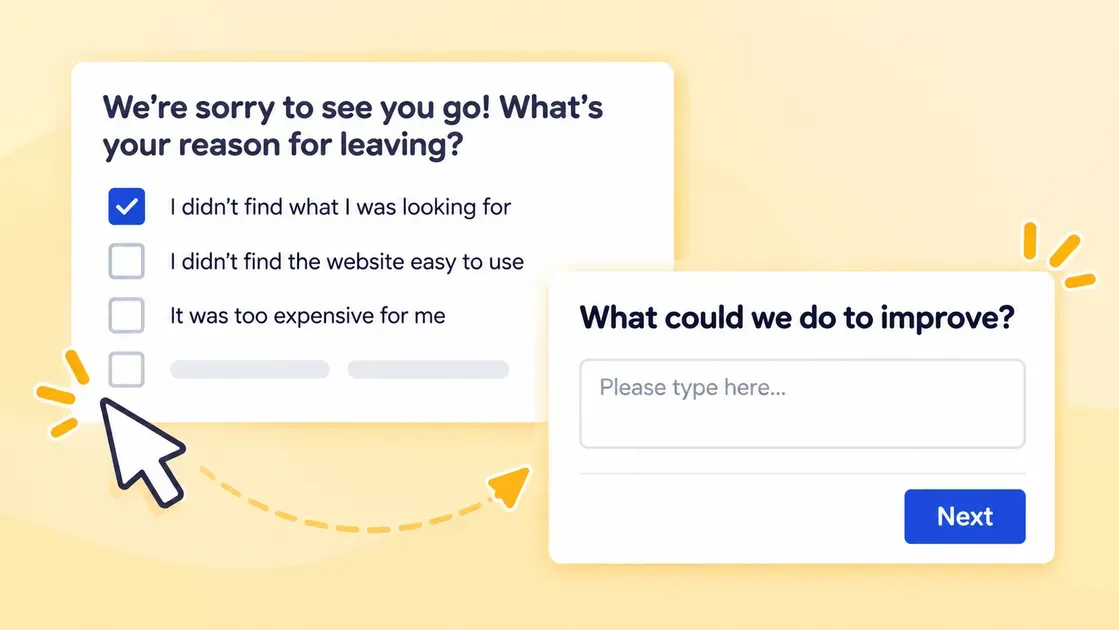
Exit intent surveys help new Shopify merchants understand why visitors hesitate before buying. Rather than guessing what needs to change, merchants can use direct feedback to make smarter store improvements.
Identify the Main Reasons Behind Cart and Checkout Abandonment
Unexpected costs, slow delivery, and complicated checkout steps can stop shoppers from completing an order. Baymard Institute's 2026 data identifies extra costs as a leading reason for cart abandonment, affecting 40% of US online shoppers in its survey.
A short exit survey can ask shoppers what stopped them from buying. Offer clear options, such as shipping fees, payment issues, delivery times, or missing product information.
Understand Why Customers Leave Shopify Store and Reduce Bounce Rates
Some visitors leave because they cannot find the right product or understand its value. Others may browse without plans to buy.
Ask one simple question, such as “What stopped you from shopping today?” Use responses to improve product descriptions, navigation, pricing details, and delivery information. Then monitor Shopify Analytics to see how visitor behavior changes.
Improve Shopify Conversion Rates With Customer Feedback
Customer feedback shows where a store loses potential buyers. If shoppers often mention unclear sizing, add a size guide to product pages. If they struggle to find product details, make key information easier to spot.
Track Shopify conversion metrics before and after each change. Shopify Analytics helps merchants identify weak points in the buying journey and measure progress.
Recover Potential Sales Without Relying on Discounts
Discounts may encourage purchases, but they can also reduce profit margins. Exit surveys help merchants find other ways to address hesitation. For example, clarify shipping costs, explain return policies, or offer product support. These changes can build trust and remove barriers without automatically cutting prices.
How to Set Up an Exit Intent Survey on Shopify
Setting up an exit intent survey does not require advanced coding when the chosen Shopify app includes a popup builder. Follow these steps to collect useful feedback without disrupting the shopping experience.
Step 1: Choose an Exit Intent Survey App for Shopify
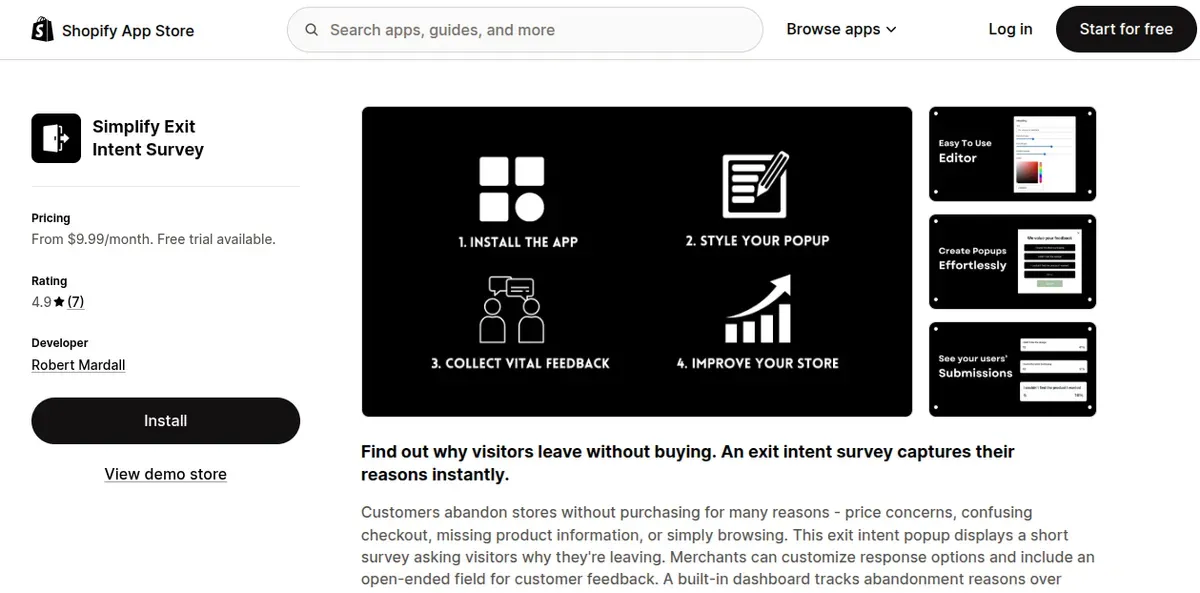
Open the Shopify App Store and compare apps based on survey features, pricing, reviews, and ease of use. For a simple starting point, consider Simplify Exit Intent Survey, which offers customizable questions and response tracking.
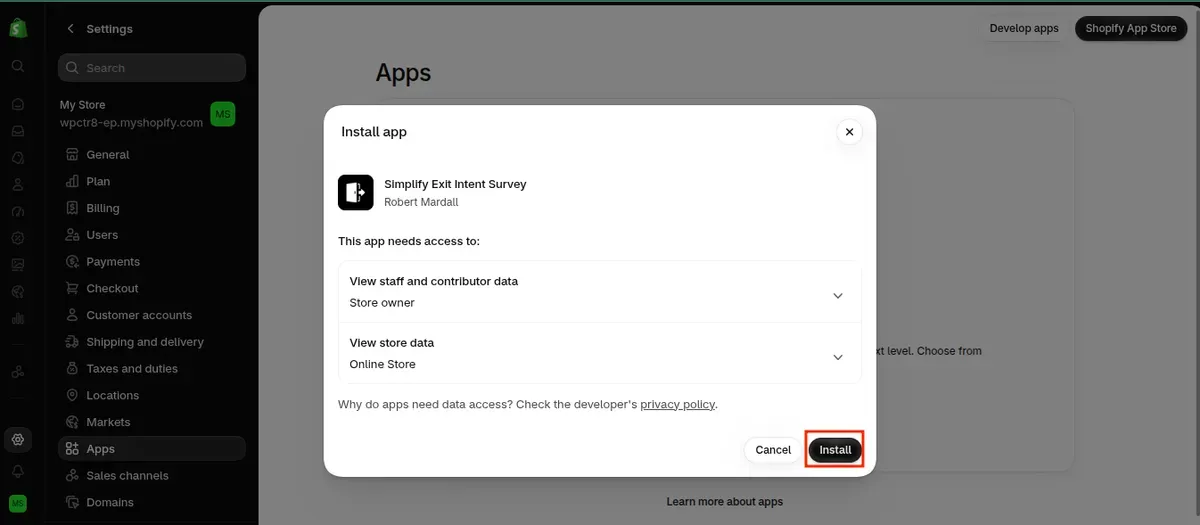
Before installing an app, review its requested permissions and privacy policy. Choose a plan that fits the store's budget and expected traffic.
Step 2: Create a Short Survey With Clear Questions
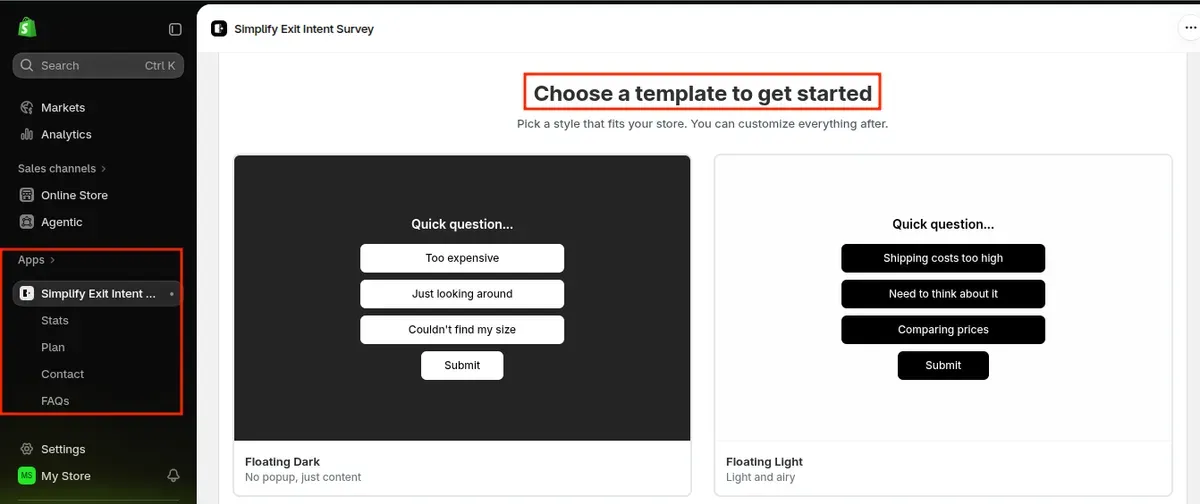
Keep the survey brief so visitors can answer it quickly. Start with one main question:
“What stopped you from making a purchase today?”
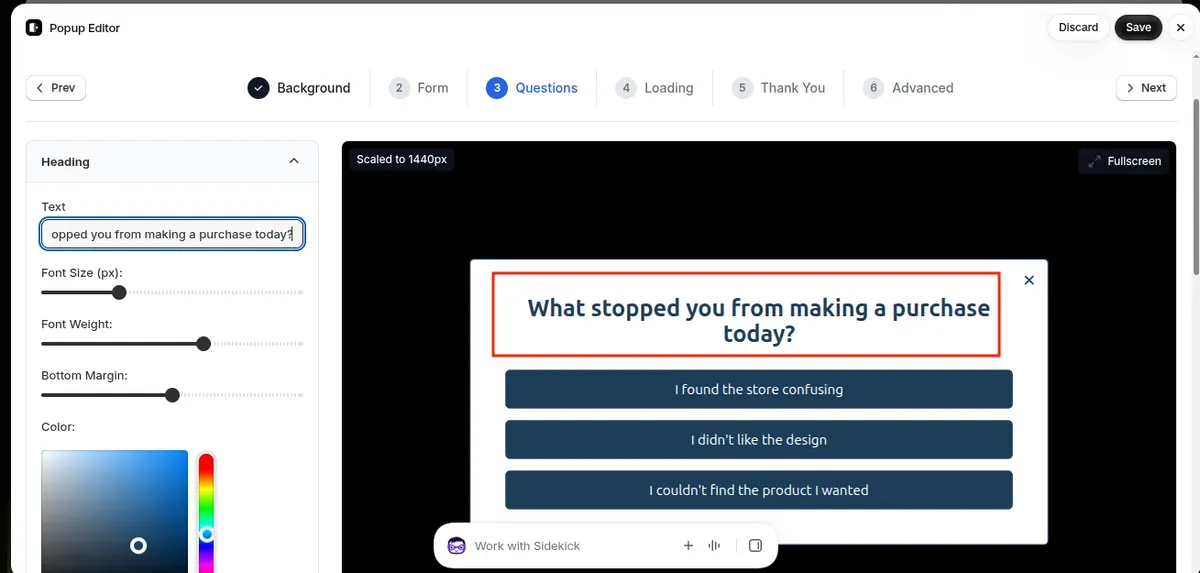
Offer simple answer choices, such as:
Shipping costs were too high.
The product details were unclear.
The checkout process was difficult.
The preferred payment option was missing.
I am still comparing products.
Other.
Add an optional comment field for visitors who want to explain their choice. Clear questions and relevant answers make feedback easier to review.
Step 3: Configure Exit Intent Triggers and Targeting Rules
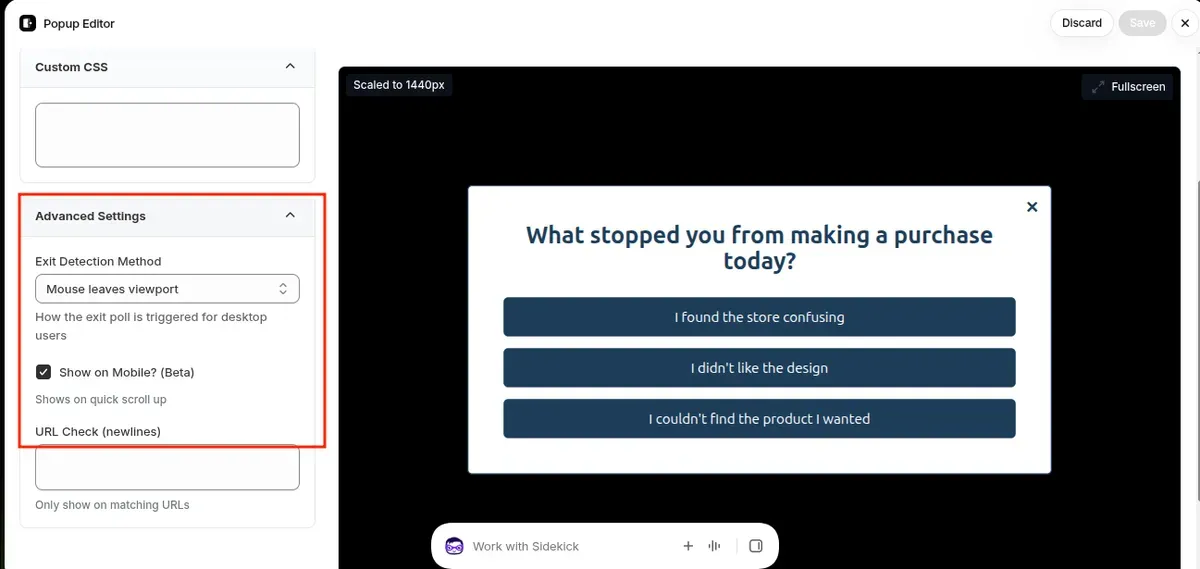
Set the survey to appear when visitors show signs of leaving. Many desktop tools detect cursor movement toward the browser toolbar. Mobile triggers vary by app, so check the available settings.
Use targeting rules to show relevant surveys to specific visitors:
Product pages: Ask if shoppers need more product information.
Cart pages: Find out if shipping fees or prices cause hesitation.
Returning visitors: Learn what prevents them from completing a purchase.
Avoid showing the popup too early or displaying it repeatedly. Shopify recommends using relevant targeting and careful timing to improve exit popup performance.
Step 4: Customize the Survey Design and Call to Action
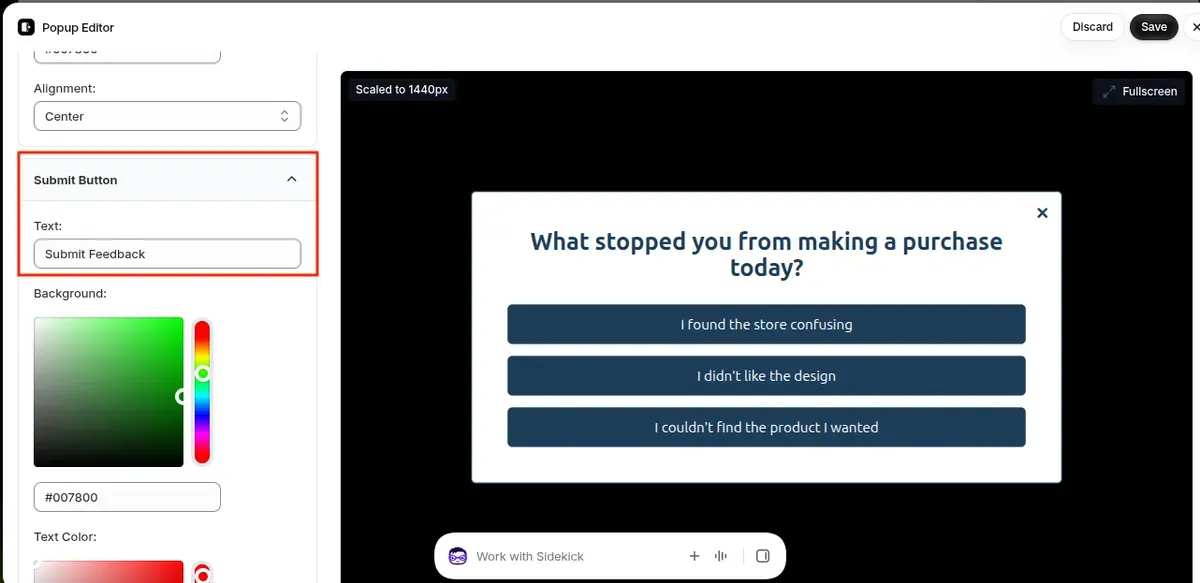
Match the popup's colors, fonts, and style to the Shopify store's branding. Keep the layout simple and make the close button easy to find.
Use a clear headline, such as “Before You Go, Share Your Feedback.” Choose a direct CTA like “Submit Feedback” or “Share My Thoughts.” Ensure the exit popup Shopify works on mobile screens and does not cover essential content.
Step 5: Test the Survey Before Publishing It
Preview the survey on desktop and mobile devices. Trigger the exit survey popup Shopify under different conditions to confirm that it appears at the right time and records responses correctly.
Check these details before launch:
All questions and answer options work correctly.
The close button and CTA respond as expected.
The popup does not appear too frequently.
Survey responses appear in the app dashboard.
The popup does not interfere with browsing or checkout.
Once everything works, publish the survey and monitor responses. Review the results regularly and update the questions or targeting rules when customer feedback reveals new issues.
Best Exit Intent Survey Apps for Shopify Stores
The right Shopify app makes it easier to collect feedback and understand why customers leave Shopify. Merchants should compare survey features, popup triggers, targeting options, and pricing to find a tool that fits their store and budget.
*Note: Apps features, pricing, and rating were last checked on October 23, 2026.
Shopify App | Main Features | Price | Rating | Best For |
Exit intent surveys, customizable questions, response tracking | From $9.99/month | 4.9/5 | Simple visitor feedback | |
Exit popups, email/SMS capture, discount offers, A/B testing | Free plan; paid from $19/month | 4.9/5 | Lead generation and exit popups | |
Onsite surveys, NPS/CSAT tracking, skip logic, AI summaries | Free plan; paid from $9/month | 4.9/5 | Customer feedback and satisfaction tracking | |
Exit popups, audience targeting, A/B testing, analytics | From $299/month | 4.9/5 | Advanced conversion optimization |
Simplify Exit Intent Survey
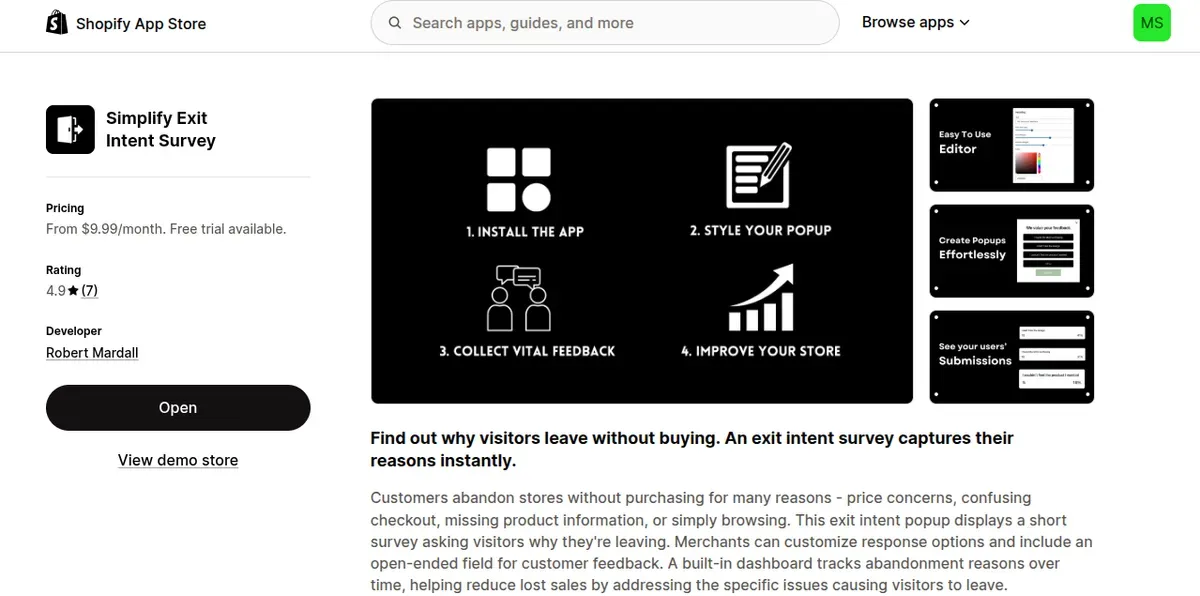
Simplify Exit Intent Survey focuses on collecting feedback from visitors who plan to leave. It displays a survey popup when shoppers show exit intent. Merchants can customize answer options and add an open-ended question for more detail. Its dashboard tracks responses and highlights common reasons for leaving. Popup colors, fonts, borders, and CSS are also customizable. The app offers unlimited submissions on every plan, making it useful for stores that need direct feedback without complex features.
Price: From $9.99/month; 14-day free trial.
Rating: 4.9/5
Best for: New Shopify stores that need a simple, focused exit survey.
Poptin Exit Popup Email Pop Up
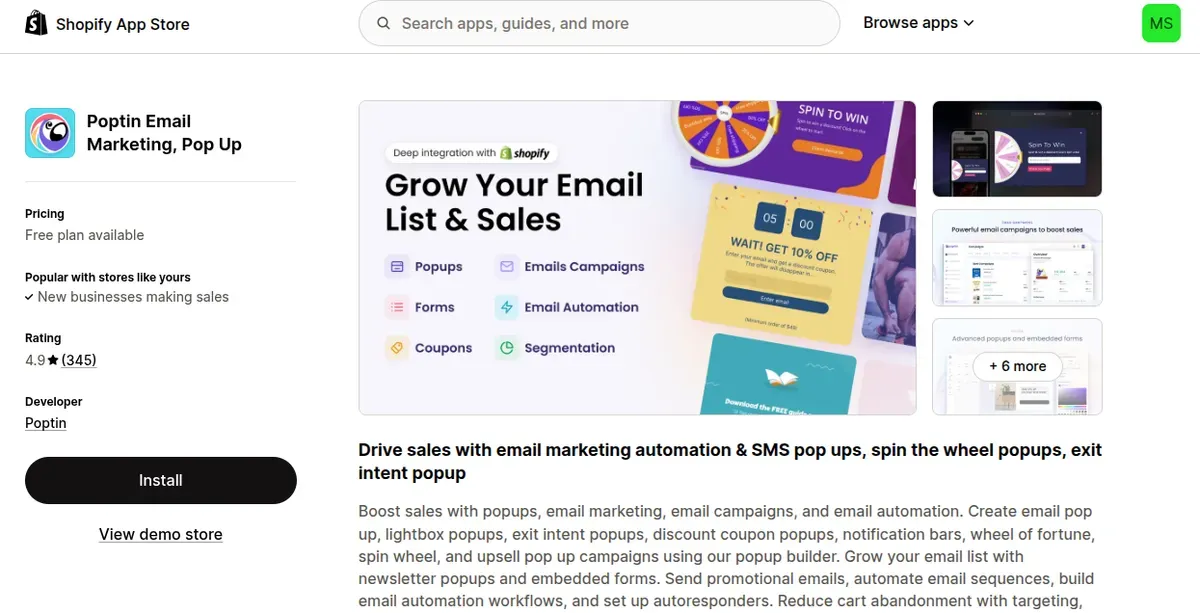
Poptin combines exit intent popups with email and SMS capture. Merchants can create popups, forms, discount offers, and spin-to-win campaigns using a visual builder. Smart triggers help target visitors based on their behavior. The app also supports autoresponders and integrations for lead generation. Although it does more than surveys, it can help stores collect leads and encourage hesitant shoppers to stay.
Price: Free plan; paid plans start at $19/month.
Rating: 4.9/5
Best for: Merchants who want exit popups and email or SMS growth tools.
Asklayer Survey & NPS for pros
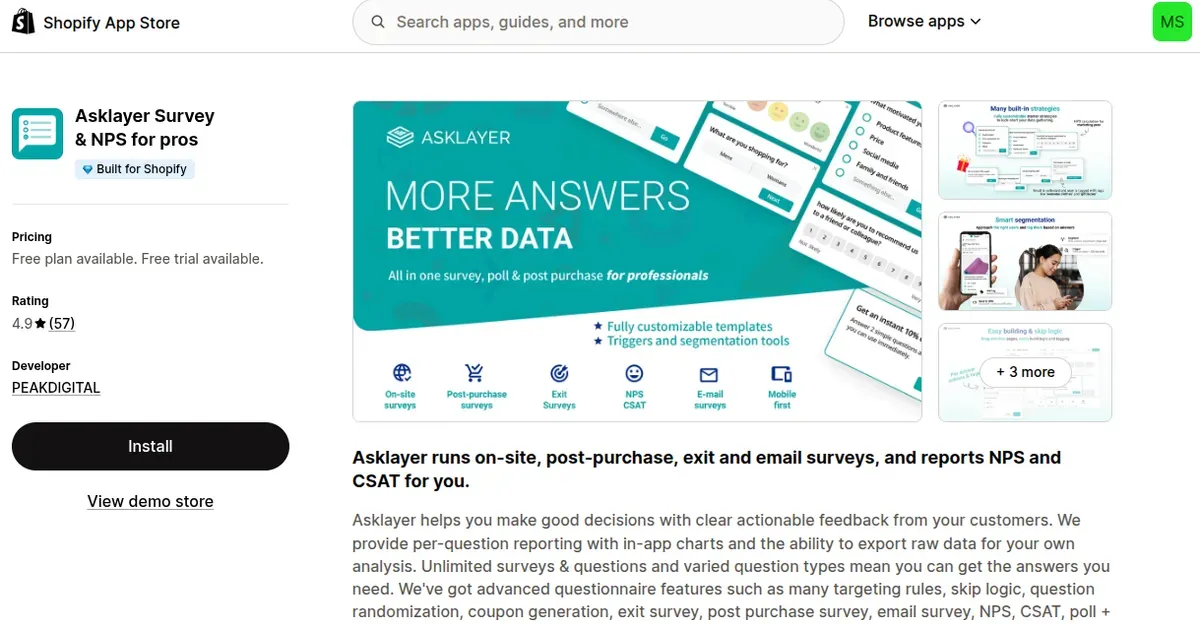
Asklayer supports exit, onsite, post-purchase, and email surveys. Merchants can build surveys with different question types, targeting rules, and skip logic. It also tracks Net Promoter Score (NPS) and Customer Satisfaction Score (CSAT). In-app charts and data exports make it easier to spot customer concerns. AI summaries and action lists help merchants turn responses into practical improvements.
Price: Free plan available; paid plans start at $9/month.
Rating: 4.9/5
Best for: Stores that need detailed feedback and customer satisfaction tracking.
Wisepops: Popup Builder & CRO
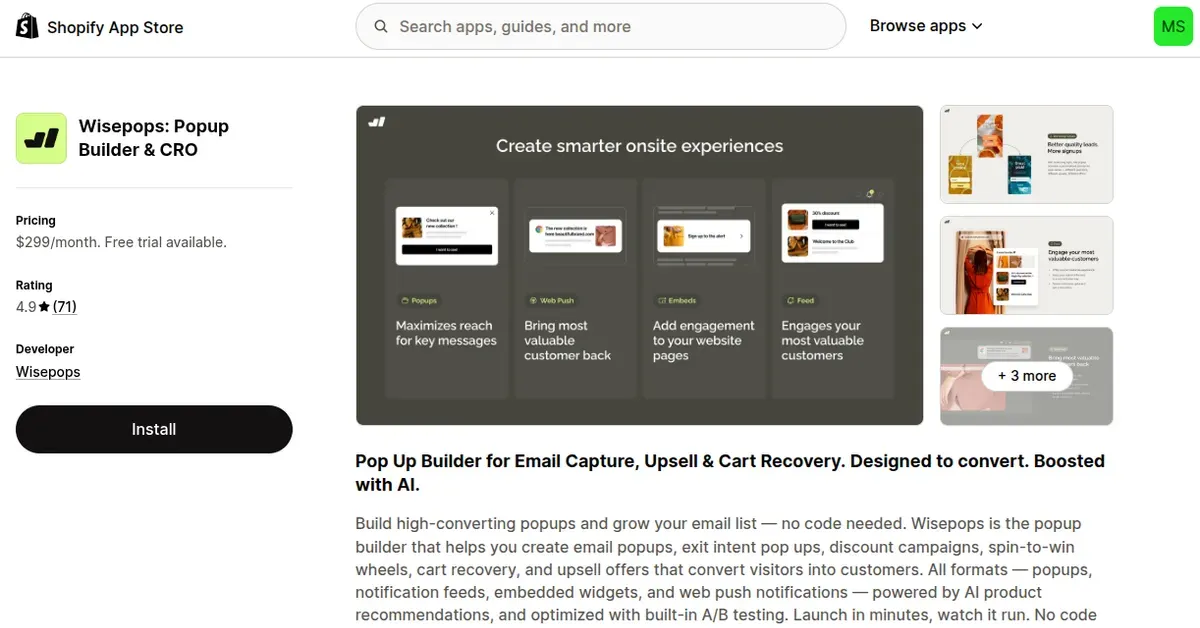
Wisepops offers exit intent popups, email capture, discount campaigns, and cart recovery tools. Its visual builder and ready-made templates simplify campaign setup. Merchants can use targeting rules, audience segments, and behavioral triggers to show relevant messages. Built-in A/B testing and analytics help compare campaign performance. AI product recommendations and integrations such as Klaviyo support more advanced conversion strategies.
Price: $299/month; 14-day free trial.
Rating: 4.9/5
Best for: Growing stores that need advanced targeting and conversion optimization.
Best Exit Intent Survey Questions for Shopify Stores
Below are practical questions to identify customer concerns and find ways to improve the shopping experience:
Questions to Understand Why Customers Leave Shopify Stores
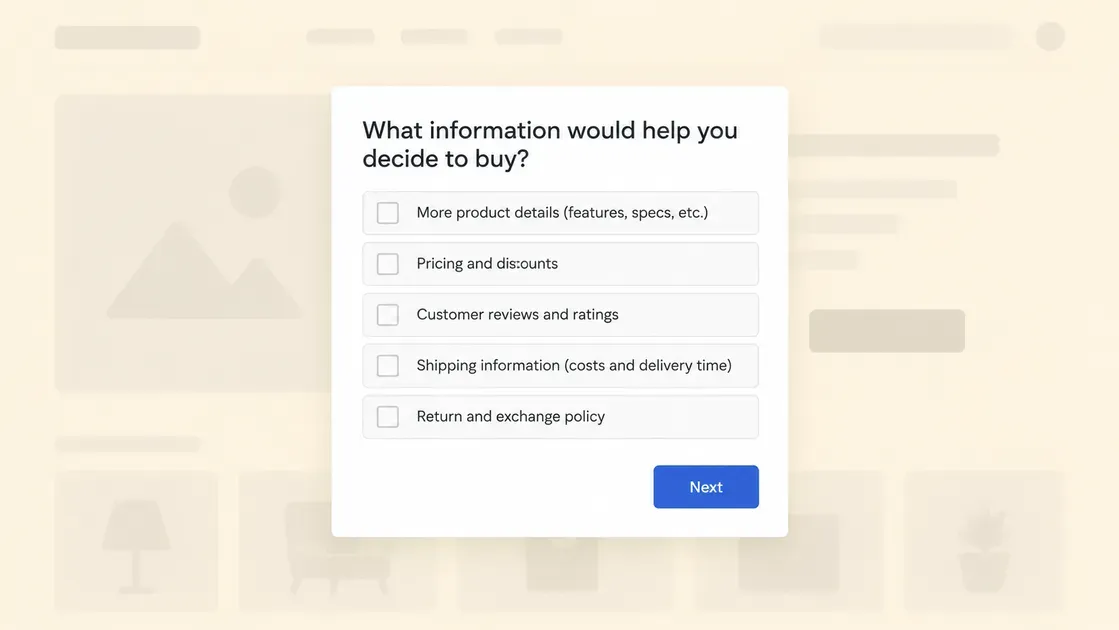
Start with a broad question to discover why visitors leave without buying. Use multiple-choice answers to spot common patterns, then add an optional comment field for extra details.
What stopped you from making a purchase today?
Why are you leaving without placing an order?
What information would help you decide to buy?
Are you still comparing this product with other options?
What could make your shopping experience better?
What is the main reason you decided not to buy today?
Use the answers to identify recurring concerns. For example, frequent mentions of unclear product details may signal a need for better descriptions, images, or buying guides.
Exit Intent Survey Questions About Pricing and Shipping Costs
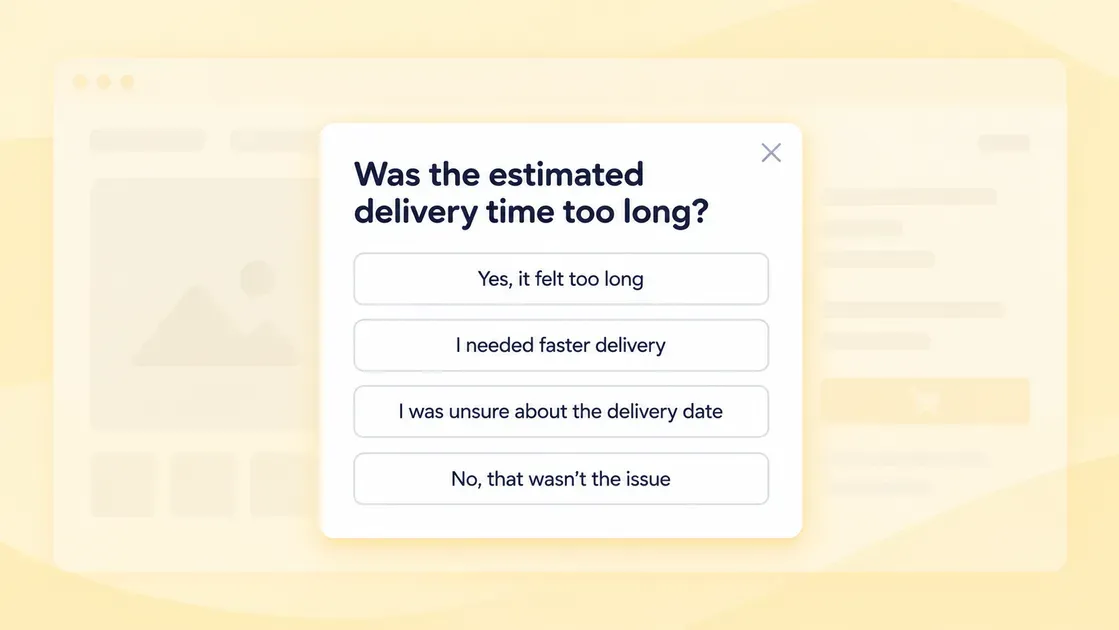
Unexpected charges can make shoppers reconsider a purchase. Baymard Institute's latest 2026 abandonment data identifies extra costs, including shipping, taxes, and fees, as a leading reason shoppers abandon checkout.
Ask questions that reveal how pricing and delivery affect purchase decisions:
Did the product price meet your expectations?
Were shipping costs higher than expected?
Did you find the total order cost before checkout?
Was the estimated delivery time too long?
Would free shipping make you more likely to buy?
What shipping option would work best for you?
Did you find the available discounts or promotions unclear?
Questions About Product Information and Purchase Confidence
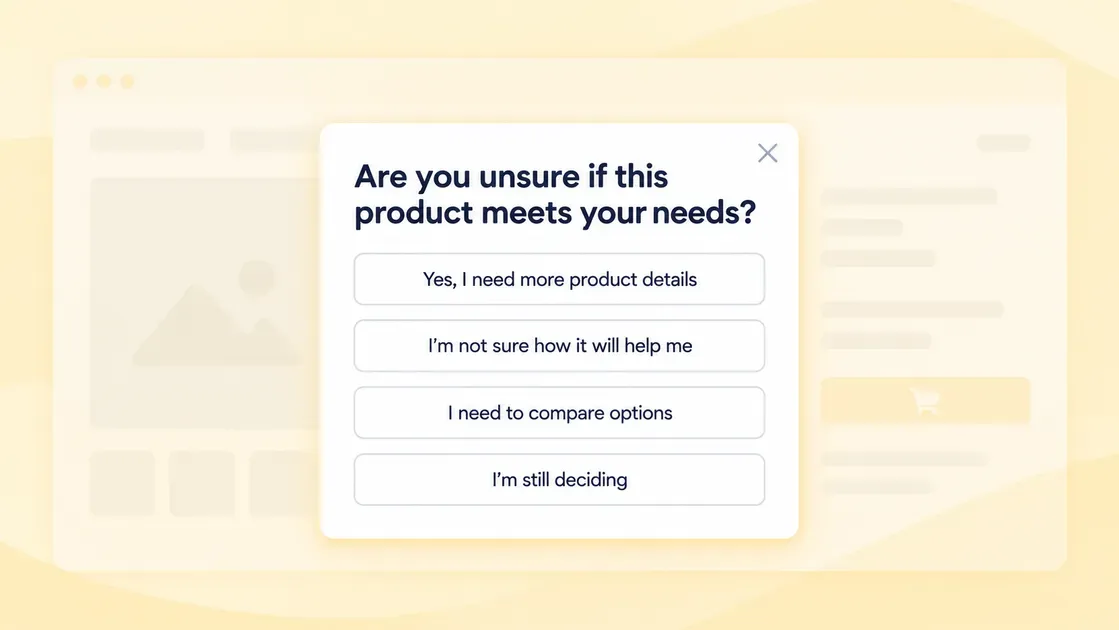
Shoppers may leave when product pages do not answer their questions. Clear descriptions, detailed images, sizing information, and product specifications can help customers make informed decisions.
Use these questions to identify missing details:
What information about this product is missing?
Are the product photos clear enough to help you decide?
Do you need more details about the product's size, materials, or features?
Are you unsure if this product meets your needs?
Would customer reviews help you make a decision?
What additional information would increase your confidence in this product?
Did you find it difficult to compare product options?
Questions About Checkout Problems and Payment Options
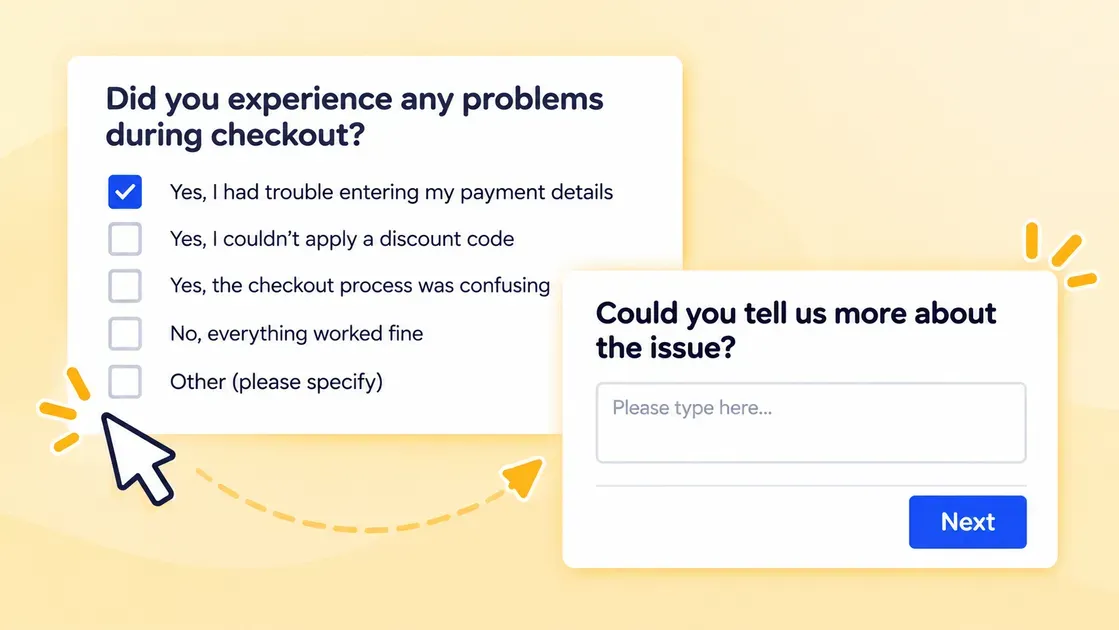
A difficult checkout can stop shoppers who already intend to buy. Baymard Institute's 2026 data highlights checkout complexity, website errors, and limited payment options among the reasons shoppers abandon orders.
Ask focused questions to find technical or payment barriers:
Did you experience any problems during checkout?
Was any step in the checkout process confusing?
Did the checkout ask for too much information?
Could you find your preferred payment method?
Did you encounter an error while placing your order?
Did you have trouble applying a discount code?
Would you prefer to check out as a guest?
What made it difficult to complete your purchase?
Questions to Identify Trust Concerns and Reduce Bounce Rates
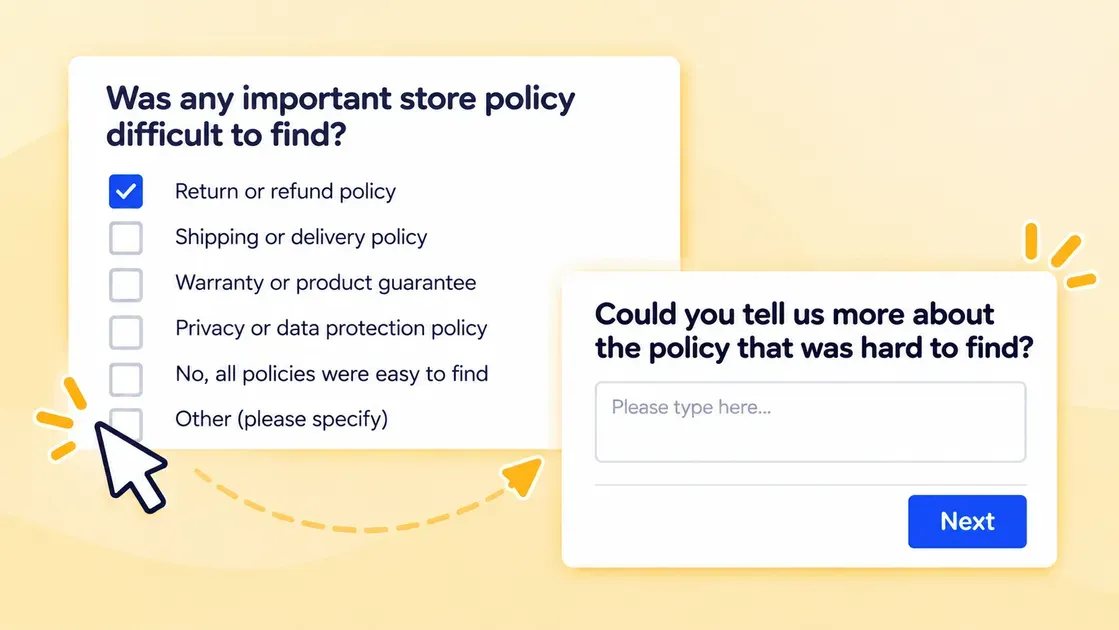
New Shopify stores may need to build trust before visitors feel comfortable sharing payment details. Shoppers may also leave if they cannot find clear information about returns, shipping, contact details, or product quality. Baymard's 2026 abandonment research identifies concerns about payment security and return policies as additional barriers.
Use these questions to understand what makes visitors hesitate and reduce bounce rate Shopify:
Did you feel confident buying from this store?
Did you find the return and refund policy easy to understand?
Were you able to find the store's contact information?
Did you have any concerns about payment security?
Would customer reviews or testimonials help you trust this store?
Was any important store policy difficult to find?
What would make you feel more confident placing an order?
How to Turn Exit Survey Responses Into Recovered Sales
Exit intent surveys help Shopify merchants understand why visitors hesitate to buy. The next step is to turn those answers into clear actions that remove barriers and encourage customers to complete their orders.
Respond to Answers Instantly to Keep Visitors on the Page
An exit intent survey creates an opportunity to address customer concerns before visitors leave. Instead of collecting answers without taking action, you should use the feedback to show relevant information or suggest a helpful next step.
If the survey app supports conditional logic, tailor the response to each answer:
High shipping costs: Show available shipping options or explain free-shipping thresholds.
Unclear product details: Link to a sizing guide, product FAQ, or detailed product information.
Trust concerns: Direct visitors to customer reviews, return policies, or contact information.
Checkout problems: Provide a link back to the cart or offer guidance on completing the order.
Keep each response brief and make the next step clear. Avoid displaying unnecessary discounts or pressuring visitors to buy. The goal is to remove a specific barrier and help shoppers make informed decisions. Track how many visitors interact with these responses and continue to checkout to assess their impact.
Analyze Survey Responses and Find Common Patterns
Start by reviewing survey responses at least once a week. Group answers into categories such as shipping costs, product information, payment problems, and trust concerns. This approach helps identify recurring issues instead of treating each response as an isolated complaint.
Next, compare survey results with Shopify Analytics to understand where visitors drop off. The Conversion rate breakdown report shows how many sessions progress from adding products to the cart to reaching checkout and completing a purchase. The Sessions by landing page report identifies the pages where visitors begin their sessions, while the Sessions by device report helps compare behavior across mobile and desktop. These reports can reveal patterns that support survey findings.
For example, if visitors frequently mention unclear product details and a product page has a low conversion rate, improving its descriptions or images may help address the issue.
Use these steps to prioritize improvements:
Count recurring responses: Identify the most common reasons visitors leave.
Check affected pages: Find out if certain products, landing pages, devices, or checkout steps show similar problems.
Prioritize high-impact issues: Fix problems that affect many visitors or prevent customers from completing purchases.
Track changes over time: Compare performance before and after each update to assess whether the changes help.
To measure results, track three key performance indicators (KPIs), survey response rate, survey completion rate, and store conversion rate. Survey response rate measures the percentage of visitors who see the survey and submit a response. According to Survicate's 2025 Popup Survey Benchmark Report, the median response rate across 3,029 popup surveys was 7.3%, while the median completion rate was 75.6%. These figures provide a reference for evaluating popup surveys, although actual results can vary depending on survey placement, timing, and audience.
For sales performance, you need to monitor your store conversion rate, which measures the percentage of sessions that result in a purchase. Littledata's October 2026 benchmark, based on 436 Shopify stores, found a median conversion rate of 1.4%. The top 20% of stores achieved rates of 2.7% or higher. These figures offer a useful comparison, but conversion rates differ across industries and traffic sources.
Match Each Customer Objection With the Right Action
Once common problems emerge, choose an action that addresses each concern. Avoid offering discounts automatically, as some shoppers need clearer information rather than lower prices.
Customer objection | Recommended action |
Shipping costs are too high | Display shipping fees earlier, review shipping rates, or set a free-shipping threshold that protects profit margins. |
Product details are unclear | Improve product descriptions, add clear images, provide sizing guides, and answer common questions on product pages. |
Customers do not trust the store | Make contact details, return policies, delivery information, and genuine customer reviews easy to find. |
Preferred payment options are missing | Review Shopify's supported payment methods and enable suitable options for the target market. |
Checkout feels confusing | Test the checkout process on mobile and desktop, remove unnecessary friction where possible, and fix technical errors. |
Delivery takes too long | Show realistic delivery estimates and explain available shipping options before checkout. |
Make one or two changes at a time when possible. This helps merchants understand which improvements make the biggest difference. For example, if visitors struggle to find return information, update the product page or add a clear link near the purchase button. Then monitor conversion rates to see if the change helps.
Combine Exit Intent Feedback With Abandoned-Checkout Recovery
Exit intent surveys reveal why visitors hesitate, while abandoned-checkout recovery gives merchants another chance to bring eligible shoppers back. Combining these methods creates a more relevant follow-up instead of sending the same message to every customer.
First, use survey answers to tailor recovery messages. If a shopper mentions unclear product details, include a link to the relevant product page or a helpful guide. If shipping costs cause hesitation, clarify delivery fees and available shipping options. If the shopper leaves because of a checkout issue, help resolve the problem before encouraging another attempt.
Next, set up Shopify's available abandoned-checkout recovery tools. Send a timely reminder with a direct checkout link when the shopper and checkout qualify for recovery. Follow applicable marketing consent and privacy requirements.
Finally, measure the results. Track recovered orders, checkout conversion rates, survey response rates, and revenue from recovery campaigns. Compare results across similar periods and test different message content or timing. These insights help identify which actions recover sales and where the store still needs improvement.
FAQs about Exit Intent Surveys
Do Exit Intent Surveys Actually Reduce Shopify Cart Abandonment?
Yes, exit intent surveys can help reduce cart abandonment by revealing barriers such as high shipping costs or unclear product details. However, results depend on how effectively merchants address these issues; surveys alone cannot guarantee more sales.
Can Exit Intent survey Popups Work on the Shopify Checkout Page?
It depends on the app and your Shopify plan. Shopify restricts checkout customization, so you should check whether the app supports checkout extensions or checkout-specific popups before installing it.
Can Google Penalize Stores for Using Exit Popups?
Google does not ban all exit pop-ups, but intrusive popups that block page content can harm the user experience and search performance. You should keep surveys easy to close and avoid covering the entire page.
Do Exit Intent Surveys Require GDPR or Cookie Consent?
Yes, if the survey collects personal data or uses non-essential cookies from visitors covered by GDPR or applicable cookie laws. You need to obtain consent when required and explain how the survey collects and uses visitor data.
Do Exit Intent Surveys Affect Shopify Store Loading Speed?
Yes, some exit intent survey apps can slow down your Shopify store if they add heavy scripts or extra code. Choose a lightweight app and monitor your store's loading speed and Core Web Vitals before and after installation.
Can Exit Intent Surveys Work on Mobile Devices?
Yes, exit intent surveys can work on mobile devices, but they need different triggers because phones do not have mouse cursors. Use mobile-friendly signals, such as back-button actions or rapid scrolling, and keep the survey short with easy-to-tap buttons.
How Can Shopify Merchants Measure Exit Intent Survey Success?
Track survey response rates, completed purchases, checkout conversion rates, and recovered sales before and after making changes. Use Shopify Analytics and abandoned-checkout reports to measure results, and compare similar date ranges for a fair assessment.
The Bottom Line
Exit intent surveys help Shopify merchants understand why visitors leave without buying. By asking the right questions, choosing a suitable app, and acting on customer feedback, stores can remove purchase barriers and improve conversions. Combine these insights with abandoned-checkout recovery to bring potential buyers back. A well-planned exit intent survey Shopify strategy can support better shopping experiences, stronger customer trust, and more recovered sales over time.

Hey! I'm Linda Bui. Join me as we explore tips and tutorials about Shopify apps and Shopify themes for your Shopify store.
Start Building Trust Today
Install the Product Reviews app to improve your store's credibility and boost sales with real customer reviews.
Get Started with Zero CostWhat to not miss out on our blog
Gain insightful knowledge and invaluable experiences from dedicated experts.

Shopify Growth Strategy for New Stores: 12 Tactics That Drive Sales
Struggling to grow your Shopify store? Follow this Shopify growth strategy to improve SEO, attract buyers, recover abandoned checkouts, and increase sales.

Newsletter
Get all the stories you need-to-know from the most powerful name in news delivered first thing every morning to your inbox