Shopify Growth Strategy for New Stores: 12 Tactics That Drive Sales
- **5 Foundations to Set Up Before You Chase Growth**
- **Stage 1: Turn First Visitors into First Buyers**
- **Stage 2: Bring in the Right Traffic**
- **Stage 3: Stop Losing Sales You Already Earned**
- **Stage 4: Grow Order Value and Repeat Purchases**
- **Essential Apps for Small Shopify Stores**
- **How to Measure Your Shopify Growth**
- **FAQs About Shopify Growth Strategy**
- **The Bottom Line**
How can a new Shopify store attract customers and turn visitors into paying buyers? A clear Shopify growth strategy helps new merchants build visibility, improve the shopping experience, and increase sales without wasting limited resources. From optimizing product pages to choosing the right Shopify apps, small, practical changes can create steady progress. Let’s discover how to grow a Shopify store and build a strong foundation for long-term success via 12 actionable tactics!
5 Foundations to Set Up Before You Chase Growth
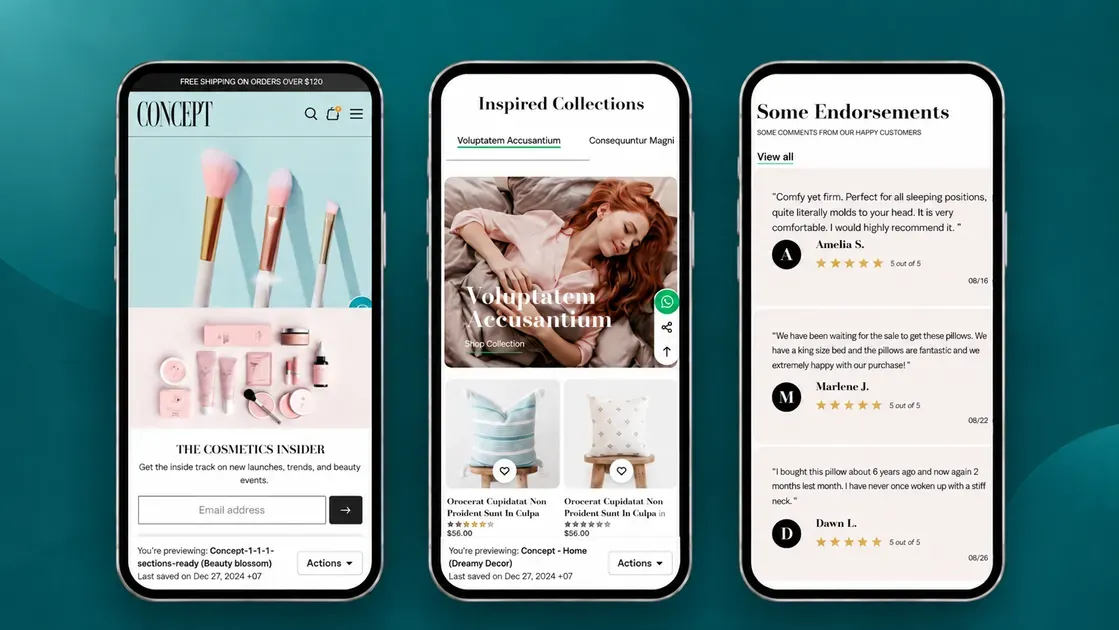
Before investing in marketing, build a Shopify store that customers can browse, trust, and use with ease. These five foundations help new merchants create a smoother shopping experience and prepare the store for sustainable growth:
A clean, fast-loading mobile theme: Choose a responsive theme with simple layouts, readable text, and clear purchase buttons. Compress large images and remove unnecessary apps that slow down pages. Shopify recommends monitoring Core Web Vitals to assess loading speed, responsiveness, and visual stability.
Policy pages: Publish shipping, return and refund, and privacy policies. Explain the rules in plain language so customers understand their rights and know how the store handles personal data.
Transparent shipping information: Display shipping costs, estimated delivery times, available shipping methods, and any free-shipping conditions on relevant pages. Clear details help customers understand the total cost before checkout.
Simple navigation and product discovery: Create clear menus for key collections, bestsellers, and customer support. Configure Shopify Search & Discovery to improve product search, filters, and recommendations.
Reliable analytics tracking: Review Shopify Analytics to monitor sales, traffic, and customer behavior. Set up Google Analytics 4 (GA4) to gain additional insights into visitor activity and evaluate marketing performance.
Stage 1: Turn First Visitors into First Buyers
New Shopify stores need to build trust before they can generate consistent sales. Focus on clear product information, authentic reviews, and engaging visual content to help first-time visitors feel confident about buying.
1. Write Product Pages That Answer Buyer Questions
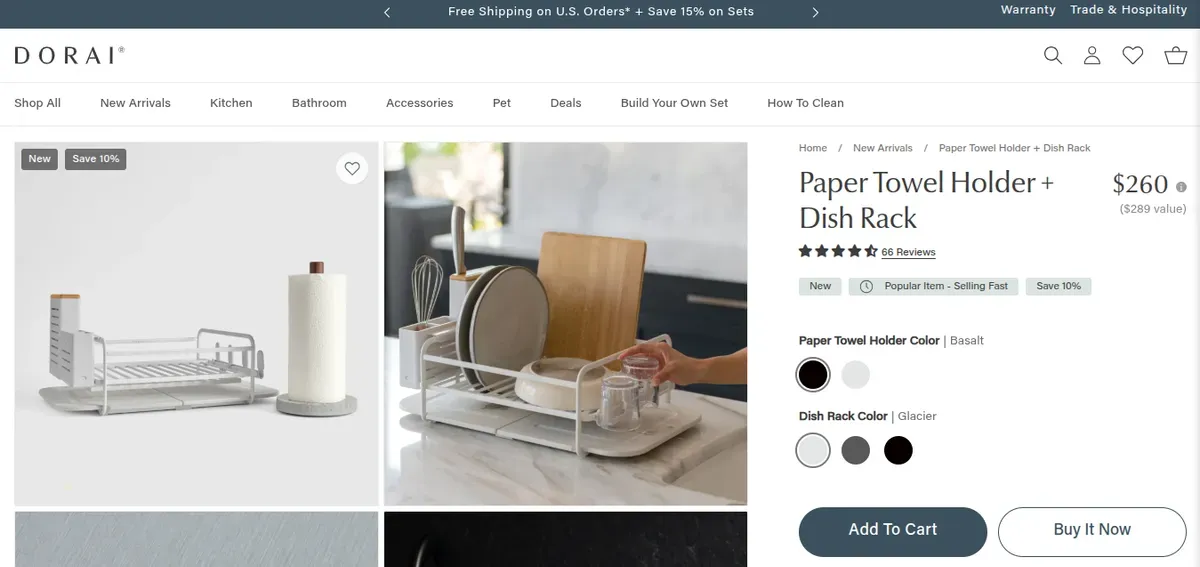
Product pages should explain what a product does, who needs it, and why it offers value. Use clear descriptions, high-quality images, and visible calls to action to make buying easier.
Include these key details:
Features and benefits: Explain materials, size, use, and practical advantages.
Product photos and videos: Show different angles, details, and the product in use.
Purchase information: Display prices, available options, shipping costs, and return terms.
Clear calls to action: Make the Add to Cart button easy to find on mobile and desktop.
2. Get Your First Reviews, Even with Zero Orders
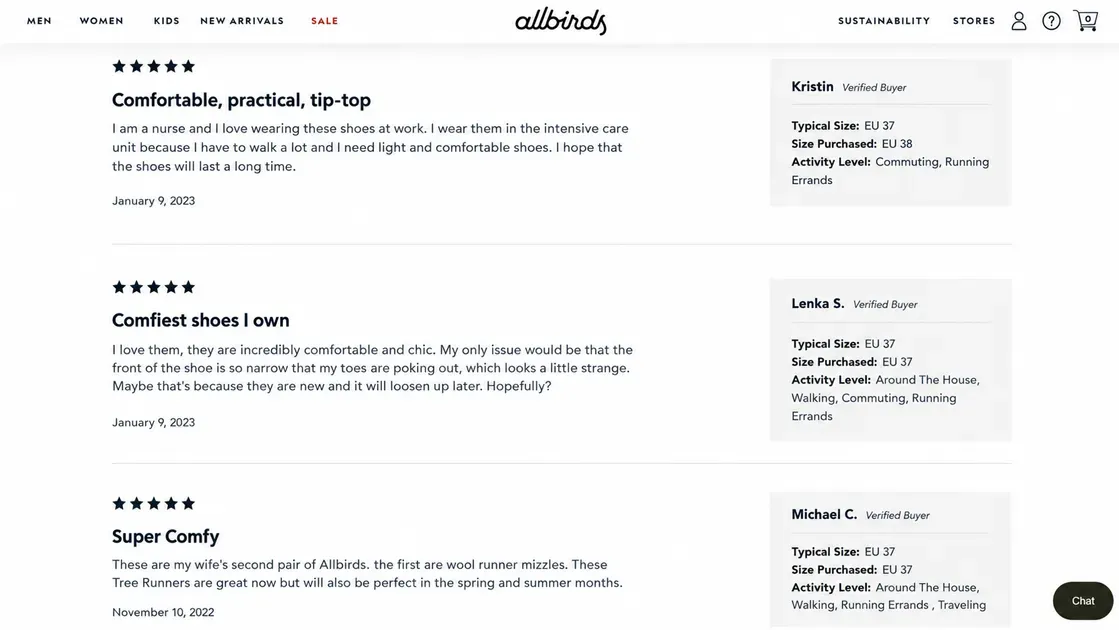
Reviews help shoppers assess product quality and build trust in an unfamiliar store. Start by inviting genuine feedback from customers who have purchased through in-person sales, test launches, or other valid sales channels.
For a store with no orders, consider these practical options:
Offer product samples to relevant creators and ask for honest feedback.
Invite customers from local markets or other sales channels to review products they actually bought.
Install a review app such as Judge.me to collect and display feedback as sales grow.
Never invent reviews or ask friends and family to pose as customers.
3. Show Shoppable UGC and TikTok Videos on Your Store
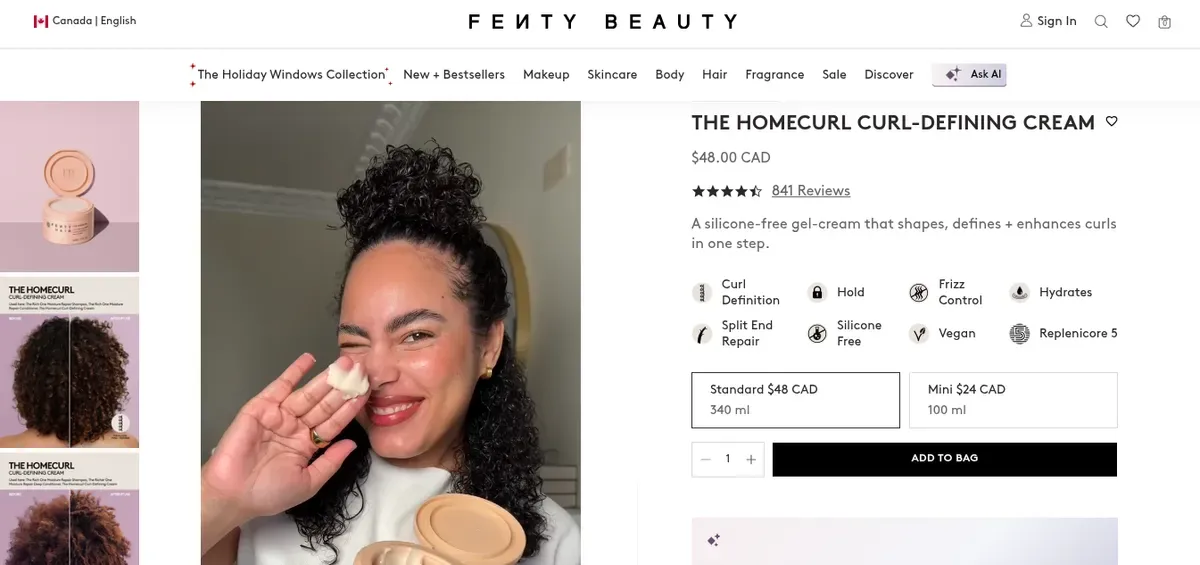
User-generated content (UGC) includes customer photos, product demonstrations, and videos that show items in real-life settings. This content helps shoppers understand how products look and work beyond standard product photos.
Start with short videos that demonstrate a product’s key features, show how to use it, or answer a common buyer question. Add relevant clips to product pages or create a shoppable gallery that links each video to the featured item. Shopify supports video content on product pages, while compatible apps can help display social content in a shoppable format.
If the store has no customer videos yet, create original demonstrations or work with creators to produce authentic product content. Get permission before reusing videos from TikTok or Instagram, and check that embedded media loads quickly on mobile.
Stage 2: Bring in the Right Traffic
Once the store can turn visitors into buyers, focus on attracting people who are already interested in the products. Combine search engine optimization (SEO) with social commerce to reach potential customers through search results and social media.
4. Optimize Product and Collection Pages for SEO
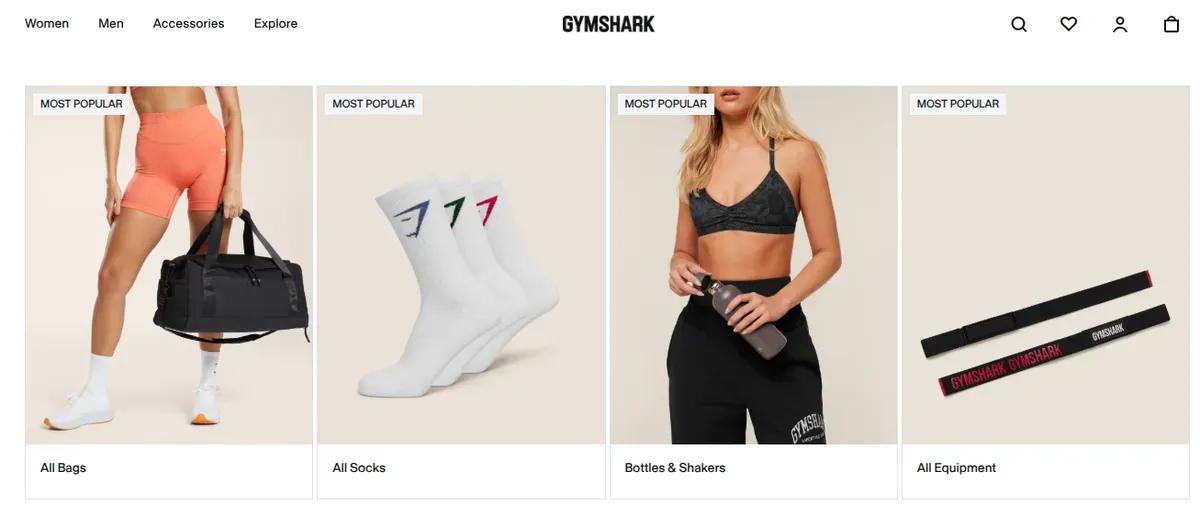
Shopify SEO helps shoppers discover products through Google and other search engines without relying entirely on paid ads. Start with keywords that match what customers search for and align each page with their buying intent.
Focus on these steps:
Optimize product titles: Use clear product names and relevant search terms, such as “stainless steel water bottle” instead of “The Everyday Essential.”
Improve product descriptions: Explain key features, benefits, materials, sizes, and common uses in natural language.
Build useful collection pages: Group related products under descriptive headings, such as “Women’s Running Shoes” or “Organic Face Moisturizers.”
Write SEO titles and meta descriptions: Give each important page a unique, relevant title and a concise summary that encourages clicks.
Add internal links and image alt text: Connect related products and collections, and describe images clearly to help search engines understand their content.
Shopify provides built-in SEO features, including automatic sitemaps and editable page titles, meta descriptions, and image alt text.
5. Sell on TikTok and Instagram
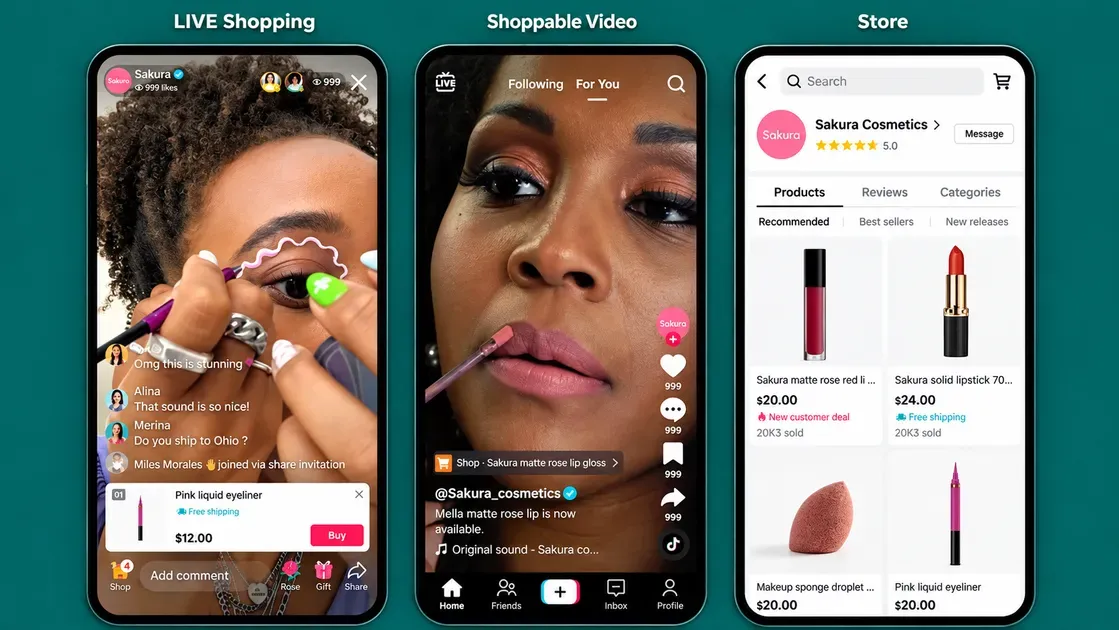
Social media helps new Shopify merchants reach potential customers through product videos, creator content, and shopping features. Instead of relying only on website traffic, build a presence on platforms where target customers already discover products.
Shopify supports social selling through channels such as TikTok Shop and Facebook and Instagram by Meta. These integrations can sync product catalogs and help merchants manage sales across platforms.
Start with these actions:
Create short TikTok videos: Demonstrate products, share quick tutorials, answer common questions, and show real-life use cases. Capture attention in the opening seconds and include a clear call to action.
Set up Instagram Shopping: Connect the Facebook and Instagram by Meta sales channel, sync eligible products, and tag products in posts and Stories. Review the official setup guide.
Work with small creators: Partner with creators whose audiences match the target market. Provide clear product information and agree on content rights before reusing their videos.
Track results: Monitor product clicks, website visits, orders, and sales by channel. Repeat the content formats that attract relevant visitors and generate purchases.
Start with one platform that fits the products and audience, then expand when content creation and order fulfillment become manageable. TikTok Shop and Instagram Shopping have market-specific eligibility rules, so confirm availability before setting up either channel.
6. Build an Email List from Day One
An email list gives new Shopify merchants a direct way to connect with potential customers without relying entirely on social media algorithms or paid ads. Start collecting email addresses early so the store can turn interested visitors into future buyers.
Use these steps to build an email list:
Add a signup form: Place an email signup form in a visible spot, such as the homepage footer or a pop-up. Explain what subscribers will receive, such as product updates, helpful tips, or exclusive offers.
Offer a relevant incentive: Give new subscribers a first-order discount, a free guide, or early access to new products. Choose an incentive that fits the product and protects profit margins.
Create a welcome email: Send an automated email to introduce the brand, highlight popular products, and explain what makes the store different.
Send useful campaigns: Share product launches, seasonal offers, buying guides, and restock updates instead of sending promotions too often.
Track email performance: Monitor subscriber growth, click-through rates, conversions, and sales to learn which messages encourage shoppers to buy.
Shopify Forms can help merchants collect email subscribers, while Shopify Messaging supports email marketing campaigns. Get consent before sending marketing emails and make it easy for subscribers to opt out. Start with a simple signup form and welcome email, then expand the strategy as the list grows.
Stage 3: Stop Losing Sales You Already Earned
New Shopify stores can lose sales when shoppers leave checkout, products run out of stock, or customers hesitate to buy before a product launches. These tactics help merchants recover missed orders, keep shoppers interested, and manage inventory with less risk.
7. Recover Abandoned Checkouts
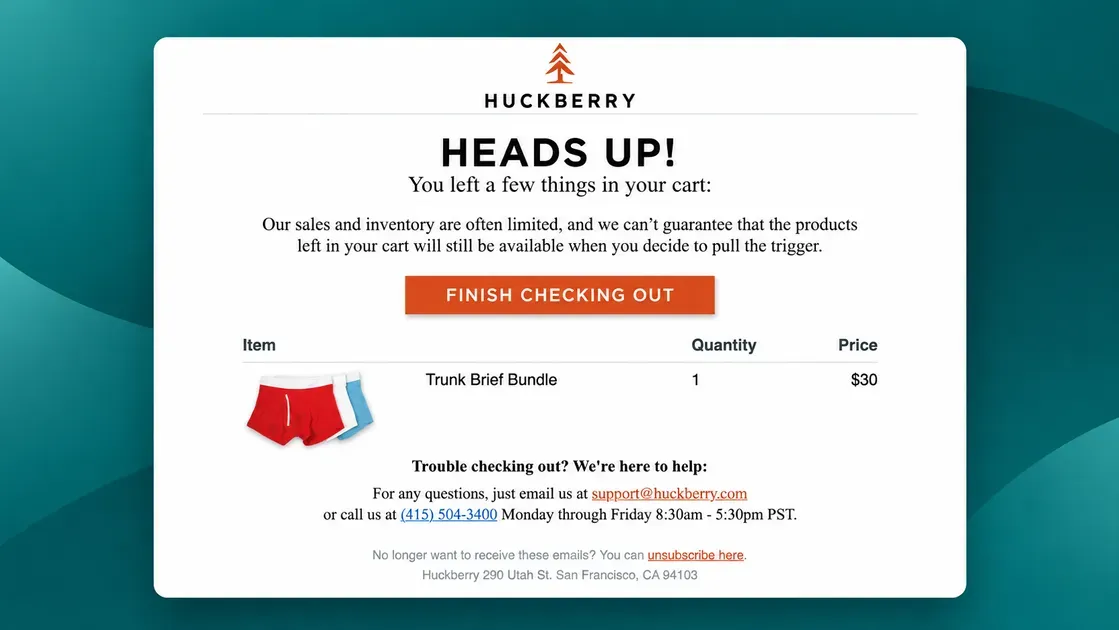
Some shoppers add products to their carts and begin checkout but leave before paying. A recovery email can remind them to return and complete the purchase.
Start with Shopify’s abandoned checkout tools. Review incomplete checkouts, look for payment problems, and enable automated recovery emails through Shopify Messaging where eligible.
To improve recovery rates:
Send a helpful reminder: Show the product and include a direct link back to checkout.
Address common concerns: Clarify shipping fees, delivery times, return policies, and payment options.
Test your timing and message: Compare email performance and track recovered orders.
Use discounts carefully: Offer an incentive only when it supports your profit margin. A discount should not become the default way to close every sale.
8. Capture Demand When Products Sell Out
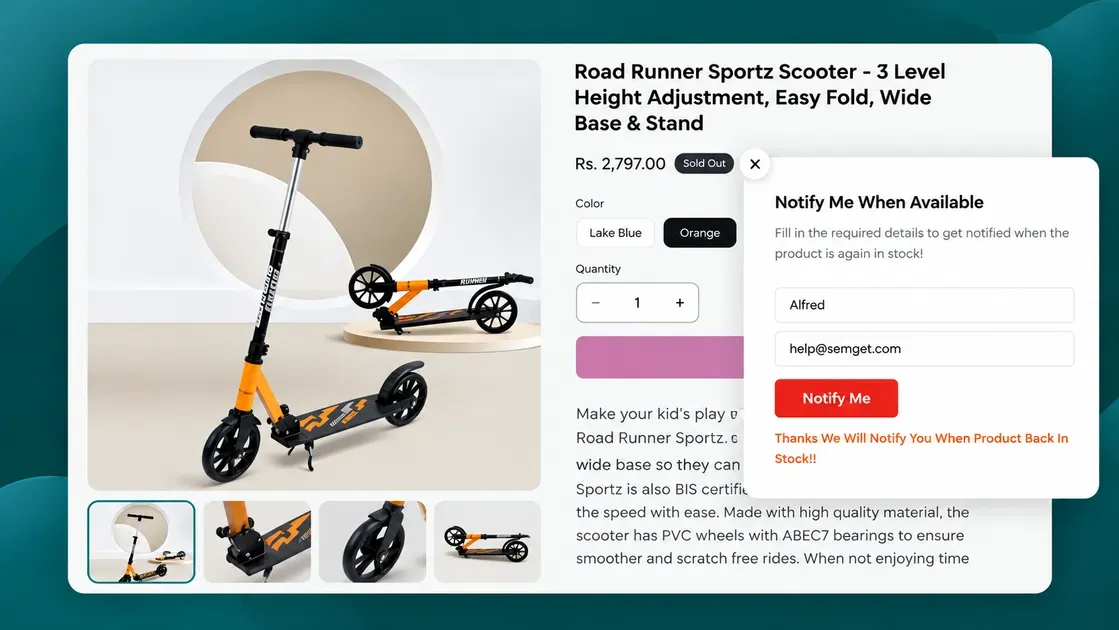
An out-of-stock product can still attract future sales if shoppers have a clear way to express interest. Instead of letting visitors leave, offer a back-in-stock notification that alerts them when the item returns.
Try these steps:
Add a “Notify Me” button: Let shoppers submit their email address when a product or size becomes unavailable.
Send restock alerts promptly: Notify subscribers when inventory returns so they can buy before the next sellout.
Track demand by product: Use sign-up numbers to identify popular items and plan restocking.
Show accurate stock information: Update product availability quickly to avoid disappointing customers.
Shopify merchants can explore apps such as Doran Notify Me Back in Stock to manage restock alerts and preorders.
9. Use Preorders to Test Demand Before Buying Inventory
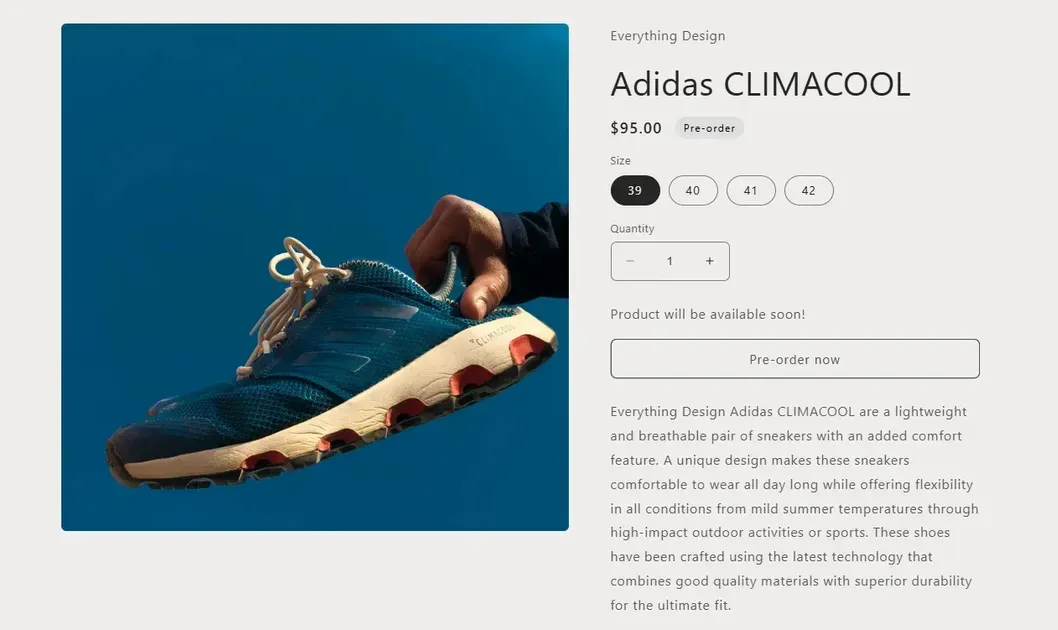
Preorders let customers order products before they become available for shipping. For new Shopify merchants, this approach can help measure interest in a new product before committing to a large inventory purchase.
Use preorders strategically:
Test one product first: Launch a limited preorder campaign to measure real buying interest.
Set clear delivery dates: Explain when the product should ship and communicate any changes promptly.
Define payment terms: Tell customers if they pay in full, make a partial payment, or reserve the item without immediate payment.
Set an order limit: Cap preorder quantities to match realistic supplier capacity and reduce fulfillment risks.
Shopify supports preorder selling through compatible apps, subject to payment-provider and other eligibility requirements.
Stage 4: Grow Order Value and Repeat Purchases
Getting a new customer is only the beginning. Increase the value of each order and give customers good reasons to return through useful product bundles, relevant follow-up messages, and in-person selling opportunities.
10. Increase Average Order Value with Bundles
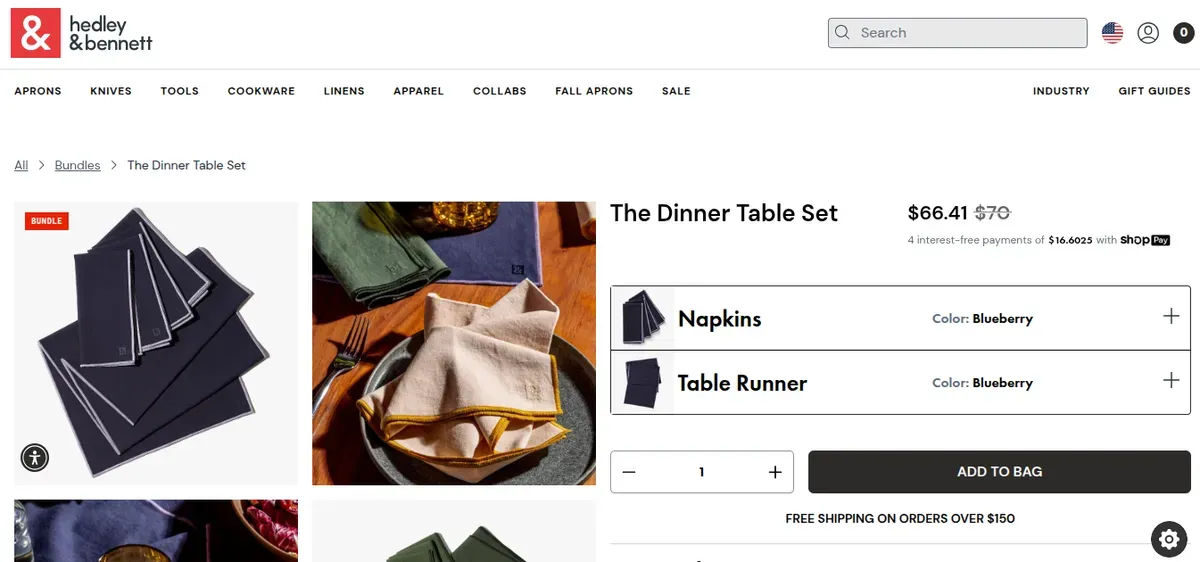
Product bundles encourage customers to buy related items together in one order. They can also make shopping easier by offering a ready-made set at a clear price. Shopify identifies increasing average order value as one benefit of product bundles.
Try these bundle ideas:
Complementary products: Pair a cleanser with a moisturizer or a yoga mat with a carrying strap.
Multipacks: Offer several units of a popular product at a better per-item price.
Starter kits: Combine essential items for customers who are new to a product category.
Tiered bundles: Create basic and premium sets to suit different budgets.
New merchants can start with Shopify Bundles, a free Shopify app for fixed bundles and multipacks. Track bundle sales and compare their average order value with regular orders.
Keep discounts within a profitable range. Calculate product costs, packaging, shipping, and transaction fees before setting bundle prices. A larger order only helps the business when it contributes enough profit.
11. Turn First Buyers into Repeat Customers
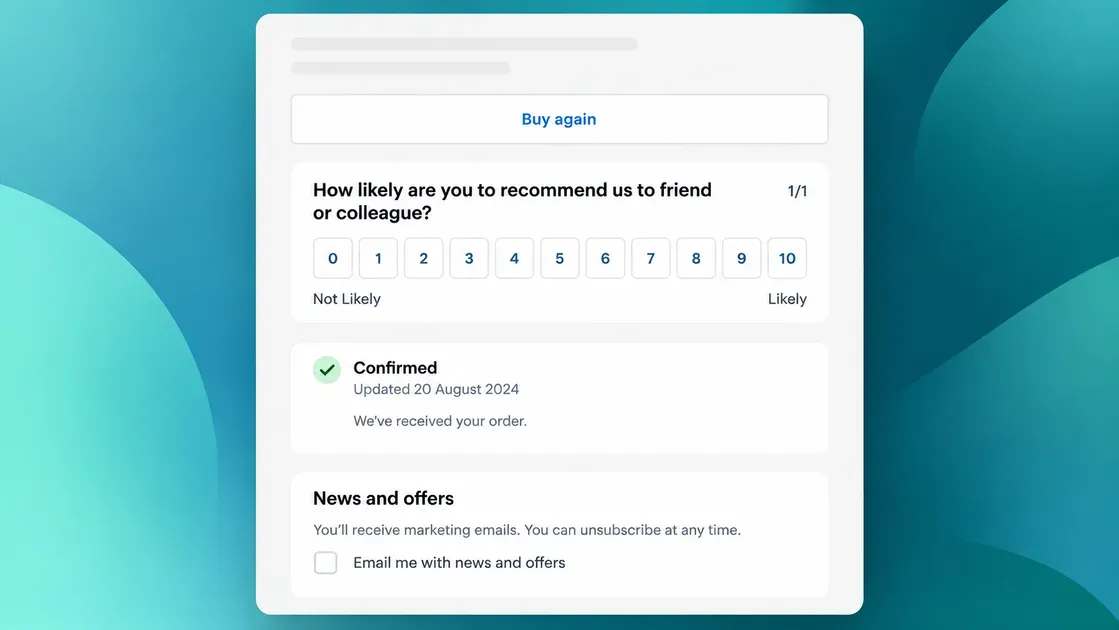
Repeat purchases help new Shopify stores build steady revenue without depending entirely on new customer acquisition. Focus on a positive post-purchase experience, useful communication, and offers that match customer needs.
Use these tactics to encourage customers to return:
Send post-purchase emails: Share order updates, product care tips, or instructions that help customers get more value from their purchases.
Recommend related products: Suggest useful add-ons based on the items customers bought.
Offer a loyalty program: Reward repeat purchases with points, exclusive perks, or discounts when the margins support them.
Send timely reminders: For products that customers use up, send replenishment emails near the expected reorder date.
Shopify Messaging helps merchants create email campaigns, while Shopify apps can support loyalty programs and automated reminders.
Track your returning customer rate and repeat order value to see which tactics work. Avoid sending too many emails or offering discounts too often. Give customers a clear reason to return, not just another promotion.
12. Sell In Person at Markets and Pop-ups

Local markets, craft fairs, and pop-up shops give new merchants a chance to introduce products to customers face to face. Shoppers can see product quality, ask questions, and try items before buying.
Follow these steps to get started:
Choose relevant events: Look for markets that attract people interested in your product category.
Prepare a simple display: Highlight bestsellers, show prices clearly, and keep popular products easy to reach.
Use Shopify POS: Process in-person payments and sync orders and inventory with your Shopify store.
Connect offline buyers to your online store: Add a QR code to packaging or receipts so customers can find more products later.
Collect customer details with permission: Invite shoppers to join your email list for product updates and future offers.
Start with one event and track sales, booth fees, travel, and inventory costs. Compare the profit with the time spent preparing and selling. Shopify POS offers basic in-person selling features across its subscription plans, although some advanced retail tools require POS Pro.
Essential Apps for Small Shopify Stores
The right Shopify apps can help new merchants build trust, reach more customers, and increase sales without adding unnecessary work. Start with tools that solve your store’s biggest needs, then track their impact before paying for extra features:
*Note: App features, pricing, and ratings were checked on October 28, 2026.
App | Main features | Pros | Cons | Pricing | Rating | Best for |
Product reviews, photo and video reviews, star ratings, review widgets | Free plan includes unlimited reviews; helps build buyer trust | Advanced features require a paid plan; review widgets may affect page speed if poorly configured | Free; paid plan from $15/month | 5.0/5 | Stores that need customer reviews and social proof | |
Back-in-stock alerts, preorders, coming-soon campaigns, email/SMS/WhatsApp notifications | Helps recover potentially lost sales; combines restock alerts and preorder tools in one app; free plan available | Advanced notification channels and features require a paid plan | Free; paid plans from $9/month | 4.7/5 | Stores that want to recover sales from out-of-stock products and test demand before restocking | |
Email, SMS, WhatsApp campaigns, templates, audience segments, performance tracking | Works inside Shopify; generous free email allowance | Extra email charges apply beyond the free allowance; advanced customization may be limited | Free to install; first 10,000 emails/month free, then $1 per 1,000 emails | 4.8/5 | Merchants who want to engage customers and encourage repeat purchases | |
Fixed product bundles and multipacks | Free; helps increase average order value | Limited bundle customization; App Store reviews are mixed | Free | 2.9/5 | Stores that sell complementary products or multipacks | |
SEO checks, schema markup, meta tags, image compression, alt text, broken-link detection | Automates routine SEO tasks; includes useful free tools | Advanced optimization features require a paid plan | Free; paid plans from $39/month | 4.9/5 | New stores that want to improve technical SEO and organic visibility |
Judge.me Product Reviews
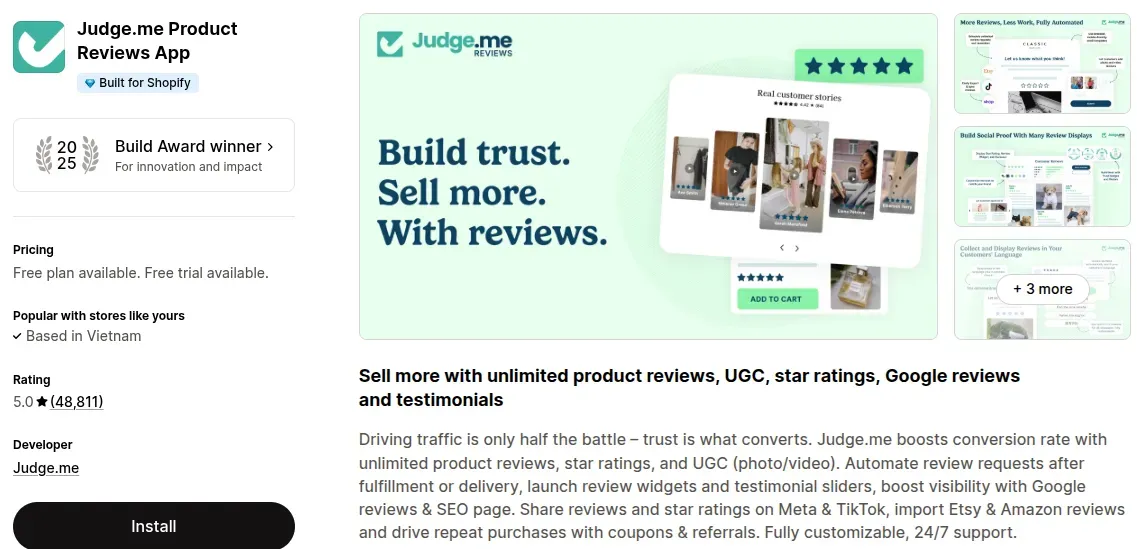
Judge.me Product Reviews helps merchants collect and display customer feedback. It supports star ratings, written reviews, customer photos, and videos. Review widgets let shoppers see feedback directly on product pages. Automated review requests can save time after orders arrive. The free plan gives new stores a way to build social proof without a large upfront cost. Merchants should collect genuine reviews and keep widgets lightweight to protect page speed.
Pricing: Free plan; paid plan starts at $15/month.
Rating: 5.0/5
Best for: New stores that need to build trust and help shoppers make buying decisions.
Doran Notify Me Back in Stock
Doran Notify Me Back in Stock helps Shopify merchants capture sales opportunities that might otherwise disappear when products run out of stock. The app adds a “Notify Me” button so shoppers can join a waitlist and receive automatic alerts when items become available again. Merchants can also launch preorder and coming-soon campaigns to gauge demand before products arrive. Email, SMS, and WhatsApp notifications help bring interested shoppers back to the store, while customizable buttons and messages create a more consistent shopping experience.
The app also supports preorder discounts, deposits, and partial payments, giving merchants more flexibility when managing product launches and inventory. With a free plan and paid options for growing stores, Doran Notify Me offers a practical way to recover missed sales without relying on multiple separate tools.
Pricing: Free plan available; Business plan from $9/month; Unlimited plan from $16/month. Paid plans include a 30-day free trial.
Rating: 4.7/5
Best for: Shopify merchants who want to recover potential lost sales from out-of-stock products, notify customers when items return, and test demand through preorders.
Shopify Messaging
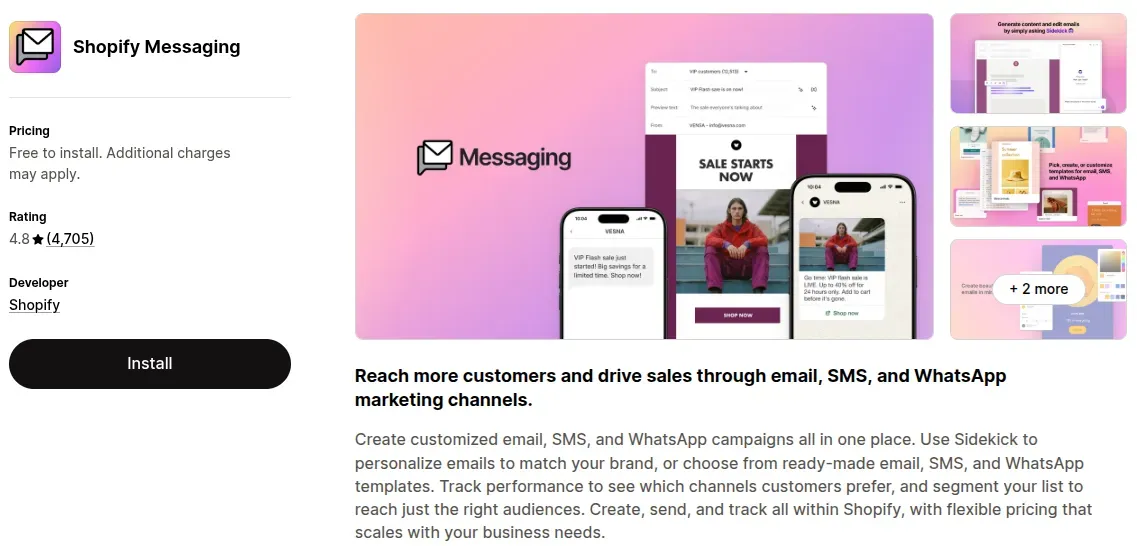
Shopify Messaging lets merchants create email, SMS, and WhatsApp campaigns within Shopify. It includes templates, audience segmentation, and campaign performance tracking. Merchants can announce product launches, share promotions, and send updates to subscribers. Email campaigns can also support customer retention after the first purchase. The app offers a generous free email allowance, making it a practical starting point for small stores.
Pricing: Free to install; the first 10,000 emails each month are free, then pricing starts at $1 per 1,000 emails.
Rating: 4.8/5
Best for: Merchants who want to communicate with customers and encourage repeat purchases without managing a separate marketing platform.
Shopify Bundles
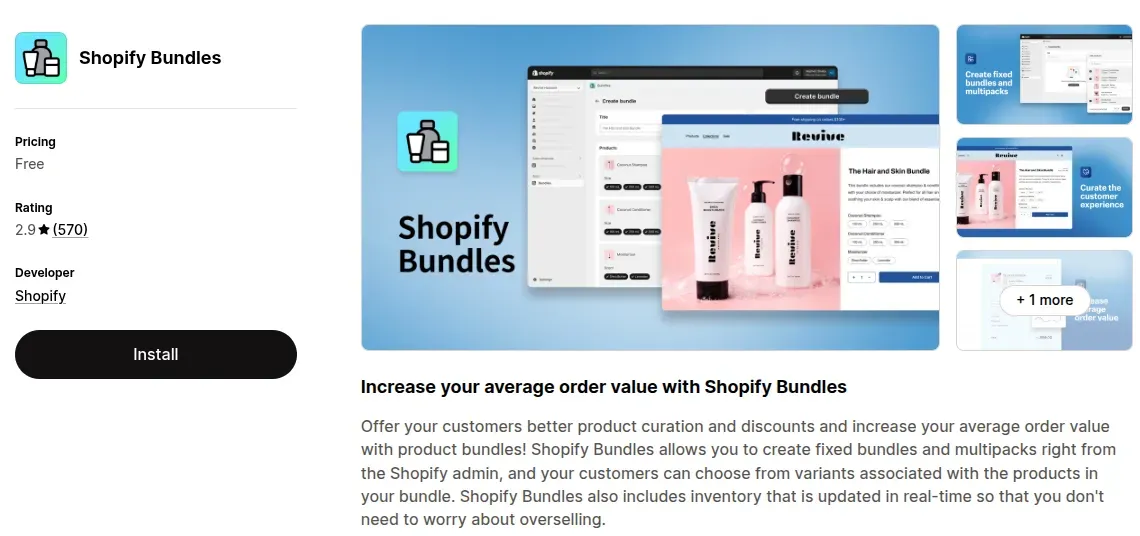
Shopify Bundles is Shopify’s free app for creating fixed product bundles and multipacks. Merchants can group related items into one offer, such as a skincare set or a multi-pack of a popular product. Bundles make product selection easier and can increase average order value (AOV). The app also helps manage bundle inventory through Shopify. However, it does not support every bundle format, so stores that need mix-and-match options may require another tool.
Pricing: Free on all Shopify plans.
Rating: 2.9/5
Best for: Small stores that want to offer simple product sets or multipacks without a monthly app fee.
SearchPie: AI SEO & Schema
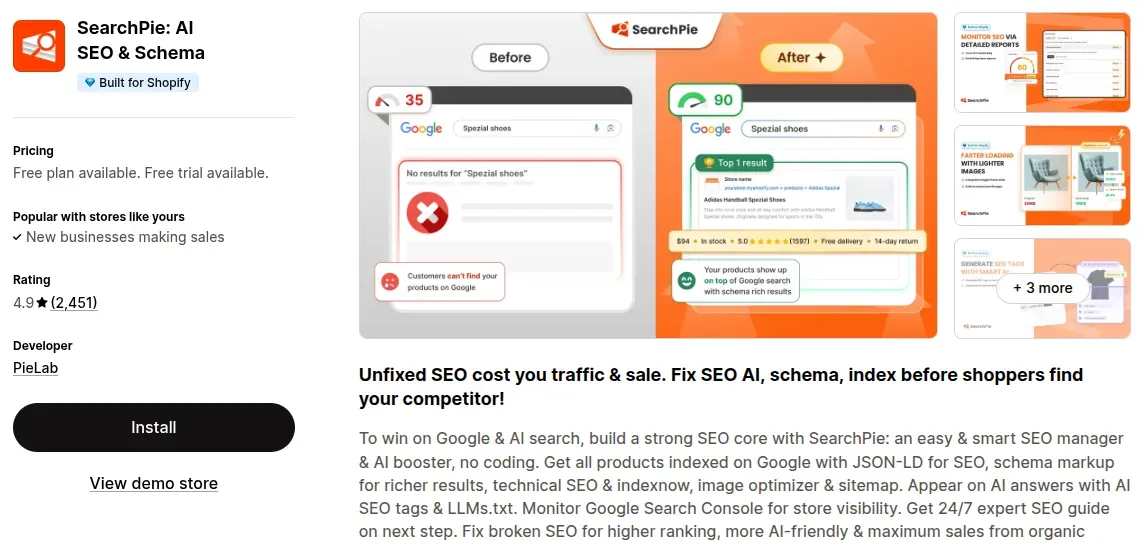
SearchPie: AI SEO & Schema helps merchants handle technical and on-page SEO tasks. Its tools include SEO checks, meta tag templates, image compression, alt text generation, and structured data features. The app can also identify broken links that may frustrate shoppers or affect site quality. These tools help new merchants manage basic SEO work as their product catalog grows. Some advanced features, such as broader schema options and automated fixes, require a paid plan, so review the feature limits before upgrading.
Pricing: Free plan; Premium starts at $39/month, with an Enterprise plan listed at $99/month.
Rating: 4.9/5
Best for: New merchants who want to improve product-page SEO and manage technical optimization with less manual work.
How to Measure Your Shopify Growth
A successful Shopify growth strategy needs more than rising sales. Track these key performance indicators (KPIs) in Shopify Analytics to understand what drives results and where your store needs improvement:
Conversion rate: The percentage of store sessions that result in an order. A low rate may signal unclear product pages, high shipping costs, or checkout issues. Review the conversion funnel to find where shoppers leave.
Customer acquisition cost (CAC): The total sales and marketing spend divided by the number of new customers acquired. Compare CAC across channels and focus on those that attract buyers at a sustainable cost.
Average order value (AOV): The average revenue per order, calculated by dividing gross sales minus discounts by total orders. Test product bundles, cross-sells, and free-shipping thresholds to increase this figure.
Returning customer rate: The percentage of customers who have purchased before. Track this metric to assess customer loyalty and identify opportunities for follow-up emails, loyalty rewards, and relevant product recommendations.
Revenue and profit: Revenue shows how much your store earns, while profit accounts for business costs. Monitor sales, product costs, shipping, marketing expenses, and other operating costs to ensure growth remains profitable.
FAQs About Shopify Growth Strategy
What should I do first after launching my Shopify store?
Check your checkout, shipping settings, product pages, and store policies to ensure customers can buy with confidence. Then promote your store through SEO, social media, and relevant marketing channels while tracking traffic and sales in Shopify Analytics.
How do I get product reviews with no sales?
Offer product samples to relevant creators and ask for honest feedback, or collect reviews from genuine customers who bought through other sales channels. Never create fake reviews or ask friends and family to pose as customers.
Can I grow my Shopify store without paid ads?
Yes. Improve product-page SEO, publish useful content, create short social media videos, collaborate with creators, and build an email list. These methods can attract organic traffic without paying for ad placements, although results may take time.
How long does it take for a new Shopify store to get sales?
Most new Shopify stores make their first sale within 14 days to 3 weeks, although some get orders within 24 hours, while others take up to 3 months. The timeline depends on factors such as traffic sources, product demand, pricing, and customer trust. To get sales sooner, promote products through relevant channels, optimize product pages, and make checkout easy.
How much should a new Shopify store spend on marketing?
Start with an affordable monthly budget that covers a few focused channels, such as content creation, email marketing, or small campaign tests. Track customer acquisition cost and sales before increasing spending, and avoid investing more than the business can afford to lose.
The Bottom Line
A successful Shopify growth strategy starts with a strong store foundation and focuses on turning visitors into buyers, attracting relevant traffic, recovering missed sales, and encouraging repeat purchases. Start with practical tactics that match your budget and business goals, then use Shopify Analytics to measure results and identify areas for improvement. By optimizing the shopping experience, choosing the right apps, and making data-driven decisions, new merchants can build sustainable, profitable growth over time.

Hey! I'm Linda Bui. Join me as we explore tips and tutorials about Shopify apps and Shopify themes for your Shopify store.
Start Building Trust Today
Install the Product Reviews app to improve your store's credibility and boost sales with real customer reviews.
Get Started with Zero CostWhat to not miss out on our blog
Gain insightful knowledge and invaluable experiences from dedicated experts.

Shopify Growth Strategy for New Stores: 12 Tactics That Drive Sales
Struggling to grow your Shopify store? Follow this Shopify growth strategy to improve SEO, attract buyers, recover abandoned checkouts, and increase sales.

Newsletter
Get all the stories you need-to-know from the most powerful name in news delivered first thing every morning to your inbox